주요 콘텐츠로 건너뛰기

Midiman Oxygen 8 Data Entry Slide Bar Replacement

필요한 것

  1. Midiman Oxygen 8 Data Entry Slide Bar Replacement, Midiman Oxygen 8 Backplate Disassembly: 1 단계, 이미지 2개 중 1개 Midiman Oxygen 8 Data Entry Slide Bar Replacement, Midiman Oxygen 8 Backplate Disassembly: 1 단계, 이미지 2개 중 2개
    • Remove the 8 mm M3 Phillips head self tapping machine screws.

    • Several of the screws are in narrow, deep sockets; make sure to use an appropriate screw driver to remove them so as not to damage the cover during removal.

    • Remove all 13 of the back plate screws.

  2. Midiman Oxygen 8 Data Entry Slide Bar Replacement: 2 단계, 이미지 2개 중 1개 Midiman Oxygen 8 Data Entry Slide Bar Replacement: 2 단계, 이미지 2개 중 2개
    • Remove the two highlighted 10 mm M3 galvanized machine screws using the J1 head fro the iFixit Tool Kit or a comparable tool.

  3. Midiman Oxygen 8 Data Entry Slide Bar Replacement: 3 단계, 이미지 3개 중 1개 Midiman Oxygen 8 Data Entry Slide Bar Replacement: 3 단계, 이미지 3개 중 2개 Midiman Oxygen 8 Data Entry Slide Bar Replacement: 3 단계, 이미지 3개 중 3개
    • Removal of Ribbon Cables

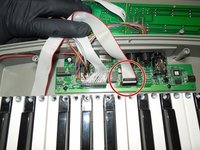
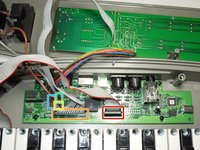
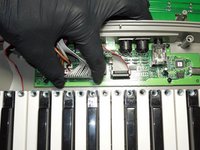
    • Prior to removal, note, mark, or take photo’s of the position of all connectors. Specifically note the side that the red wire is on, as ribbon cables are polarized cables that must be re-installed correctly. Installing the cables backwards may cause damage to the device or significantly hinder the troubleshooting process.

    • To separate the back plate, remove all five cables that connect to the motherboard but do not originate from the back plate; the key assembly, LCD circuit, rotor tuning circuit, and the pitch and modulator circuits. None of these cables require tools to remove, simply apply firm upward pressure to remove them.

  4. Midiman Oxygen 8 Data Entry Slide Bar Replacement: 4 단계, 이미지 2개 중 1개 Midiman Oxygen 8 Data Entry Slide Bar Replacement: 4 단계, 이미지 2개 중 2개
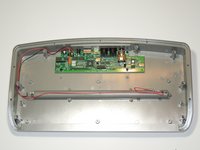
    • Remove the key assembly from the key board.

    • What remains is the back plate and the top plate assemblies.

  5. Midiman Oxygen 8 Data Entry Slide Bar Replacement, Data Entry Slide Bar: 5 단계, 이미지 1개 중 1개
    • The Data Slide bar is attached to the same circuit as the LCD screen on the reverse of the front faceplate.

    • Remove the four M1.5 x 3 screws

  6. Midiman Oxygen 8 Data Entry Slide Bar Replacement: 6 단계, 이미지 1개 중 1개
    • These are the 12 contacts that must be de-soldered in order to remove the data entry slide bar, 4 are electrical and 8 secure the housing.

  7. Midiman Oxygen 8 Data Entry Slide Bar Replacement: 7 단계, 이미지 1개 중 1개
    • After de-soldering the part, you will be able to remove it and replace it.

결론

To reassemble your device, follow these instructions in reverse order.

작성자

2다른 기여자 명과 함께

Scott Miller

회원 가입일: 10/04/16

437 평판

안내서 4개를 작성함

USF Tampa, Team 1-6, Sullivan Fall 2016 USF Tampa, Team 1-6, Sullivan Fall 2016 회원

USFT-SULLIVAN-F16S1G6

4 회원들

안내서 6개를 작성함

0가이드 댓글

댓글 쓰기

조회 통계:

지난 24시간: 0

지난 7일: 2

지난 30일: 9

전체 시간: 634