주요 콘텐츠로 건너뛰기

Motorola Edge (2021) Camera module Replacement

필요한 것

  1. Motorola Edge (2021) Camera module Replacement, Camera: 1 단계, 이미지 1개 중 1개
    • Use the iFixit iOpeners to heat the back of the phone by placing them vertically along the sides. This will weaken the glue so it opens easier.

  2. Motorola Edge (2021) Camera module Replacement: 2 단계, 이미지 2개 중 1개 Motorola Edge (2021) Camera module Replacement: 2 단계, 이미지 2개 중 2개
    • After the heating process, use the iFixit opening pick to slide in between the cracks, separating the glue.

  3. Motorola Edge (2021) Camera module Replacement: 3 단계, 이미지 1개 중 1개
    • Gently remove the back panel of the smartphone.

  4. Motorola Edge (2021) Camera module Replacement: 4 단계, 이미지 2개 중 1개 Motorola Edge (2021) Camera module Replacement: 4 단계, 이미지 2개 중 2개
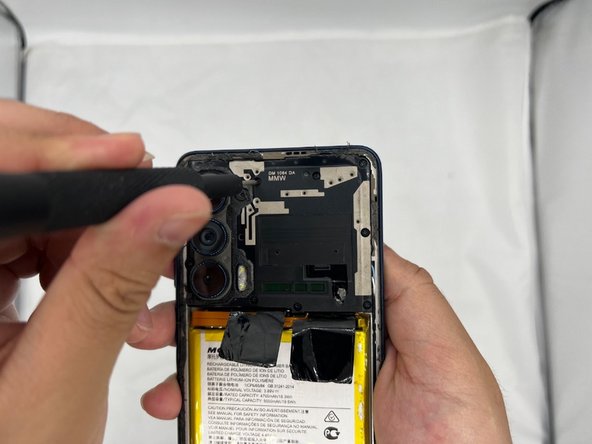
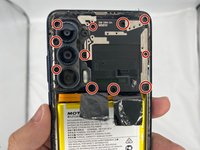
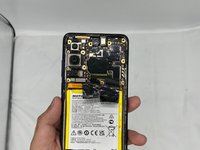
    • Now you need to uncrews the camera/motherboard casing.

    • Unscrew all the screws under the circles. Be careful not to miss a screw that might be hiding under the glue.

  5. Motorola Edge (2021) Camera module Replacement: 5 단계, 이미지 2개 중 1개 Motorola Edge (2021) Camera module Replacement: 5 단계, 이미지 2개 중 2개
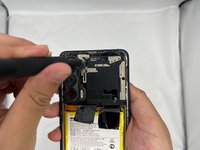
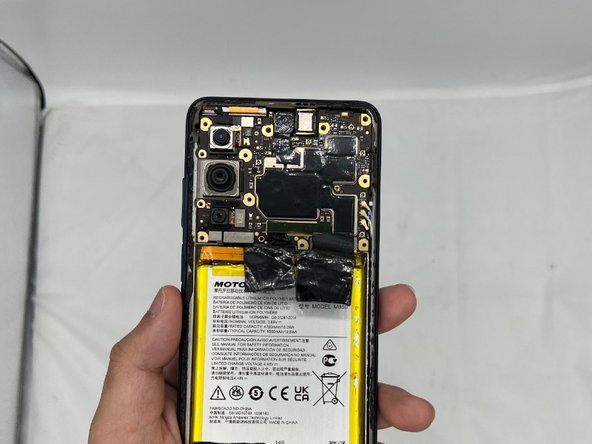
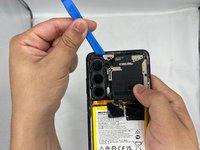
    • Use the iFixit prying tool to gently slide the camera casing off the phone. Be careful not to damage the motherboard underneath.

결론

To reassemble your device, follow these instructions in reverse order.

작성자

4다른 기여자 명과 함께

Jaier

회원 가입일: 02/08/24

339 평판

안내서 2개를 작성함

0가이드 댓글

댓글 쓰기

조회 통계:

지난 24시간: 0

지난 7일: 3

지난 30일: 20

전체 시간: 344