주요 콘텐츠로 건너뛰기

Motorola i450 Boost Mobile Keypad Replacement

필요한 것

  1. Motorola i450 Boost Mobile Keypad Replacement, Back Cover: 1 단계, 이미지 3개 중 1개 Motorola i450 Boost Mobile Keypad Replacement, Back Cover: 1 단계, 이미지 3개 중 2개 Motorola i450 Boost Mobile Keypad Replacement, Back Cover: 1 단계, 이미지 3개 중 3개
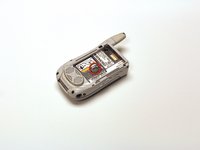
    • Place the phone on a flat surface with the front facing down.

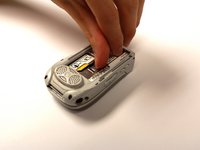
    • Insert your finger under the gray plastic cover at the bottom end of the phone.

    • Lift the cover off the phone.

  2. Motorola i450 Boost Mobile Keypad Replacement, Battery: 2 단계, 이미지 3개 중 1개 Motorola i450 Boost Mobile Keypad Replacement, Battery: 2 단계, 이미지 3개 중 2개 Motorola i450 Boost Mobile Keypad Replacement, Battery: 2 단계, 이미지 3개 중 3개
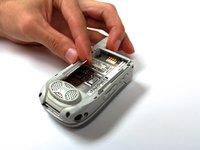
    • Place your thumb in the notch in the lower left corner of the battery compartment.

    • Lift the battery up and away from the phone.

    • Remove the battery.

  3. Motorola i450 Boost Mobile Keypad Replacement, SIM Card: 3 단계, 이미지 2개 중 1개 Motorola i450 Boost Mobile Keypad Replacement, SIM Card: 3 단계, 이미지 2개 중 2개
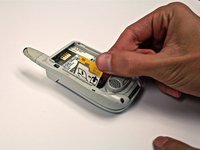
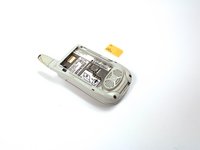
    • Locate the metal slider that holds the SIM card in place.

    • Push the slider away from the metal flap which contains the SIM card. The flap will pop up.

  4. Motorola i450 Boost Mobile Keypad Replacement: 4 단계, 이미지 3개 중 1개 Motorola i450 Boost Mobile Keypad Replacement: 4 단계, 이미지 3개 중 2개 Motorola i450 Boost Mobile Keypad Replacement: 4 단계, 이미지 3개 중 3개
    • Lift the metal flap to gain access to the bottom of the SIM card.

    • Remove the SIM card by sliding it out parallel to the bottom of the flap.

  5. Motorola i450 Boost Mobile Keypad Replacement, Circuit Board: 5 단계, 이미지 1개 중 1개
    • Extend the antenna.

  6. Motorola i450 Boost Mobile Keypad Replacement: 6 단계, 이미지 1개 중 1개
    • Remove the four 4.8 mm Torx T6 screws from the corners of the back of the phone.

    • If the antenna is not fully extended, the top left screw will not be accessible.

  7. Motorola i450 Boost Mobile Keypad Replacement: 7 단계, 이미지 3개 중 1개 Motorola i450 Boost Mobile Keypad Replacement: 7 단계, 이미지 3개 중 2개 Motorola i450 Boost Mobile Keypad Replacement: 7 단계, 이미지 3개 중 3개
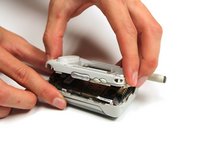
    • Gently lift off the back half of the phone and set to the side.

    • Permanent circuit connections prevent the cover from completely separating from the phone. Do not attempt to disconnect these circuits.

  8. Motorola i450 Boost Mobile Keypad Replacement, Keypad: 8 단계, 이미지 3개 중 1개 Motorola i450 Boost Mobile Keypad Replacement, Keypad: 8 단계, 이미지 3개 중 2개 Motorola i450 Boost Mobile Keypad Replacement, Keypad: 8 단계, 이미지 3개 중 3개
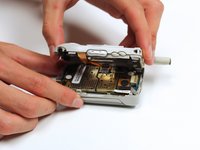
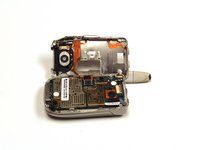
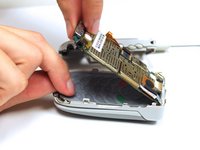
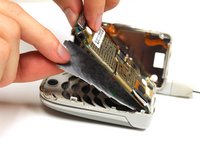
    • Gently lift the end of the circuit board farthest from the phone hinge.

    • The circuit board is permanently connected to the phone casing at the end nearest to the hinge.

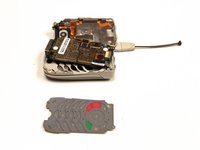
    • Grasp the keypad at the bottom of the phone, raise it, and pull it away.

결론

To reassemble your device, follow these instructions in reverse order.

작성자

5다른 기여자 명과 함께

Garrison Stevens

회원 가입일: 10/22/12

1 평판

안내서 6개를 작성함

Clemson, Team 15-2, Benson Fall 2012 Clemson, Team 15-2, Benson Fall 2012 회원

CLEM-BENSON-F12S15G2

4 회원들

안내서 16개를 작성함

0가이드 댓글

댓글 쓰기

조회 통계:

지난 24시간: 0

지난 7일: 0

지난 30일: 8

전체 시간: 544