주요 콘텐츠로 건너뛰기

Nest Learning Thermostat 2nd Generation Auto-Away Sensor Replacement

필요한 것

  1. Nest Learning Thermostat 2nd Generation Auto-Away Sensor Replacement, Removal from Wall: 1 단계, 이미지 2개 중 1개 Nest Learning Thermostat 2nd Generation Auto-Away Sensor Replacement, Removal from Wall: 1 단계, 이미지 2개 중 2개
    • Grasp the display's metal outer ring with your fingers and pull directly away from the wall.

  2. Nest Learning Thermostat 2nd Generation Auto-Away Sensor Replacement, Open Display: 2 단계, 이미지 1개 중 1개
    • Turn the display over.

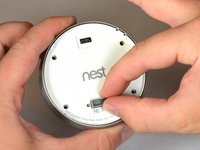
    • Remove the four 6 mm screws from the back of the display using a Phillips #0 screwdriver.

  3. Nest Learning Thermostat 2nd Generation Auto-Away Sensor Replacement, Remove the back of the display: 3 단계, 이미지 2개 중 1개 Nest Learning Thermostat 2nd Generation Auto-Away Sensor Replacement, Remove the back of the display: 3 단계, 이미지 2개 중 2개
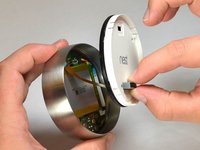
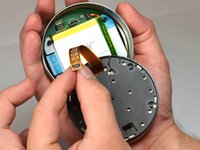
    • Pinch the gray 20-pin connector with your fingers and pull directly away from the display.

    • Do NOT pull too far as there is a ribbon on the back panel connecting the 20-pin connector to the display.

  4. Nest Learning Thermostat 2nd Generation Auto-Away Sensor Replacement, Disconnect the base connection ribbon cable.: 4 단계, 이미지 3개 중 1개 Nest Learning Thermostat 2nd Generation Auto-Away Sensor Replacement, Disconnect the base connection ribbon cable.: 4 단계, 이미지 3개 중 2개 Nest Learning Thermostat 2nd Generation Auto-Away Sensor Replacement, Disconnect the base connection ribbon cable.: 4 단계, 이미지 3개 중 3개
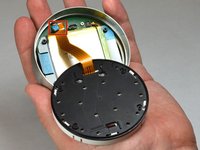
    • Locate the blue pull tab at the end of the ribbon which says, "1. Pull".

    • Grasp the tab with your fingers and pull directly away from the motherboard.

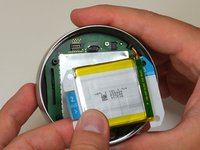
  5. Nest Learning Thermostat 2nd Generation Auto-Away Sensor Replacement, Lift battery from the base: 5 단계, 이미지 2개 중 1개 Nest Learning Thermostat 2nd Generation Auto-Away Sensor Replacement, Lift battery from the base: 5 단계, 이미지 2개 중 2개
    이 단계에 사용된 도구:
    Tweezers
    $4.99
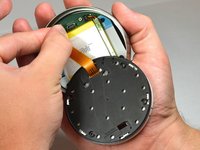
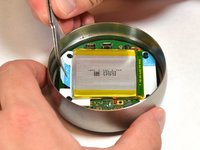
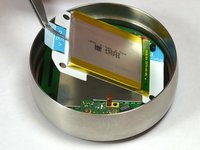
    • Locate the blue tab which says, "2. Pull".

    • Use tweezers to pull the battery up and away from the display.

    • Do NOT pull too far, as the battery is still connected to the motherboard and must be unplugged.

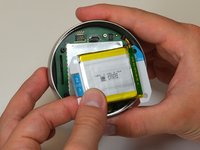
  6. Nest Learning Thermostat 2nd Generation Auto-Away Sensor Replacement, Disconnect the battery from the motherboard: 6 단계, 이미지 2개 중 1개 Nest Learning Thermostat 2nd Generation Auto-Away Sensor Replacement, Disconnect the battery from the motherboard: 6 단계, 이미지 2개 중 2개
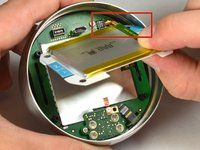
    • Locate the blue tab which says "3 unplug".

    • Grasp the battery with your fingers. Pull gently directly away from the display to unplug the battery from the motherboard.

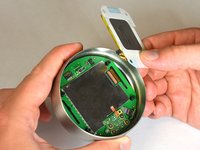
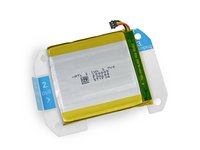
  7. Nest Learning Thermostat 2nd Generation Auto-Away Sensor Replacement, Remove battery from the display: 7 단계, 이미지 3개 중 1개 Nest Learning Thermostat 2nd Generation Auto-Away Sensor Replacement, Remove battery from the display: 7 단계, 이미지 3개 중 2개 Nest Learning Thermostat 2nd Generation Auto-Away Sensor Replacement, Remove battery from the display: 7 단계, 이미지 3개 중 3개
    • Grasp the battery with your fingers and pull directly away from motherboard to separate the battery from the display.

  8. Nest Learning Thermostat 2nd Generation Auto-Away Sensor Replacement, Locate auto-away sensor: 8 단계, 이미지 1개 중 1개
    • Locate the auto-away sensor.

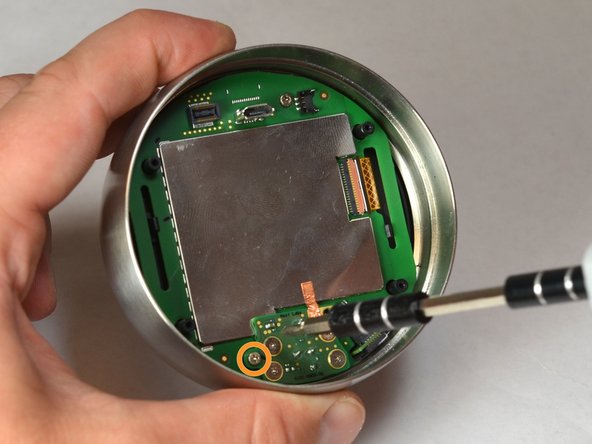
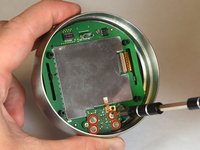
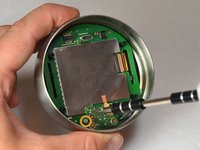
  9. Nest Learning Thermostat 2nd Generation Auto-Away Sensor Replacement, Remove screws: 9 단계, 이미지 2개 중 1개 Nest Learning Thermostat 2nd Generation Auto-Away Sensor Replacement, Remove screws: 9 단계, 이미지 2개 중 2개
    • Remove the four 3mm screws with a #0 Phillips screwdriver.

    • Remove the one 4mm screw located at the edge of the auto-away sensor. Use a #0 Phillips screwdriver.

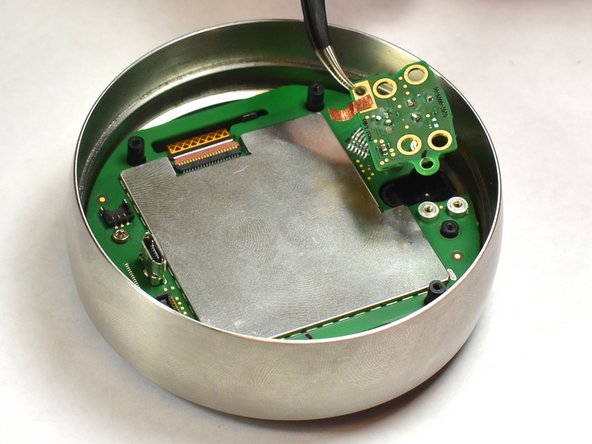
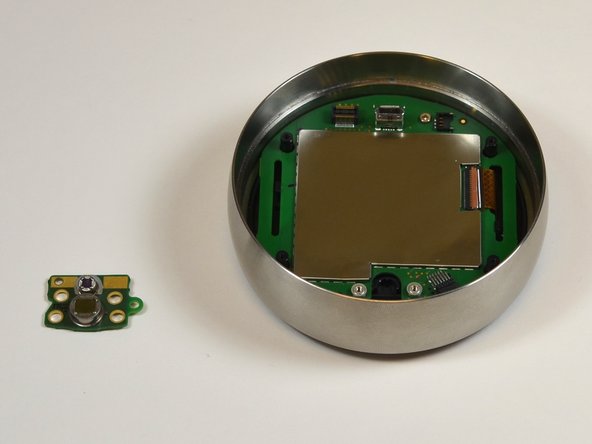
  10. Nest Learning Thermostat 2nd Generation Auto-Away Sensor Replacement, Remove auto-away sensor: 10 단계, 이미지 3개 중 1개 Nest Learning Thermostat 2nd Generation Auto-Away Sensor Replacement, Remove auto-away sensor: 10 단계, 이미지 3개 중 2개 Nest Learning Thermostat 2nd Generation Auto-Away Sensor Replacement, Remove auto-away sensor: 10 단계, 이미지 3개 중 3개
    이 단계에 사용된 도구:
    Tweezers
    $4.99
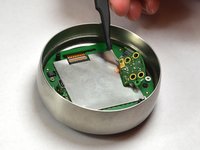
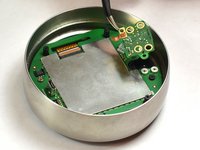
    • Lift the auto-away sensor from motherboard using tweezers.

    • Peel the copper foil gently from the EMI shield.

결론

To reassemble your device, follow these instructions in reverse order.

다른 2명이 해당 안내서를 완성하였습니다.

작성자

5다른 기여자 명과 함께

Justin Curry

회원 가입일: 09/23/14

264 평판

안내서 2개를 작성함

USF Tampa, Team 11-5, Blackwell Fall 2014 USF Tampa, Team 11-5, Blackwell Fall 2014 회원

USFT-BLACKWELL-F14S11G5

5 회원들

안내서 12개를 작성함

0가이드 댓글

댓글 쓰기

조회 통계:

지난 24시간: 0

지난 7일: 1

지난 30일: 7

전체 시간: 2,280