주요 콘텐츠로 건너뛰기

Nexus 10 Display Replacement

필요한 것

  1. Nexus 10 Display Replacement, Battery: 1 단계, 이미지 3개 중 1개 Nexus 10 Display Replacement, Battery: 1 단계, 이미지 3개 중 2개 Nexus 10 Display Replacement, Battery: 1 단계, 이미지 3개 중 3개
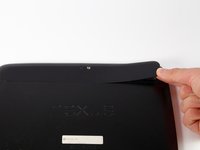
    • Using a plastic opening tool, remove the thin plastic cover from back of the tablet by prying up from its small tab.

  2. Nexus 10 Display Replacement: 2 단계, 이미지 1개 중 1개
    • Remove the five 2mm screws on the back of the device using a PH00 screwdriver.

  3. Nexus 10 Display Replacement: 3 단계, 이미지 3개 중 1개 Nexus 10 Display Replacement: 3 단계, 이미지 3개 중 2개 Nexus 10 Display Replacement: 3 단계, 이미지 3개 중 3개
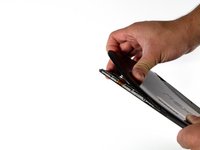
    • Pry the device apart by inserting a plastic opening tool in the seam between the plastic backing and display assembly. Use the tool to unclip the plastic tabs in between the backing and the display.

    • Pull the the plastic backing off the display assembly using your hands.

    • Do not do this step with only your hands. You will require a significant amount of force to separate the device.

  4. Nexus 10 Display Replacement: 4 단계, 이미지 3개 중 1개 Nexus 10 Display Replacement: 4 단계, 이미지 3개 중 2개 Nexus 10 Display Replacement: 4 단계, 이미지 3개 중 3개
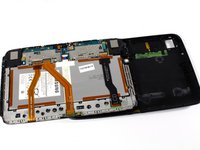
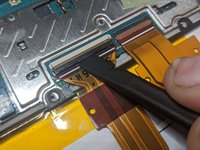
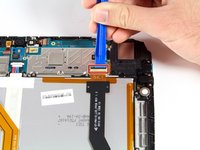
    • Detach the three connector ribbons passing over the battery using the plastic opening tool.

  5. Nexus 10 Display Replacement: 5 단계, 이미지 1개 중 1개
    • Remove the twelve 2mm screws around the perimeter of the battery with a PH00 screwdriver.

  6. Nexus 10 Display Replacement: 6 단계, 이미지 2개 중 1개 Nexus 10 Display Replacement: 6 단계, 이미지 2개 중 2개
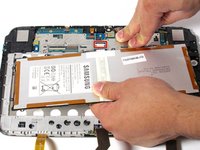
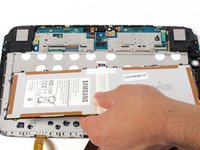
    • Disconnect the battery by lifting it upward and pulling it away from the connector.

  7. Nexus 10 Display Replacement, Headphone Jack: 7 단계, 이미지 1개 중 1개
    • Remove one screw on the logic board with a PH00 screwdriver.

  8. Nexus 10 Display Replacement: 8 단계, 이미지 3개 중 1개 Nexus 10 Display Replacement: 8 단계, 이미지 3개 중 2개 Nexus 10 Display Replacement: 8 단계, 이미지 3개 중 3개
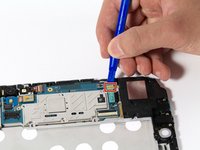
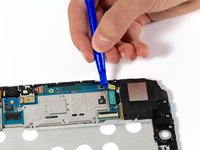
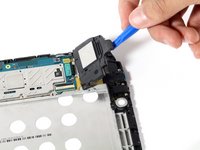
    • Disconnect right speaker connector ribbon from logic board.

    • Lift the speaker out by pulling up on its corner.

  9. Nexus 10 Display Replacement: 9 단계, 이미지 3개 중 1개 Nexus 10 Display Replacement: 9 단계, 이미지 3개 중 2개 Nexus 10 Display Replacement: 9 단계, 이미지 3개 중 3개
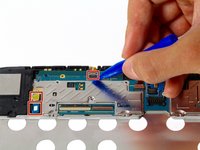
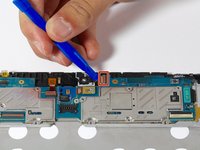
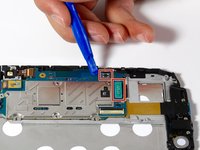
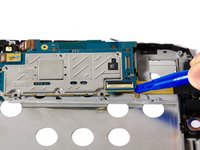
    • Disconnect connectors around the perimeter of the motherboard.

  10. Nexus 10 Display Replacement: 10 단계, 이미지 2개 중 1개 Nexus 10 Display Replacement: 10 단계, 이미지 2개 중 2개
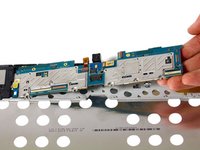
    • Remove motherboard by gently pulling upward under its corner.

  11. Nexus 10 Display Replacement: 11 단계, 이미지 1개 중 1개
    • Remove the three 2mm screws along the right side of the device using a PH00 screwdriver.

  12. Nexus 10 Display Replacement: 12 단계, 이미지 2개 중 1개 Nexus 10 Display Replacement: 12 단계, 이미지 2개 중 2개
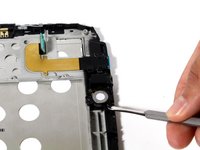
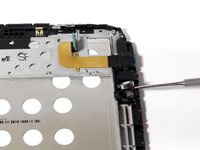
    • Unseat the small vibrator motor by gently applying upward pressure with a spudger.

  13. Nexus 10 Display Replacement: 13 단계, 이미지 2개 중 1개 Nexus 10 Display Replacement: 13 단계, 이미지 2개 중 2개
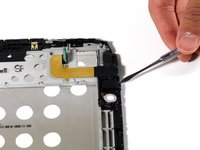
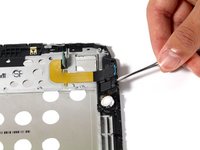
    • Lift the assembly by gently applying upward pressure with the spudger on the assembly.

  14. Nexus 10 Display Replacement: 14 단계, 이미지 2개 중 1개 Nexus 10 Display Replacement: 14 단계, 이미지 2개 중 2개
    • Gently pull battery-audio jack-USB assembly upward, detaching it from its adhesive.

  15. Nexus 10 Display Replacement, Display: 15 단계, 이미지 2개 중 1개 Nexus 10 Display Replacement, Display: 15 단계, 이미지 2개 중 2개
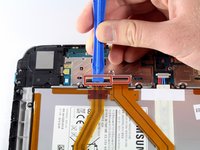
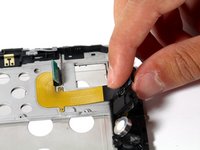
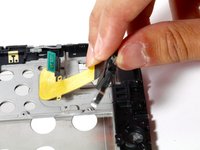
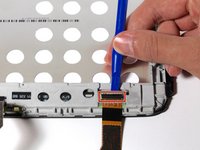
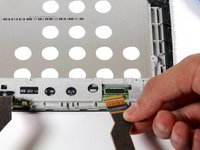
    • Detach LCD connector ribbon by pressing upward on connector latch using a plastic opening tool.

  16. Nexus 10 Display Replacement: 16 단계, 이미지 2개 중 1개 Nexus 10 Display Replacement: 16 단계, 이미지 2개 중 2개
    • Unscrew the two 2mm Phillips #00 screws holding the ribbon in place.

    • Remove the board by tilting it forward and pulling outward.

  17. Nexus 10 Display Replacement: 17 단계, 이미지 1개 중 1개
    • Remove second speaker by gently tilting and pulling upward.

  18. Nexus 10 Display Replacement: 18 단계, 이미지 3개 중 1개 Nexus 10 Display Replacement: 18 단계, 이미지 3개 중 2개 Nexus 10 Display Replacement: 18 단계, 이미지 3개 중 3개
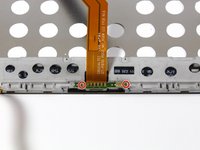
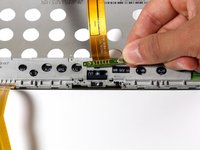
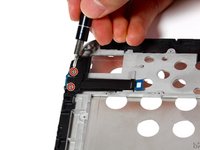
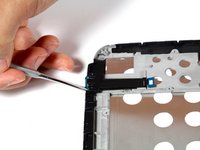
    • Unscrew the two 2mm screws securing the micro HDMI connector with a #PH00 screwdriver.

    • Remove the connector by liberally applying upward pressure.

  19. Nexus 10 Display Replacement: 19 단계, 이미지 3개 중 1개 Nexus 10 Display Replacement: 19 단계, 이미지 3개 중 2개 Nexus 10 Display Replacement: 19 단계, 이미지 3개 중 3개
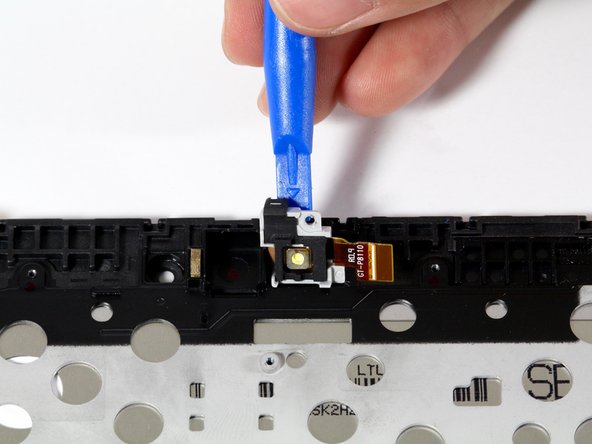
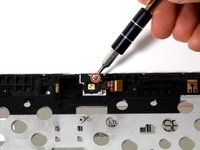
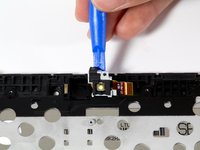
    • Unscrew the 2mm Phillips #00 screw that holds the flash enclosure.

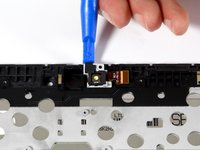
    • Remove the flash assembly with a plastic opening tool by lifting the assembly upward.

결론

To reassemble your device, follow these instructions in reverse order.

다른 6명이 해당 안내서를 완성하였습니다.

작성자

5다른 기여자 명과 함께

Benjamin Troller

회원 가입일: 04/11/16

2,218 평판

안내서 5개를 작성함

Cal Poly, Team 34-18, Maness Spring 2016 Cal Poly, Team 34-18, Maness Spring 2016 회원

CPSU-MANESS-S16S34G18

4 회원들

안내서 5개를 작성함

4가이드 댓글

I’m waiting for the instructions regarding how to remove the old screen and insert the new - it seems to be missing

John Walker - 답글

It seems you just have to buy a replacement for that whole front housing, including the screen assembly

Oliver Nichol -

Still waiting to see how the screen is remove

Frank - 답글

he cambiado la bateria y he partido el presor negro del conector de LCD y no me me funciona, se puede comprar esa pieza negra?

Diego Mera - 답글

댓글 쓰기

조회 통계:

지난 24시간: 3

지난 7일: 19

지난 30일: 58

전체 시간: 8,643