주요 콘텐츠로 건너뛰기

Nexus One Front Speaker Replacement

필요한 것

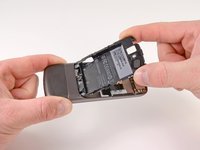
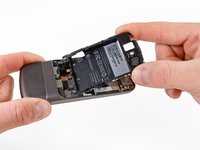
  1. Nexus One Front Speaker Replacement, Rear Cover: 1 단계, 이미지 2개 중 1개 Nexus One Front Speaker Replacement, Rear Cover: 1 단계, 이미지 2개 중 2개
    • Using two fingers, push up on the rear cover.

  2. Nexus One Front Speaker Replacement: 2 단계, 이미지 1개 중 1개
    • The rear cover slides up and off.

  3. Nexus One Front Speaker Replacement, Battery: 3 단계, 이미지 1개 중 1개
    • Using the plastic opening tools, pry the left bottom corner of the battery up.

  4. Nexus One Front Speaker Replacement: 4 단계, 이미지 1개 중 1개
    • Pull the battery up and out.

  5. Nexus One Front Speaker Replacement, Battery Housing: 5 단계, 이미지 1개 중 1개
    • Remove the two Torx T5 screws.

    • Remove the one Philips #00 screw.

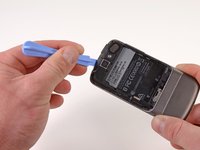
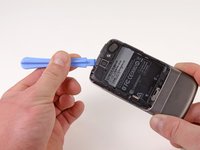
  6. Nexus One Front Speaker Replacement: 6 단계, 이미지 2개 중 1개 Nexus One Front Speaker Replacement: 6 단계, 이미지 2개 중 2개
    • Using the plastic opening tool, pry up the battery housing upwards.

    • Push pry tool down, undoing the plastic tab.

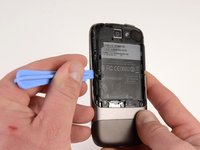
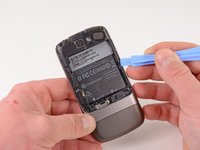
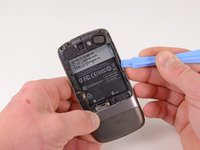
  7. Nexus One Front Speaker Replacement: 7 단계, 이미지 2개 중 1개 Nexus One Front Speaker Replacement: 7 단계, 이미지 2개 중 2개
    • Pry the upper left tab open on the battery housing.

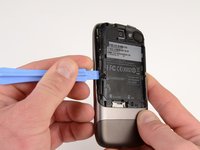
  8. Nexus One Front Speaker Replacement: 8 단계, 이미지 2개 중 1개 Nexus One Front Speaker Replacement: 8 단계, 이미지 2개 중 2개
    • Pry the top tab of the battery housing.

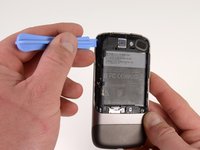
  9. Nexus One Front Speaker Replacement: 9 단계, 이미지 2개 중 1개 Nexus One Front Speaker Replacement: 9 단계, 이미지 2개 중 2개
    • Pry the right side tab of the battery housing.

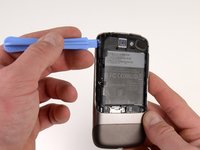
  10. Nexus One Front Speaker Replacement: 10 단계, 이미지 2개 중 1개 Nexus One Front Speaker Replacement: 10 단계, 이미지 2개 중 2개
    • Pull up on the battery housing.

    • Slide the battery housing out to remove it.

  11. Nexus One Front Speaker Replacement, Motherboards: 11 단계, 이미지 2개 중 1개 Nexus One Front Speaker Replacement, Motherboards: 11 단계, 이미지 2개 중 2개
    • Insert the spudger under the connector.

    • Push the spudger up and twist to release the connector.

    • Repeat for the next connector.

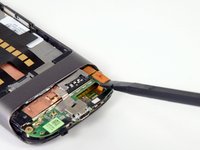
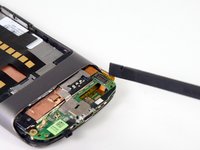
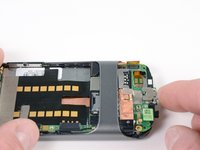
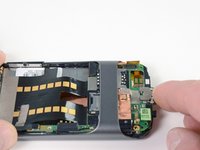
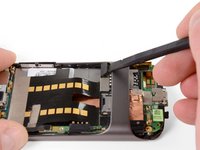
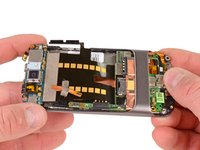
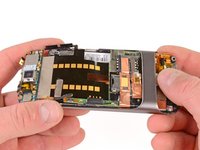
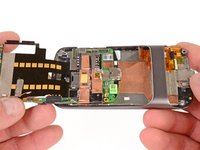
  12. Nexus One Front Speaker Replacement: 12 단계, 이미지 3개 중 1개 Nexus One Front Speaker Replacement: 12 단계, 이미지 3개 중 2개 Nexus One Front Speaker Replacement: 12 단계, 이미지 3개 중 3개
    • Push on the USB port to expose the black connector.

    • Use the spudger to pry the connector upwards.

  13. Nexus One Front Speaker Replacement: 13 단계, 이미지 2개 중 1개 Nexus One Front Speaker Replacement: 13 단계, 이미지 2개 중 2개
    • Place the spugder under the antenna connector.

    • Pry connector up vertically.

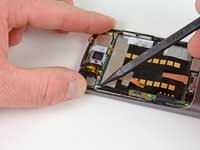
  14. Nexus One Front Speaker Replacement: 14 단계, 이미지 3개 중 1개 Nexus One Front Speaker Replacement: 14 단계, 이미지 3개 중 2개 Nexus One Front Speaker Replacement: 14 단계, 이미지 3개 중 3개
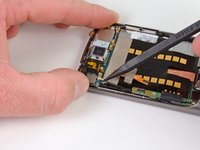
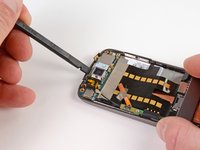
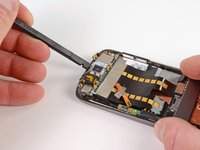
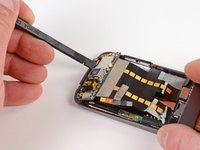
    • Insert the spudger into tab above the camera.

    • Slide upwards until the board detaches from the case.

  15. Nexus One Front Speaker Replacement: 15 단계, 이미지 1개 중 1개
    • Press the pointed tip of the spudger into the space below the button assembly.

    • Wiggle the spudger tip towards the outside of the button.

    • The button assembly is under some tension and may fly off.

  16. Nexus One Front Speaker Replacement: 16 단계, 이미지 1개 중 1개
    • Push the pointed tip of the spudger into the base of the side button board.

    • Lift up, the board will disconnect from the case.

  17. Nexus One Front Speaker Replacement: 17 단계, 이미지 3개 중 1개 Nexus One Front Speaker Replacement: 17 단계, 이미지 3개 중 2개 Nexus One Front Speaker Replacement: 17 단계, 이미지 3개 중 3개
    • Push on the lower motherboard until it slides under the case support.

    • The motherboard assembly comes out as a single piece.

    • Save the small black rubber rectangular sound guide under the motherboard, to replace over the microphone.

  18. Nexus One Front Speaker Replacement, Front Speaker: 18 단계, 이미지 1개 중 1개
    • Using the spudger, pop up the end of the speaker.

결론

To reassemble your device, follow these instructions in reverse order.

다른 한 분이 해당 안내서를 완성하였습니다.

작성자

3다른 기여자 명과 함께

Niklas Johnson

회원 가입일: 01/31/12

1,207 평판

안내서 18개를 작성함

0가이드 댓글

댓글 쓰기

조회 통계:

지난 24시간: 0

지난 7일: 0

지난 30일: 4

전체 시간: 2,385