주요 콘텐츠로 건너뛰기

Nikon Coolpix S5200 LCD Screen Replacement

필요한 것

  1. Nikon Coolpix S5200 LCD Screen Replacement, LCD Screen: 1 단계, 이미지 3개 중 1개 Nikon Coolpix S5200 LCD Screen Replacement, LCD Screen: 1 단계, 이미지 3개 중 2개 Nikon Coolpix S5200 LCD Screen Replacement, LCD Screen: 1 단계, 이미지 3개 중 3개
    • There are four 0.1 mm screws holding the front and back of the camera together all along the outside of the camera

    • There should be four screws

  2. Nikon Coolpix S5200 LCD Screen Replacement: 2 단계, 이미지 1개 중 1개
    • Use the Phillips Head screw driver head to remove the four 0.1 mm screws surrounding the outer edges of the camera

  3. Nikon Coolpix S5200 LCD Screen Replacement: 3 단계, 이미지 1개 중 1개
    • Pull the plastic back cover off of and away from the LCD screen

  4. Nikon Coolpix S5200 LCD Screen Replacement: 4 단계, 이미지 1개 중 1개
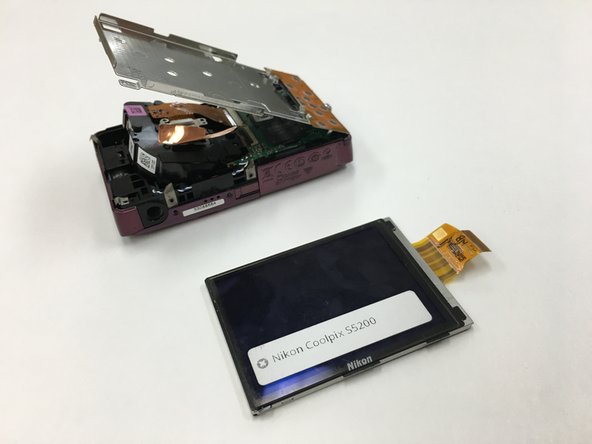
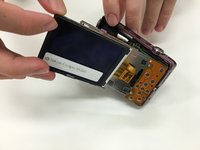
    • Carefully remove the LCD screen from the silver plate that once held it in place by pulling it away from the internal components

  5. Nikon Coolpix S5200 LCD Screen Replacement: 5 단계, 이미지 1개 중 1개
    • Remove the six designated screws sized 0.1 mm from the metal plate using a Phillip's Head screwdriver in size PH00.

  6. Nikon Coolpix S5200 LCD Screen Replacement: 6 단계, 이미지 1개 중 1개
    • Lift the metal plate away from the internal components of the camera

  7. Nikon Coolpix S5200 LCD Screen Replacement: 7 단계, 이미지 2개 중 1개 Nikon Coolpix S5200 LCD Screen Replacement: 7 단계, 이미지 2개 중 2개
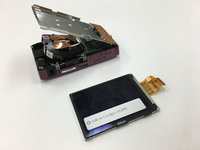
    • Carefully remove the LCD screen by pulling it away from the camera. Repeat these steps in reverse order to install the new LCD screen.

결론

To reassemble your device, follow these instructions in reverse order.

다른 한 분이 해당 안내서를 완성하였습니다.

작성자

4다른 기여자 명과 함께

Andy Powers

회원 가입일: 09/22/15

403 평판

안내서 3개를 작성함

1가이드 댓글

Shouldn't the replacement LCD screen be considered a part? It is in fact very difficult to replace it without having the part to replace.

joshronsen - 답글

댓글 쓰기

조회 통계:

지난 24시간: 0

지난 7일: 5

지난 30일: 23

전체 시간: 1,491