주요 콘텐츠로 건너뛰기

Nikon D5200 Screen Replacement

필요한 것

  1. Nikon D5200 Screen Replacement, Screen: 1 단계, 이미지 3개 중 1개 Nikon D5200 Screen Replacement, Screen: 1 단계, 이미지 3개 중 2개 Nikon D5200 Screen Replacement, Screen: 1 단계, 이미지 3개 중 3개
    • Fully open the LCD panel so that its screws are easily accessible.

    • Remove the two 2.5 mm screws from the outside edge of the screen casing, and the two 3.5 mm screws from the inside edge.

  2. Nikon D5200 Screen Replacement: 2 단계, 이미지 3개 중 1개 Nikon D5200 Screen Replacement: 2 단계, 이미지 3개 중 2개 Nikon D5200 Screen Replacement: 2 단계, 이미지 3개 중 3개
    • Pry open the plastic casing using the opening tool or by hand.

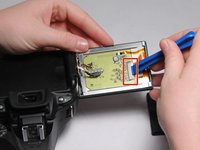
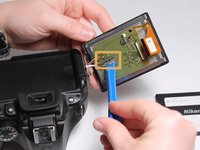
  3. Nikon D5200 Screen Replacement: 3 단계, 이미지 3개 중 1개 Nikon D5200 Screen Replacement: 3 단계, 이미지 3개 중 2개 Nikon D5200 Screen Replacement: 3 단계, 이미지 3개 중 3개
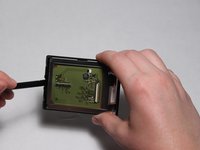
    • Use the plastic opening tool to pop up the latch holding the ribbon cable on the right side of the circuit board, and remove it.

    • Use the plastic opening tool to pry the ribbon cable on the left side of the circuit board up and off of its socket.

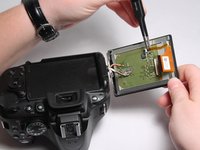
  4. Nikon D5200 Screen Replacement: 4 단계, 이미지 2개 중 1개 Nikon D5200 Screen Replacement: 4 단계, 이미지 2개 중 2개
    이 단계에 사용된 도구:
    Tweezers
    $4.99
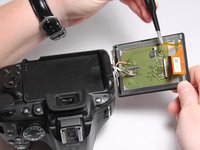
    • Using tweezers, unplug the smaller cable.

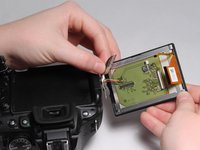
  5. Nikon D5200 Screen Replacement: 5 단계, 이미지 2개 중 1개 Nikon D5200 Screen Replacement: 5 단계, 이미지 2개 중 2개
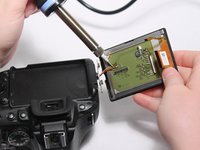
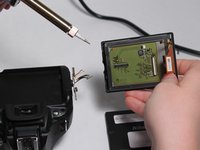
    • Desolder the three small wires on the left side of the circuit board.

    • Soldering irons become very hot when in use. Take all necessary precautions to avoid injury.

  6. Nikon D5200 Screen Replacement: 6 단계, 이미지 3개 중 1개 Nikon D5200 Screen Replacement: 6 단계, 이미지 3개 중 2개 Nikon D5200 Screen Replacement: 6 단계, 이미지 3개 중 3개
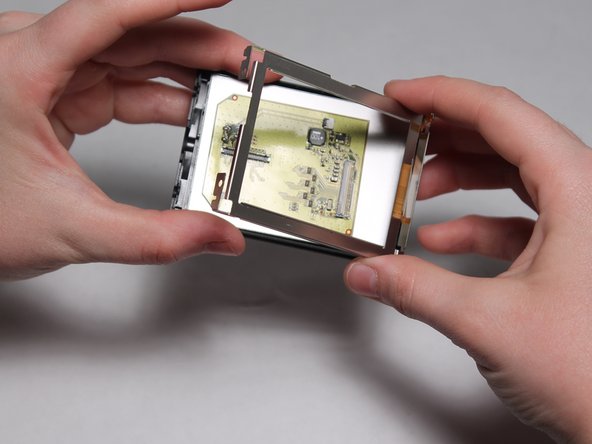
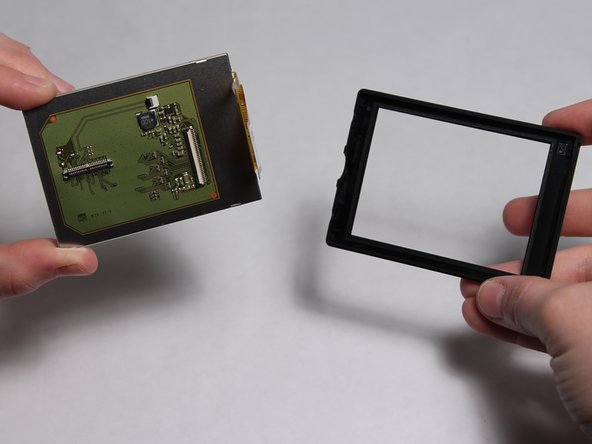
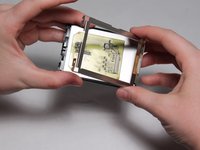
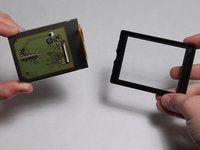
    • Using a spudger, remove the display from its casing.

결론

To reassemble your device, follow these instructions in reverse order.

다른 15명이 해당 안내서를 완성하였습니다.

작성자

5다른 기여자 명과 함께

Alexander Corn

회원 가입일: 08/26/15

1,319 평판

안내서 5개를 작성함

USF Tampa, Team 3-1, Eyestone Fall 2015 USF Tampa, Team 3-1, Eyestone Fall 2015 회원

USFT-EYESTONE-F15S3G1

4 회원들

안내서 5개를 작성함

11가이드 댓글

Do I need to de-solder if I'm just replacing the window glass?

isaac - 답글

To isaac: no. The exterior glass is separate from the LCD.

Joseph Morris - 답글

Do you recommend the replacent for LCD sold on Ebay?

g_atki - 답글

Where did you find the replacement screen? The one I ordered that says it's for the d5200 is not the same as the one in it or in your pictures.

Heather Miller - 답글

How do you disconnect the multi-plug that is shown connected in image 4 and disconnected in image five? Does it unclip or slide out?

Amanda Bruyninckx - 답글

댓글 쓰기

조회 통계:

지난 24시간: 1

지난 7일: 18

지난 30일: 91

전체 시간: 13,275