주요 콘텐츠로 건너뛰기

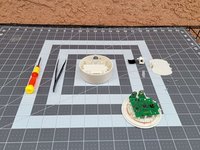
Nintendo 3DS NFC Reader Motherboard Replacement

필요한 것

  1. Nintendo 3DS NFC Reader Motherboard Replacement, Motherboard: 1 단계, 이미지 3개 중 1개 Nintendo 3DS NFC Reader Motherboard Replacement, Motherboard: 1 단계, 이미지 3개 중 2개 Nintendo 3DS NFC Reader Motherboard Replacement, Motherboard: 1 단계, 이미지 3개 중 3개
    • Flip the adapter so the bottom side faces up.

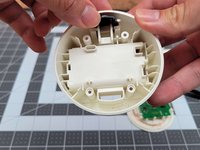
    • Remove the cover by pressing the plastic flap and lifting it up with one finger.

  2. Nintendo 3DS NFC Reader Motherboard Replacement: 2 단계, 이미지 3개 중 1개 Nintendo 3DS NFC Reader Motherboard Replacement: 2 단계, 이미지 3개 중 2개 Nintendo 3DS NFC Reader Motherboard Replacement: 2 단계, 이미지 3개 중 3개
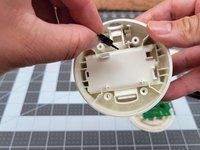
    • Remove the batteries by pressing the positive side towards the negative side and lifting with one finger.

  3. Nintendo 3DS NFC Reader Motherboard Replacement: 3 단계, 이미지 3개 중 1개 Nintendo 3DS NFC Reader Motherboard Replacement: 3 단계, 이미지 3개 중 2개 Nintendo 3DS NFC Reader Motherboard Replacement: 3 단계, 이미지 3개 중 3개
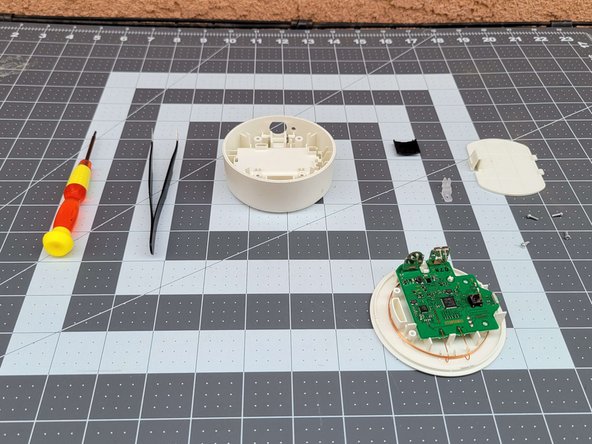
    • Grab your tri-point screwdriver.

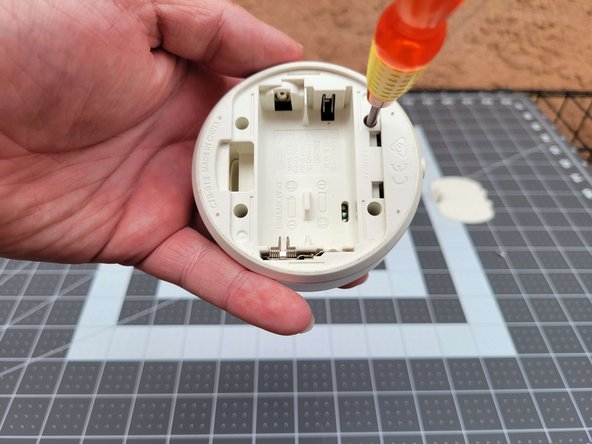
    • Locate the four holes containing the tri-point screws at each corner of the adapter.

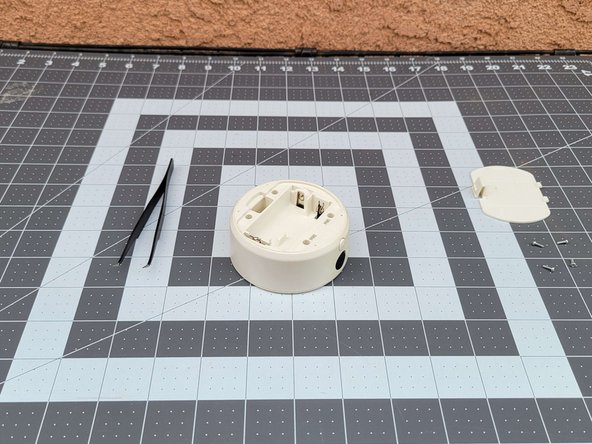
    • Using the screwdriver, unscrew all four screws.

    • Put the screws out of the way.

  4. Nintendo 3DS NFC Reader Motherboard Replacement: 4 단계, 이미지 2개 중 1개 Nintendo 3DS NFC Reader Motherboard Replacement: 4 단계, 이미지 2개 중 2개
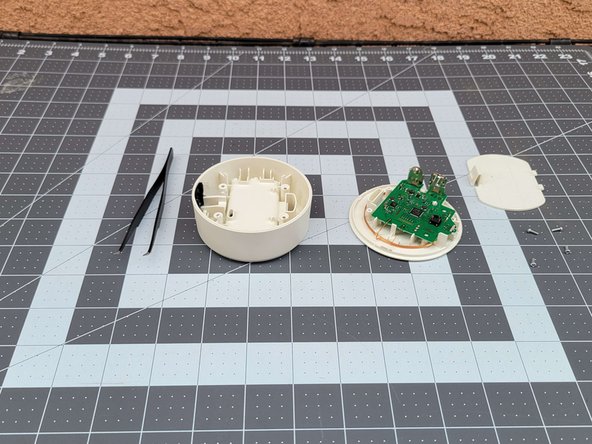
    • After removing the screws, flip the adapter where the top side faces up.

    • Using your fingers, pull the top off of the adapter.

    • Place the top out of the way.

  5. Nintendo 3DS NFC Reader Motherboard Replacement: 5 단계, 이미지 2개 중 1개 Nintendo 3DS NFC Reader Motherboard Replacement: 5 단계, 이미지 2개 중 2개
    이 단계에 사용된 도구:
    Tweezers
    $4.99
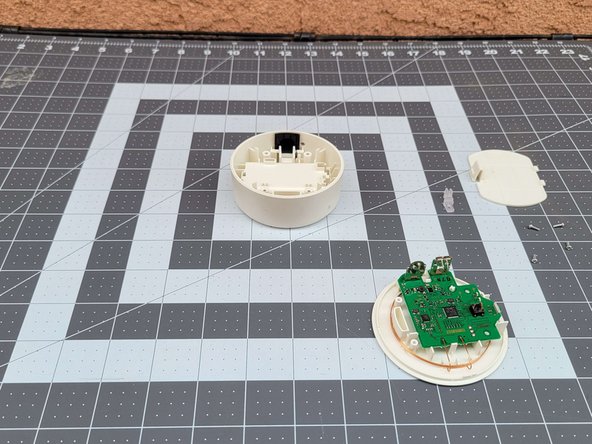
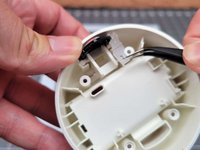
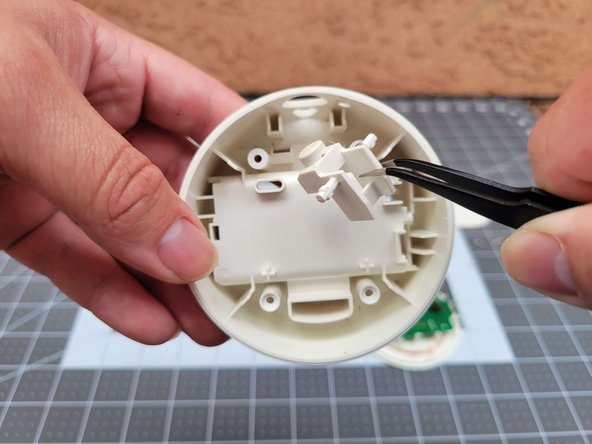
    • Using your tweezers, remove the translucent plastic by lifting upwards out of it's peg.

  6. Nintendo 3DS NFC Reader Motherboard Replacement: 6 단계, 이미지 3개 중 1개 Nintendo 3DS NFC Reader Motherboard Replacement: 6 단계, 이미지 3개 중 2개 Nintendo 3DS NFC Reader Motherboard Replacement: 6 단계, 이미지 3개 중 3개
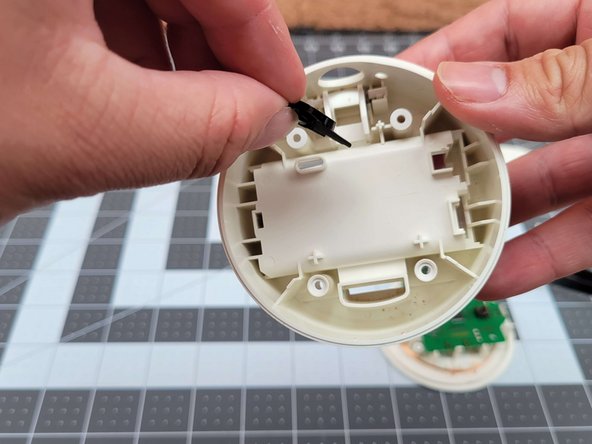
    • To remove the black slide, use your fingers to slide the black slide out of its slot.

  7. Nintendo 3DS NFC Reader Motherboard Replacement: 7 단계, 이미지 3개 중 1개 Nintendo 3DS NFC Reader Motherboard Replacement: 7 단계, 이미지 3개 중 2개 Nintendo 3DS NFC Reader Motherboard Replacement: 7 단계, 이미지 3개 중 3개
    • Using the tweezers, carefully lift up the plastic button out of its slot.

  8. Nintendo 3DS NFC Reader Motherboard Replacement: 8 단계, 이미지 3개 중 1개 Nintendo 3DS NFC Reader Motherboard Replacement: 8 단계, 이미지 3개 중 2개 Nintendo 3DS NFC Reader Motherboard Replacement: 8 단계, 이미지 3개 중 3개
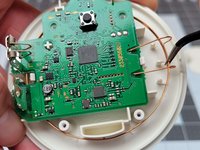
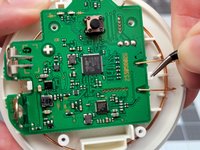
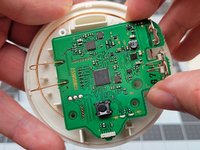
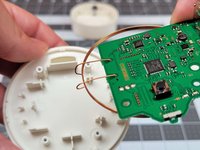
    • Using your tweezers, carefully loosen the copper wire from its plastic holder.

    • Then with the tweezers, remove the plastic holding the motherboard in place.

  9. Nintendo 3DS NFC Reader Motherboard Replacement: 9 단계, 이미지 2개 중 1개 Nintendo 3DS NFC Reader Motherboard Replacement: 9 단계, 이미지 2개 중 2개
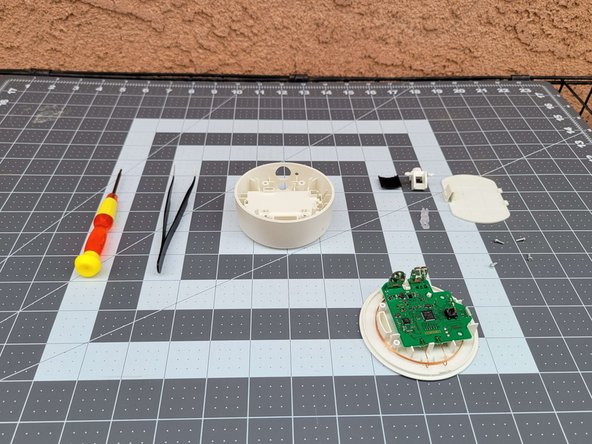
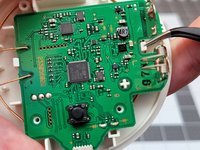
    • Using your fingers, carefully lift the board and place it down, out of the way.

결승점

다른 한 분이 해당 안내서를 완성하였습니다.

작성자

2다른 기여자 명과 함께

Sruiz84

회원 가입일: 03/21/23

196 평판

안내서 1개를 작성함

CSU Los Angeles, Team 87-87, Briggs Spring 2023 CSU Los Angeles, Team 87-87, Briggs Spring 2023 회원

CSULA-BRIGGS-S23S87G87

1 회원

안내서 2개를 작성함

0가이드 댓글

댓글 쓰기

조회 통계:

지난 24시간: 1

지난 7일: 9

지난 30일: 29

전체 시간: 776