주요 콘텐츠로 건너뛰기

Nvidia Shield Controller Motherboard Replacement

필요한 것

  1. Nvidia Shield Controller Motherboard Replacement, Motherboard: 1 단계, 이미지 3개 중 1개 Nvidia Shield Controller Motherboard Replacement, Motherboard: 1 단계, 이미지 3개 중 2개 Nvidia Shield Controller Motherboard Replacement, Motherboard: 1 단계, 이미지 3개 중 3개
    • Use a Torx TR6 screwdriver to remove the six 7mm screws from the back of the controller.

  2. Nvidia Shield Controller Motherboard Replacement: 2 단계, 이미지 2개 중 1개 Nvidia Shield Controller Motherboard Replacement: 2 단계, 이미지 2개 중 2개
    • Use a plastic opening tool to pry open the back frame of the controller.

  3. Nvidia Shield Controller Motherboard Replacement: 3 단계, 이미지 3개 중 1개 Nvidia Shield Controller Motherboard Replacement: 3 단계, 이미지 3개 중 2개 Nvidia Shield Controller Motherboard Replacement: 3 단계, 이미지 3개 중 3개
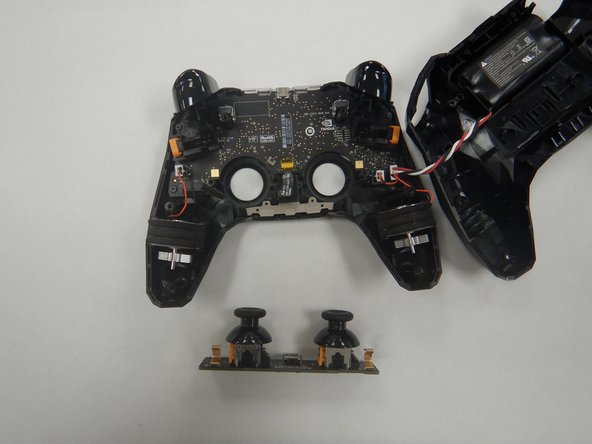
    • Use the Torx TR6 bit to remove the two 7mm screws behind the analog sticks.

    • Unplug the power supply cable from the analog stick assembly.

  4. Nvidia Shield Controller Motherboard Replacement: 4 단계, 이미지 3개 중 1개 Nvidia Shield Controller Motherboard Replacement: 4 단계, 이미지 3개 중 2개 Nvidia Shield Controller Motherboard Replacement: 4 단계, 이미지 3개 중 3개
    이 단계에 사용된 도구:
    Tweezers
    $4.99
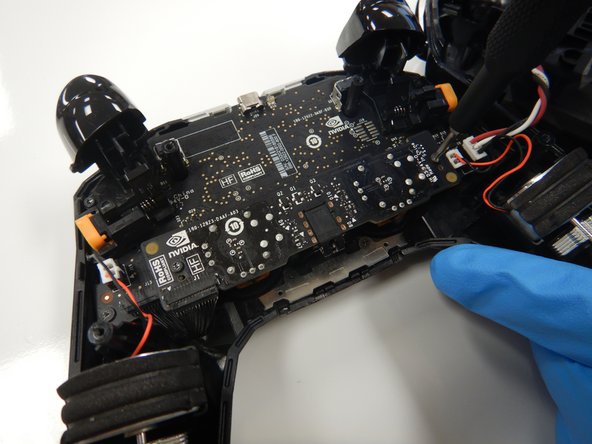
    • Use a pair of tweezers to unplug the rumble motors from the motherboard.

    • Use a pair of tweezers to unplug the battery cable from the motherboard.

  5. Nvidia Shield Controller Motherboard Replacement: 5 단계, 이미지 3개 중 1개 Nvidia Shield Controller Motherboard Replacement: 5 단계, 이미지 3개 중 2개 Nvidia Shield Controller Motherboard Replacement: 5 단계, 이미지 3개 중 3개
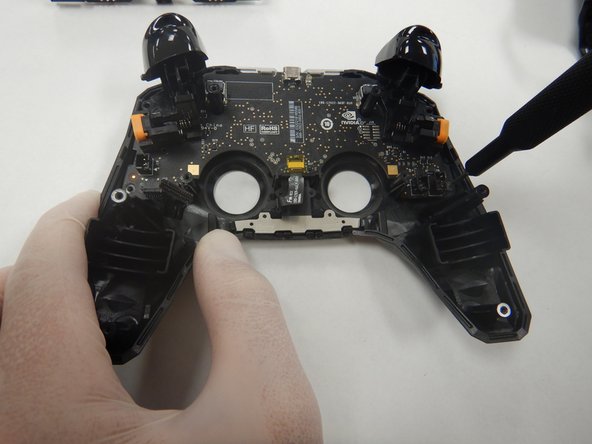
    • Use a Torx TR6 screwdriver to remove the two 7mm screws towards the top of the frame.

    • Use the Torx T5 screwdriver to remove the two 5mm screws in the bottom corners of the frame.

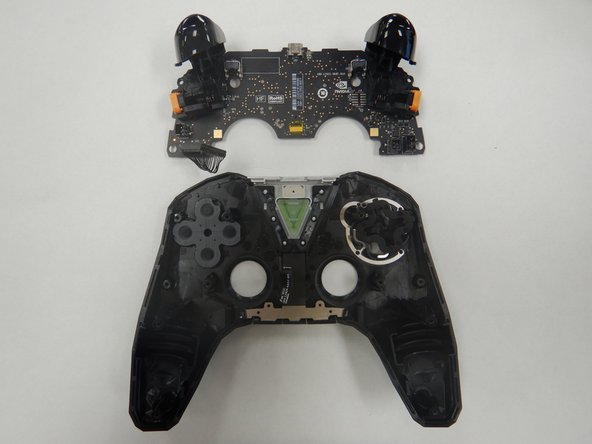
    • Lift out the motherboard from the case.

결론

To reassemble your device, follow these instructions in reverse order.

다른 3명이 해당 안내서를 완성하였습니다.

0가이드 댓글

댓글 쓰기

조회 통계:

지난 24시간: 2

지난 7일: 2

지난 30일: 19

전체 시간: 2,741