주요 콘텐츠로 건너뛰기

Nvidia Shield Pro Android TV I/O Board Replacement

필요한 것

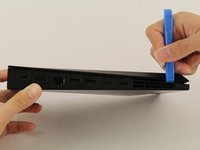
  1. Nvidia Shield Pro Android TV I/O Board Replacement, Bottom Cover: 1 단계, 이미지 2개 중 1개 Nvidia Shield Pro Android TV I/O Board Replacement, Bottom Cover: 1 단계, 이미지 2개 중 2개
    • Flip to the back side of your Nvidia Shield Pro Android TV.

    • To open the bottom cover of the Nvidia Shield, start from the corner and slide your plastic opening tool across the gap.

    • If using a plastic opening tool to open the bottom cover is difficult, try using a metal spudger.

  2. Nvidia Shield Pro Android TV I/O Board Replacement, Hard Drive: 2 단계, 이미지 3개 중 1개 Nvidia Shield Pro Android TV I/O Board Replacement, Hard Drive: 2 단계, 이미지 3개 중 2개 Nvidia Shield Pro Android TV I/O Board Replacement, Hard Drive: 2 단계, 이미지 3개 중 3개
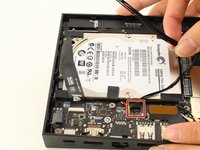
    • Remove the two pieces of adhesives found at the top and the bottom side of the hard drive.

    • Put the two adhesives aside. Make sure to keep them flat so that you can put them back on after.

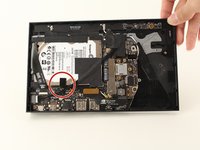
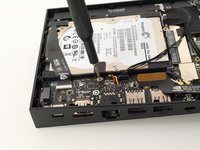
  3. Nvidia Shield Pro Android TV I/O Board Replacement: 3 단계, 이미지 3개 중 1개 Nvidia Shield Pro Android TV I/O Board Replacement: 3 단계, 이미지 3개 중 2개 Nvidia Shield Pro Android TV I/O Board Replacement: 3 단계, 이미지 3개 중 3개
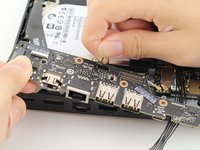
    • Detach the pack of wires by pulling it away from the socket.

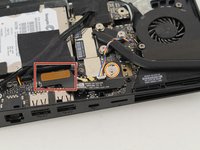
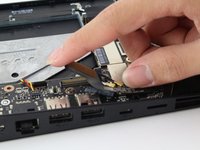
  4. Nvidia Shield Pro Android TV I/O Board Replacement: 4 단계, 이미지 3개 중 1개 Nvidia Shield Pro Android TV I/O Board Replacement: 4 단계, 이미지 3개 중 2개 Nvidia Shield Pro Android TV I/O Board Replacement: 4 단계, 이미지 3개 중 3개
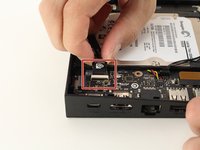
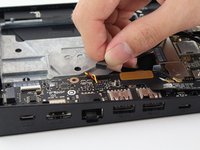
    • Next to the empty socket where the black wires were attached to the I/O board (refer back to Step 2), detach the plastic strap from the I/O board by pushing the strap away from the socket using your finger.

  5. Nvidia Shield Pro Android TV I/O Board Replacement: 5 단계, 이미지 2개 중 1개 Nvidia Shield Pro Android TV I/O Board Replacement: 5 단계, 이미지 2개 중 2개
    • Remove the screw on the metal piece using a T6 Torx screwdriver and put away the metal piece after removing the screw.

  6. Nvidia Shield Pro Android TV I/O Board Replacement: 6 단계, 이미지 1개 중 1개
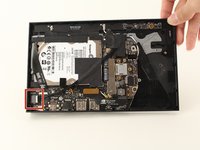
    • Gently pull the hard drive out of the device.

  7. Nvidia Shield Pro Android TV I/O Board Replacement, I/O Board: 7 단계, 이미지 3개 중 1개 Nvidia Shield Pro Android TV I/O Board Replacement, I/O Board: 7 단계, 이미지 3개 중 2개 Nvidia Shield Pro Android TV I/O Board Replacement, I/O Board: 7 단계, 이미지 3개 중 3개
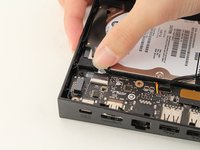
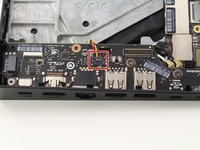
    • Detach the brown side of the connector from the I/O board by pulling it upward.

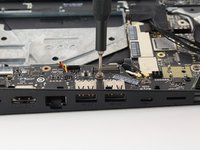
    • Remove the screw from the silver plate using a T6 Torx screwdriver.

    • Put the cable aside after removing it.

  8. Nvidia Shield Pro Android TV I/O Board Replacement: 8 단계, 이미지 2개 중 1개 Nvidia Shield Pro Android TV I/O Board Replacement: 8 단계, 이미지 2개 중 2개
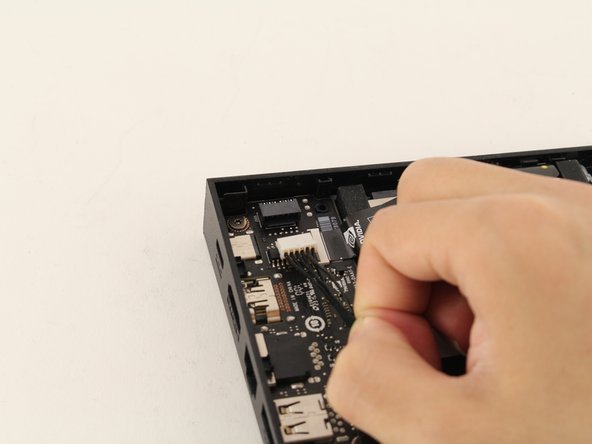
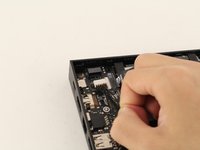
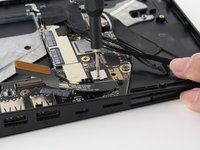
    • Detach the small bundle of black wires from the I/O board by gently pulling upward.

    • Be very gentle because the wires are very fragile.

  9. Nvidia Shield Pro Android TV I/O Board Replacement: 9 단계, 이미지 2개 중 1개 Nvidia Shield Pro Android TV I/O Board Replacement: 9 단계, 이미지 2개 중 2개
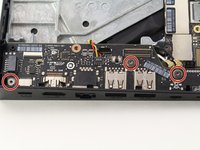
    • Remove the three T6 Torx screws from the I/O board.

  10. Nvidia Shield Pro Android TV I/O Board Replacement: 10 단계, 이미지 3개 중 1개 Nvidia Shield Pro Android TV I/O Board Replacement: 10 단계, 이미지 3개 중 2개 Nvidia Shield Pro Android TV I/O Board Replacement: 10 단계, 이미지 3개 중 3개
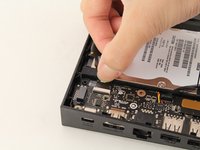
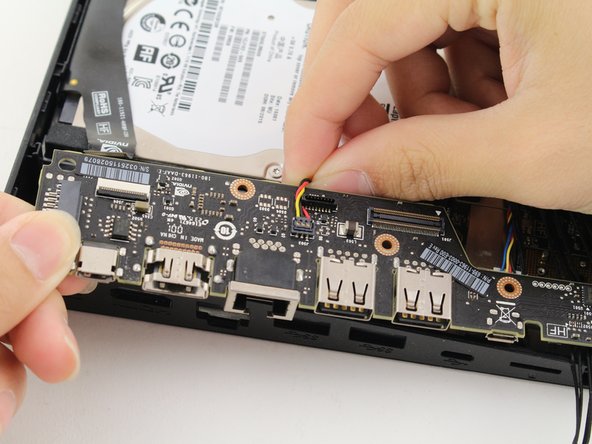
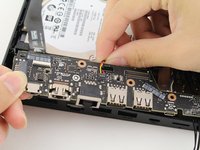
    • Detach the multi-colored (red/yellow/black) wire from the I/O board by pulling it away from the socket.

  11. Nvidia Shield Pro Android TV I/O Board Replacement: 11 단계, 이미지 1개 중 1개
    • Gently remove the I/O board by sliding it away from the exterior input/output sockets on your Nvidia Shield Pro.

결론

To reassemble your device, follow these instructions in reverse order.

다른 8명이 해당 안내서를 완성하였습니다.

작성자

2다른 기여자 명과 함께

Jimmy Chen

회원 가입일: 01/23/20

717 평판

안내서 3개를 작성함

Cal Poly, Team S18-G2, White Winter 2020 Cal Poly, Team S18-G2, White Winter 2020 회원

CPSU-WHITE-W20S18G2

4 회원들

안내서 14개를 작성함

2가이드 댓글

Where can I buy Nvidia Shield Pro Android TV I/O Board? Greentings from Brazil.

Sergio Santos - 답글

Aniyone managed to get a source for this part, The IO board

Yoda Mann - 답글

댓글 쓰기

조회 통계:

지난 24시간: 6

지난 7일: 33

지난 30일: 143

전체 시간: 6,284