주요 콘텐츠로 건너뛰기

Oculus Rift Development Kit 2 Camera Motherboard Replacement

필요한 것

  1. Oculus Rift Development Kit 2 Camera Motherboard Replacement, Camera Motherboard: 1 단계, 이미지 2개 중 1개 Oculus Rift Development Kit 2 Camera Motherboard Replacement, Camera Motherboard: 1 단계, 이미지 2개 중 2개
    • Remove the filter from the camera as shown.

  2. Oculus Rift Development Kit 2 Camera Motherboard Replacement: 2 단계, 이미지 2개 중 1개 Oculus Rift Development Kit 2 Camera Motherboard Replacement: 2 단계, 이미지 2개 중 2개
    • Remove the cover plate from the front face of the camera using the iFixit Opening Pick.

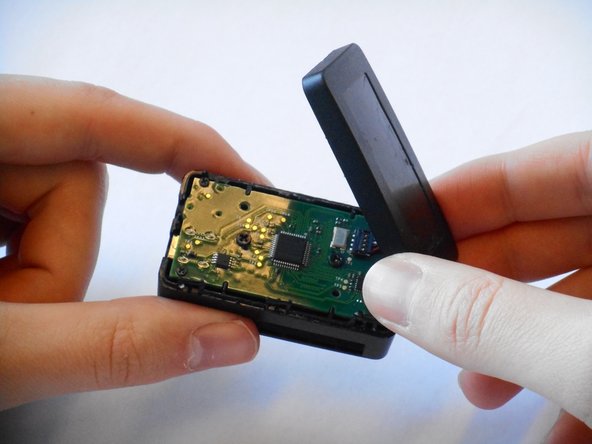
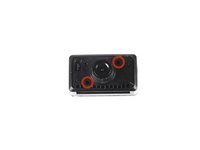
  3. Oculus Rift Development Kit 2 Camera Motherboard Replacement: 3 단계, 이미지 2개 중 1개 Oculus Rift Development Kit 2 Camera Motherboard Replacement: 3 단계, 이미지 2개 중 2개
    • Remove the two 3/16" J #000 screws.

    • Lift the back plate off.

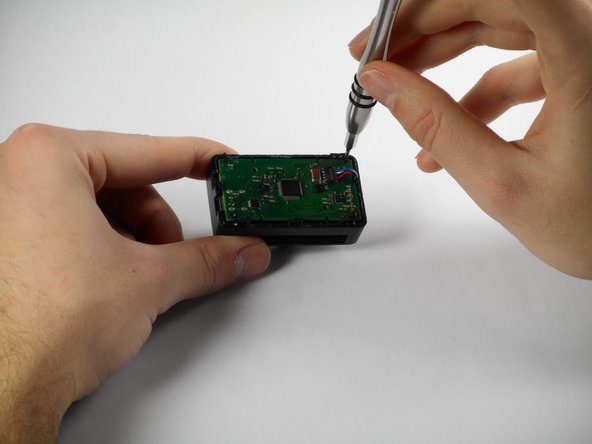
  4. Oculus Rift Development Kit 2 Camera Motherboard Replacement: 4 단계, 이미지 1개 중 1개
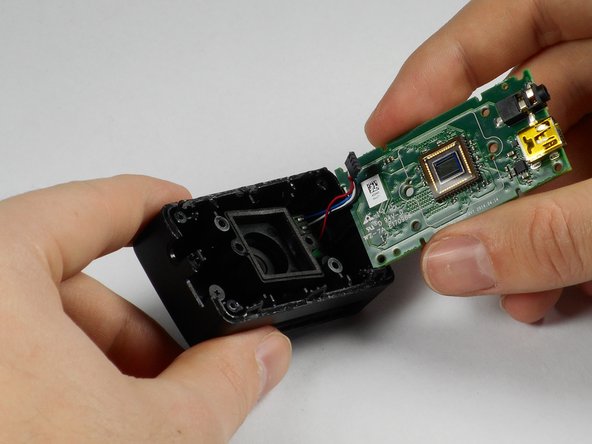
    • Gently tug on the wires to free them from the motherboard.

  5. Oculus Rift Development Kit 2 Camera Motherboard Replacement: 5 단계, 이미지 3개 중 1개 Oculus Rift Development Kit 2 Camera Motherboard Replacement: 5 단계, 이미지 3개 중 2개 Oculus Rift Development Kit 2 Camera Motherboard Replacement: 5 단계, 이미지 3개 중 3개
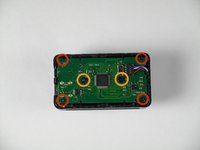
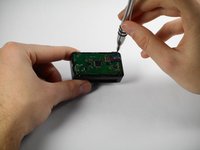
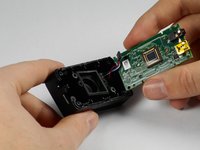
    • Remove the four 3/16" Phillips #000 from the four corners of the motherboard.

    • Remove the two 1/4" Phillips #0 screws shown to release the motherboard from the enclosure.

결론

To reassemble your device, follow these instructions in reverse order.

다른 한 분이 해당 안내서를 완성하였습니다.

작성자

5다른 기여자 명과 함께

Anthony Vasquez

회원 가입일: 01/22/15

177 평판

안내서 1개를 작성함

Cal Poly, Team 18-5, Maness Winter 2015 Cal Poly, Team 18-5, Maness Winter 2015 회원

CPSU-MANESS-W15S18G5

4 회원들

안내서 6개를 작성함

0가이드 댓글

댓글 쓰기

조회 통계:

지난 24시간: 0

지난 7일: 2

지난 30일: 9

전체 시간: 785