주요 콘텐츠로 건너뛰기

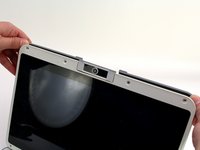
One Education Infinity Upper Case Replacement

필요한 것

  1. One Education Infinity Upper Case Replacement, Back Case: 1 단계, 이미지 3개 중 1개 One Education Infinity Upper Case Replacement, Back Case: 1 단계, 이미지 3개 중 2개 One Education Infinity Upper Case Replacement, Back Case: 1 단계, 이미지 3개 중 3개
    • Always power off your device before beginning disassembly.

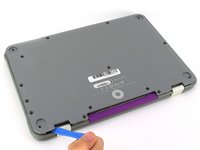
    • Remove the screw covers and rubber feet from the bottom of the laptop with a metal spudger.

  2. One Education Infinity Upper Case Replacement: 2 단계, 이미지 2개 중 1개 One Education Infinity Upper Case Replacement: 2 단계, 이미지 2개 중 2개
    • Using a Phillips #00 screwdriver, remove the sixteen 5.0 mm black screws from the back panel.

  3. One Education Infinity Upper Case Replacement: 3 단계, 이미지 3개 중 1개 One Education Infinity Upper Case Replacement: 3 단계, 이미지 3개 중 2개 One Education Infinity Upper Case Replacement: 3 단계, 이미지 3개 중 3개
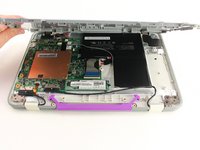
    • Using the iFixit plastic opening tool or spudger, start near the white hinge of the device and lift along the outer edges of the device until all clips are released.

    • Lift the back case off of the device.

    • Removing the back may create a loud snapping noise.

  4. One Education Infinity Upper Case Replacement, Battery: 4 단계, 이미지 3개 중 1개 One Education Infinity Upper Case Replacement, Battery: 4 단계, 이미지 3개 중 2개 One Education Infinity Upper Case Replacement, Battery: 4 단계, 이미지 3개 중 3개
    • There may be black tape inside your device covering components or holding down wires. This tape is unimportant for the function of the device, and can be removed.

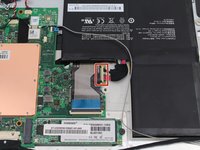
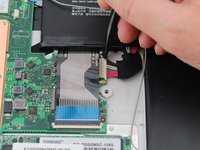
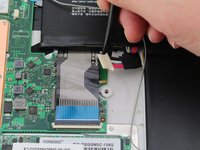
    • Carefully wiggle the battery cable to the right and out of the port with a plastic spudger.

  5. One Education Infinity Upper Case Replacement: 5 단계, 이미지 3개 중 1개 One Education Infinity Upper Case Replacement: 5 단계, 이미지 3개 중 2개 One Education Infinity Upper Case Replacement: 5 단계, 이미지 3개 중 3개
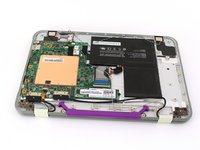
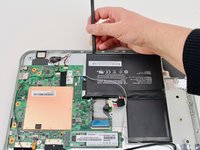
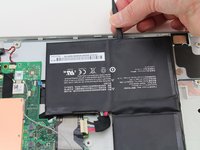
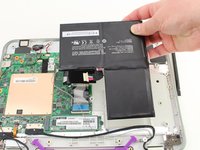
    • Wedge a plastic spudger underneath the battery from the upper edge and slide it carefully along the length of the battery to separate it from the case.

    • There is a mild adhesive holding down the battery. Take care not to puncture or excessively bend the battery while freeing it from the adhesive.

    • Lift the battery out from the internal case.

  6. One Education Infinity Upper Case Replacement, Upper Case: 6 단계, 이미지 3개 중 1개 One Education Infinity Upper Case Replacement, Upper Case: 6 단계, 이미지 3개 중 2개 One Education Infinity Upper Case Replacement, Upper Case: 6 단계, 이미지 3개 중 3개
    • Flip open the laptop so that the screen is exposed.

    • We found it convenient to flip the laptop into tablet mode for added support.

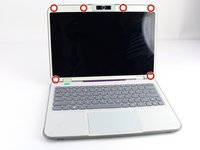
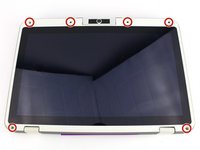
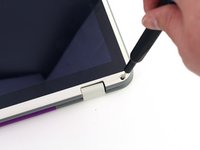
    • Using a spudger, remove the six screw covers along the bezel of the screen.

  7. One Education Infinity Upper Case Replacement: 7 단계, 이미지 2개 중 1개 One Education Infinity Upper Case Replacement: 7 단계, 이미지 2개 중 2개
    • Remove the six 2.8 mm Phillips #00 screws along the bezel.

  8. One Education Infinity Upper Case Replacement: 8 단계, 이미지 3개 중 1개 One Education Infinity Upper Case Replacement: 8 단계, 이미지 3개 중 2개 One Education Infinity Upper Case Replacement: 8 단계, 이미지 3개 중 3개
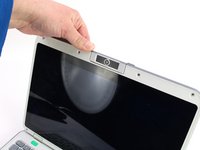
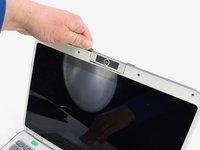
    • Use the two tabs on the top edge of the screen to pry the case apart.

    • Once the two top clips have been disengaged, start to work your way around the rest of the screen.

  9. One Education Infinity Upper Case Replacement: 9 단계, 이미지 1개 중 1개
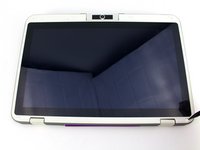
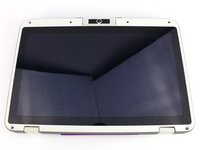
    • Once all the clips have been popped off, remove the upper case from the back of the display assembly.

    • You may want to close the laptop while disconnecting the hinge-side edge, as it will give you extra clearance for the upper case.

결론

To reassemble your device, follow these instructions in reverse order.

작성자

1다른 기여자 명과 함께

Austin Blakely

회원 가입일: 03/11/19

22,230 평판

안내서 53개를 작성함

iFixit iFixit 회원

Staff

123 회원들

안내서 23,648개를 작성함

0가이드 댓글

댓글 쓰기

조회 통계:

지난 24시간: 1

지난 7일: 2

지난 30일: 12

전체 시간: 158