소개
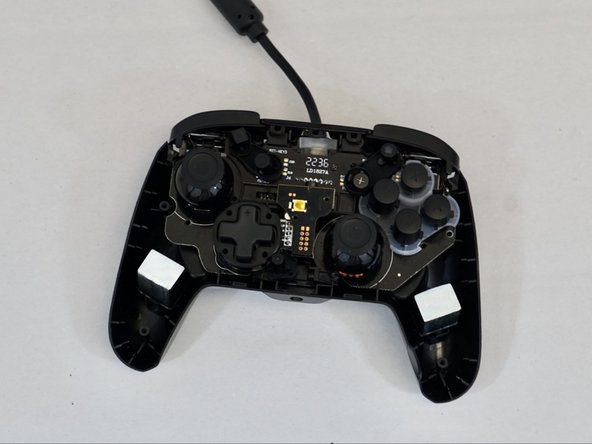
If your action buttons (the buttons labeled X, A, B, Y) are not working, not performing the correct action when pressed, or taking longer to pop back up, use this guide to replace the action buttons for the PDP Rematch Controller, model number 500-134-1.
The action buttons allow a user to perform different actions in video games.
Before using this guide, check for dirt or other debris buildup underneath the buttons. You can typically clean them using a Q-tip or a cotton pad with some rubbing alcohol.
Also, make sure the device is disconnected from any external power source.
필요한 것
-
-
Grip one side of the controller firmly.
-
Insert an opening pick into the crease between the faceplate and the body of the controller.
-
Once the pick creates a gap in the crease, gently insert another pick into a different section of the crease.
-
Carefully move the picks along the controller's crease line until you hear a popping sound.
-
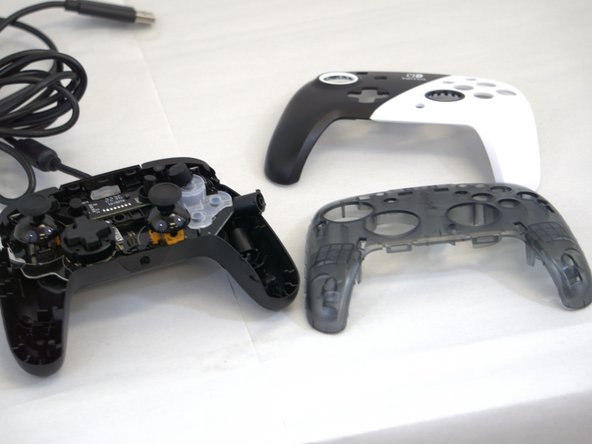
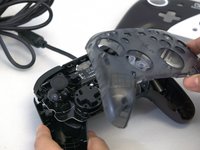
Gently lift off the faceplate by hand.
-
-



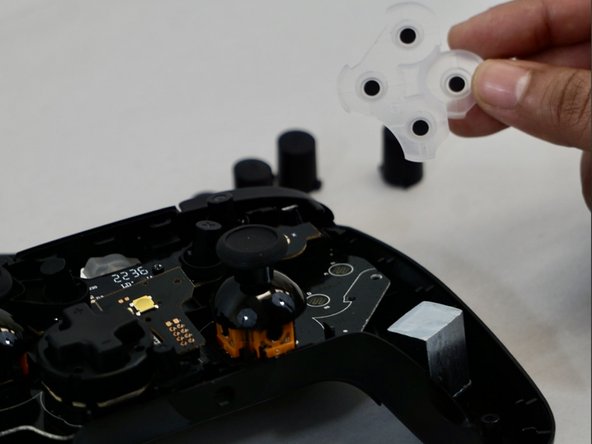
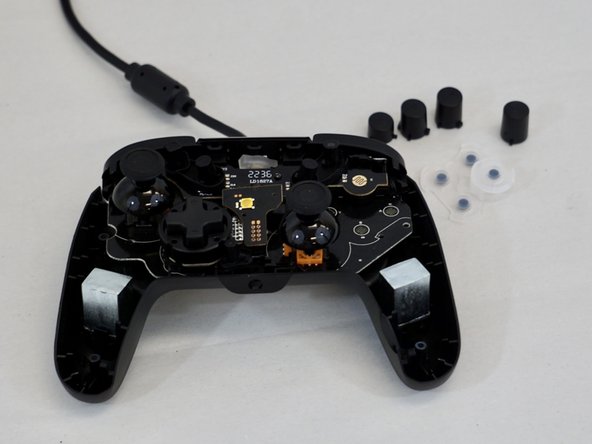
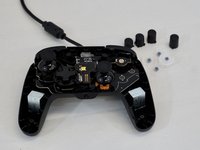
To reassemble your device, follow these instructions in reverse order.

팀

Tennessee Tech University, Team 1-3, Pickering Spring 2024 Tennessee Tech University, Team 1-3, Pickering Spring 2024 회원
TNTECH-PICKERING-S24S1G3
4 회원들
안내서 5개를 작성함
