주요 콘텐츠로 건너뛰기

PDP Rematch Joystick Cover Replacement

필요한 것

  1. PDP Rematch Joystick Cover Replacement, Faceplate: 1 단계, 이미지 2개 중 1개 PDP Rematch Joystick Cover Replacement, Faceplate: 1 단계, 이미지 2개 중 2개
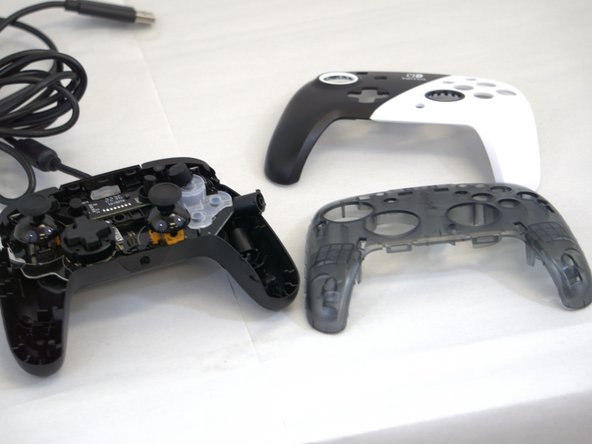
    • Grip one side of the controller firmly.

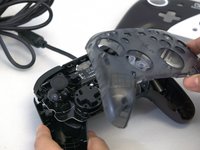
    • Insert an opening pick into the crease between the faceplate and the body of the controller.

    • Once the pick creates a gap in the crease, gently insert another pick into a different section of the crease.

    • Carefully move the picks along the controller's crease line until you hear a popping sound.

    • Gently lift off the faceplate by hand.

  2. PDP Rematch Joystick Cover Replacement: 2 단계, 이미지 2개 중 1개 PDP Rematch Joystick Cover Replacement: 2 단계, 이미지 2개 중 2개
    • Remove the 8 mm screws from the hard cover using a JIS #00 screwdriver.

    • Since the screws have been removed, avoid shaking or moving your controller too much to prevent other buttons from falling out.

  3. PDP Rematch Joystick Cover Replacement: 3 단계, 이미지 2개 중 1개 PDP Rematch Joystick Cover Replacement: 3 단계, 이미지 2개 중 2개
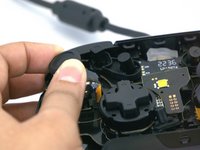
    • Gently lift off the hard cover with your hand; it should not need much force.

  4. PDP Rematch Joystick Cover Replacement, Joystick Cover: 4 단계, 이미지 1개 중 1개
    • The action buttons and silicone pad are loose and may fall out of the controller.

  5. PDP Rematch Joystick Cover Replacement: 5 단계, 이미지 2개 중 1개 PDP Rematch Joystick Cover Replacement: 5 단계, 이미지 2개 중 2개
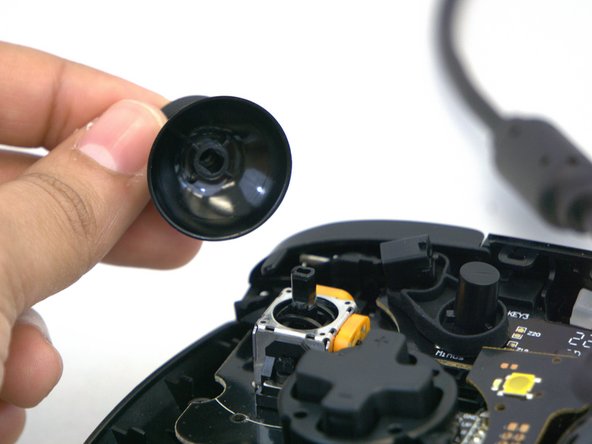
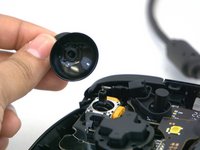
    • Gently rotate or twist the joystick(s) you want to replace.

    • Apply some force and pull upward towards you.

    • You will know it is released when you hear a popping sound.

    • Place your new joystick and push it downwards; you will hear a popping sound again.

결론

To reassemble your device, follow these instructions in reverse order.

다른 한 분이 해당 안내서를 완성하였습니다.

작성자

2다른 기여자 명과 함께

Amina Begum

회원 가입일: 01/15/24

282 평판

안내서 2개를 작성함

0가이드 댓글

댓글 쓰기

조회 통계:

지난 24시간: 1

지난 7일: 16

지난 30일: 57

전체 시간: 682