주요 콘텐츠로 건너뛰기

PSP E1000 UMD switch Replacement

필요한 것

동영상 개요

  1. PSP E1000 UMD switch Replacement, UMD switch: 1 단계, 이미지 3개 중 1개 PSP E1000 UMD switch Replacement, UMD switch: 1 단계, 이미지 3개 중 2개 PSP E1000 UMD switch Replacement, UMD switch: 1 단계, 이미지 3개 중 3개
    • If you haven't indication for inserted disk the problem probably is in UMD switch.

  2. PSP E1000 UMD switch Replacement: 2 단계, 이미지 3개 중 1개 PSP E1000 UMD switch Replacement: 2 단계, 이미지 3개 중 2개 PSP E1000 UMD switch Replacement: 2 단계, 이미지 3개 중 3개
    • Unhook the door metal plate and disassemble UMD door.

  3. PSP E1000 UMD switch Replacement: 3 단계, 이미지 2개 중 1개 PSP E1000 UMD switch Replacement: 3 단계, 이미지 2개 중 2개
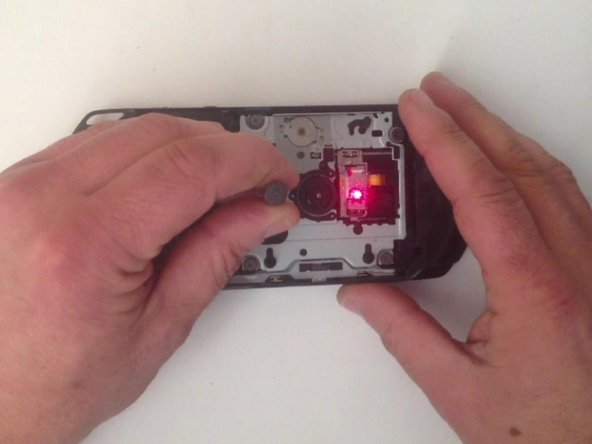
    • With a screwdriver I short the UMD switch to test the laser.

  4. PSP E1000 UMD switch Replacement: 4 단계, 이미지 3개 중 1개 PSP E1000 UMD switch Replacement: 4 단계, 이미지 3개 중 2개 PSP E1000 UMD switch Replacement: 4 단계, 이미지 3개 중 3개
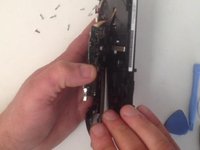
    • Now let's disassemble it.

  5. PSP E1000 UMD switch Replacement: 5 단계, 이미지 3개 중 1개 PSP E1000 UMD switch Replacement: 5 단계, 이미지 3개 중 2개 PSP E1000 UMD switch Replacement: 5 단계, 이미지 3개 중 3개
    • Disconnect and remove the display.

  6. PSP E1000 UMD switch Replacement: 6 단계, 이미지 2개 중 1개 PSP E1000 UMD switch Replacement: 6 단계, 이미지 2개 중 2개
    • I must disconnect 7x cables and unscrew a screw.

  7. PSP E1000 UMD switch Replacement: 7 단계, 이미지 3개 중 1개 PSP E1000 UMD switch Replacement: 7 단계, 이미지 3개 중 2개 PSP E1000 UMD switch Replacement: 7 단계, 이미지 3개 중 3개
    • Now I disconnect the battery connector and here is the mainboard.

  8. PSP E1000 UMD switch Replacement: 8 단계, 이미지 2개 중 1개 PSP E1000 UMD switch Replacement: 8 단계, 이미지 2개 중 2개
    • I used soldering station to remove the old one and put the new one (UMD switch).

  9. PSP E1000 UMD switch Replacement: 9 단계, 이미지 3개 중 1개 PSP E1000 UMD switch Replacement: 9 단계, 이미지 3개 중 2개 PSP E1000 UMD switch Replacement: 9 단계, 이미지 3개 중 3개
    • Let's assemble and test it.

  10. PSP E1000 UMD switch Replacement: 10 단계, 이미지 1개 중 1개
    • And it works!

결론

To reassemble your device, follow these instructions in reverse order.

다른 6명이 해당 안내서를 완성하였습니다.

작성자

3다른 기여자 명과 함께

ZFix

회원 가입일: 12/09/13

195,889 평판

안내서 330개를 작성함

Master Techs Master Techs 회원

Community

329 회원들

안내서 1,451개를 작성함

1가이드 댓글

Step 2 - picture number 3 is wrong, I broke off a little part of my PSP E1004. The left arrow points up but you have to pull it down, while trying to pry gently to the right. I learned the hard way after I managed to take it off.

Dukefazon - 답글

댓글 쓰기

조회 통계:

지난 24시간: 3

지난 7일: 27

지난 30일: 117

전체 시간: 15,287