주요 콘텐츠로 건너뛰기

PXN Arcade Stick Button Replacement

필요한 것

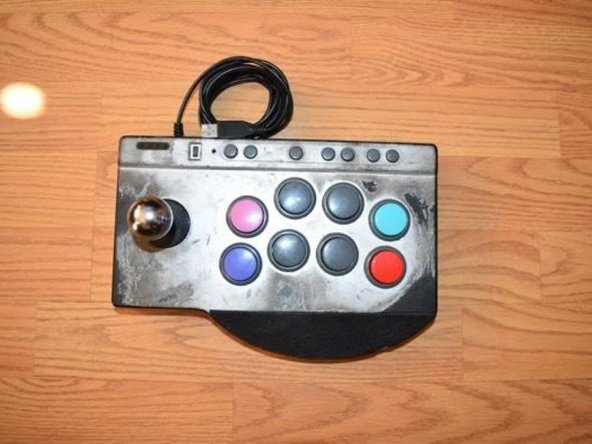
  1. PXN Arcade Stick Button Replacement, Buttons: 1 단계, 이미지 1개 중 1개
    • Place the PXN Arcade Stick on a flat surface.

  2. PXN Arcade Stick Button Replacement: 2 단계, 이미지 1개 중 1개
    • Turn the controller upside down.

    • Remove the four screws from the bottom of the device.

  3. PXN Arcade Stick Button Replacement: 3 단계, 이미지 1개 중 1개
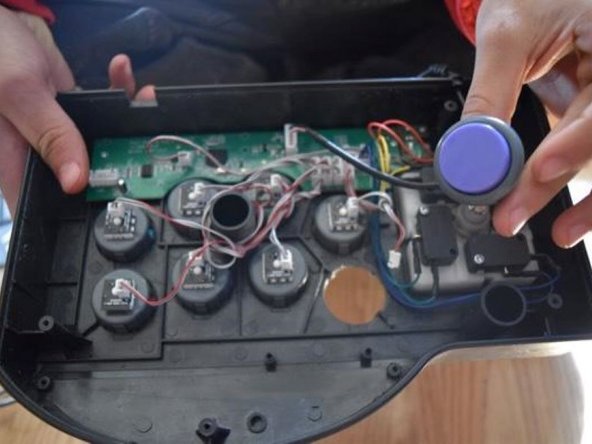
    • Set the back cover aside, being cautious of the cable connected to the motherboard.

    • Unplug the controller converter plug.

  4. PXN Arcade Stick Button Replacement: 4 단계, 이미지 1개 중 1개
    • Unplug the button you wish to replace.

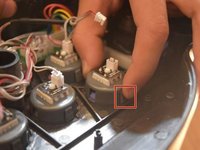
  5. PXN Arcade Stick Button Replacement: 5 단계, 이미지 2개 중 1개 PXN Arcade Stick Button Replacement: 5 단계, 이미지 2개 중 2개
    • Push in and down on the button components.

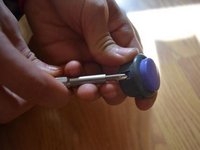
  6. PXN Arcade Stick Button Replacement: 6 단계, 이미지 2개 중 1개 PXN Arcade Stick Button Replacement: 6 단계, 이미지 2개 중 2개
    • Use a spudger to push in and up on the button housing.

  7. PXN Arcade Stick Button Replacement: 7 단계, 이미지 1개 중 1개
    • Line up the replacement button with the socket and push down.

  8. PXN Arcade Stick Button Replacement: 8 단계, 이미지 1개 중 1개
    • Push the new button down into the back case of the controller.

결론

To reassemble your device, follow these instructions in reverse order.

작성자

1다른 기여자 명과 함께

Derek Rosales

회원 가입일: 10/21/24

157 평판

안내서 1개를 작성함

CSU Los Angeles, Team 3-7, Harris Fall 2024 CSU Los Angeles, Team 3-7, Harris Fall 2024 회원

CSULA-HARRIS-F24S3G7

1 회원

안내서 2개를 작성함

0가이드 댓글

댓글 쓰기

조회 통계:

지난 24시간: 6

지난 7일: 122

지난 30일: 285

전체 시간: 2,183