주요 콘텐츠로 건너뛰기

Panasonic DMC-FZ70 Viewfinder Replacement

필요한 것

  1. Panasonic DMC-FZ70 Viewfinder Replacement, Back Panel: 1 단계, 이미지 2개 중 1개 Panasonic DMC-FZ70 Viewfinder Replacement, Back Panel: 1 단계, 이미지 2개 중 2개
    • All screws should be removed using a Phillips #0 screwdriver.

    • Using your screwdriver, unscrew the two 5.0 mm Philips screws to the right of the LCD screen.

  2. Panasonic DMC-FZ70 Viewfinder Replacement: 2 단계, 이미지 2개 중 1개 Panasonic DMC-FZ70 Viewfinder Replacement: 2 단계, 이미지 2개 중 2개
    • Flip the camera over to the left side of the screen and unscrew the 5mm Phillips screw found there.

  3. Panasonic DMC-FZ70 Viewfinder Replacement: 3 단계, 이미지 2개 중 1개 Panasonic DMC-FZ70 Viewfinder Replacement: 3 단계, 이미지 2개 중 2개
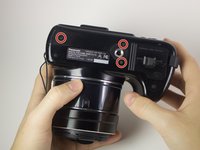
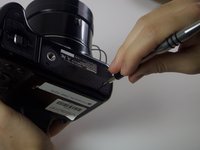
    • Turn the camera upside down and unscrew the three 5mm screws found on the bottom.

  4. Panasonic DMC-FZ70 Viewfinder Replacement: 4 단계, 이미지 2개 중 1개 Panasonic DMC-FZ70 Viewfinder Replacement: 4 단계, 이미지 2개 중 2개
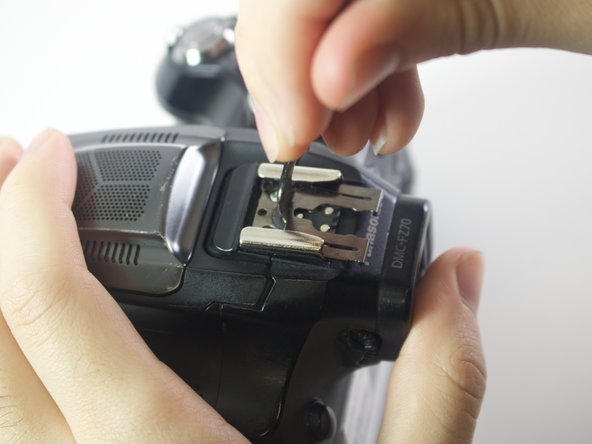
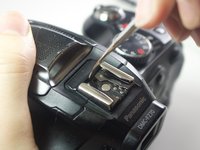
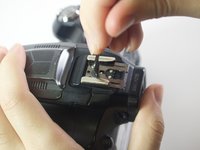
    • On the top of the camera locate the two rails with a thin sheet of metal on the floor between them.

    • With a metal spudger, lift this sheet and push it out of the rail device to detach it from the camera.

  5. Panasonic DMC-FZ70 Viewfinder Replacement: 5 단계, 이미지 1개 중 1개
    • Proceed to remove the four 5mm Phillips screws that you just uncovered.

  6. Panasonic DMC-FZ70 Viewfinder Replacement: 6 단계, 이미지 1개 중 1개
    • Slowly pull on both side of the camera, until both halves begin to separate from each other.

    • Do not pull too hard, as both halves are held together with ZIF connector cables.

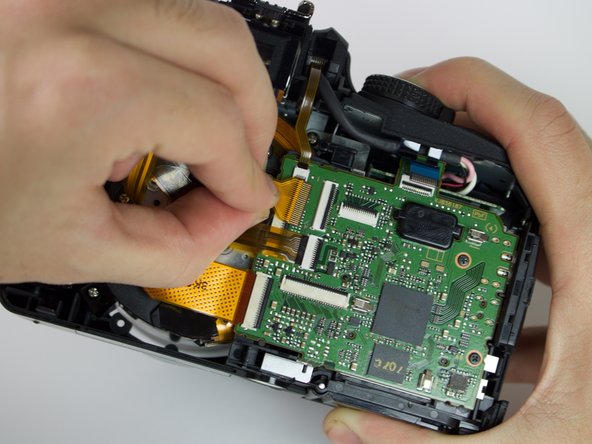
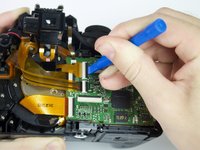
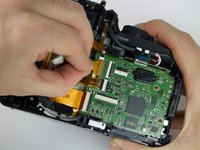
  7. Panasonic DMC-FZ70 Viewfinder Replacement: 7 단계, 이미지 3개 중 1개 Panasonic DMC-FZ70 Viewfinder Replacement: 7 단계, 이미지 3개 중 2개 Panasonic DMC-FZ70 Viewfinder Replacement: 7 단계, 이미지 3개 중 3개
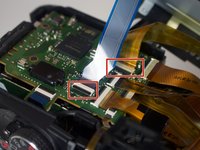
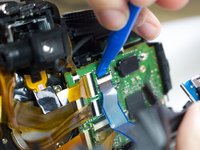
    • Using a plastic opening tool, carefully flip up the small black levers that attach the ribbon cables to the ZIF connectors on the motherboard.

    • Carefully pull the ribbon cables out of the slot once they have been released.

    • Only the two indicated connectors need to be removed to separate the two halves of the camera.

  8. Panasonic DMC-FZ70 Viewfinder Replacement, Viewfinder: 8 단계, 이미지 2개 중 1개 Panasonic DMC-FZ70 Viewfinder Replacement, Viewfinder: 8 단계, 이미지 2개 중 2개
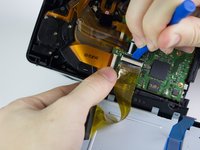
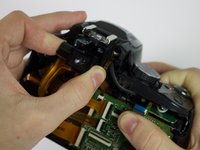
    • Using a plastic opening tool, flip up the black switch on the ZIF connector that attaches the viewfinder to the motherboard.

    • Once the connector has been opened, gently pull the cable from its slot.

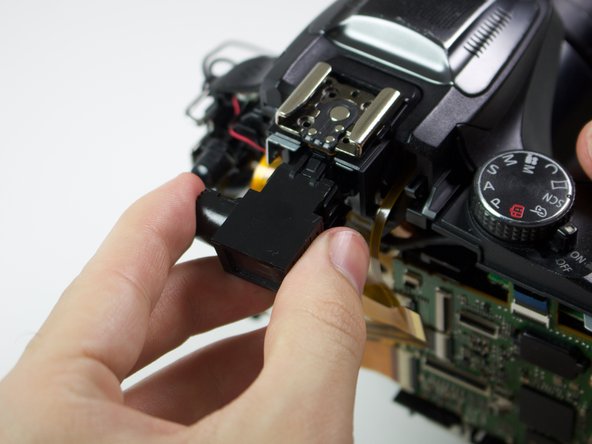
  9. Panasonic DMC-FZ70 Viewfinder Replacement: 9 단계, 이미지 2개 중 1개 Panasonic DMC-FZ70 Viewfinder Replacement: 9 단계, 이미지 2개 중 2개
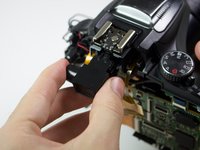
    • Holding the sides of the viewfinder, pull it out of the camera.

    • Removing the viewfinder requires a strong, yet steady pull.

결론

To reassemble your device, follow these instructions in reverse order.

다른 한 분이 해당 안내서를 완성하였습니다.

작성자

5다른 기여자 명과 함께

Alberto Rodriguez

회원 가입일: 01/24/17

531 평판

안내서 4개를 작성함

Cal Poly, Team 21-3, Maness Winter 2017 Cal Poly, Team 21-3, Maness Winter 2017 회원

CPSU-MANESS-W17S21G3

6 회원들

안내서 12개를 작성함

1가이드 댓글

Wow, this is very HELPFUL! I saved it with Zotero in case I need it one day. I'm simply looking for an eyepiece extender and/or rubber eyepiece combo. If you have a good source Photo Supply you'd recommend, please do so.

Mr. Phil - 답글

댓글 쓰기

조회 통계:

지난 24시간: 1

지난 7일: 9

지난 30일: 24

전체 시간: 1,510