소개
This Polaroid A10 Front/Back Camera Replacement guide might be needed if either your front, back, or both camera lenses are damaged, shattered, and/or scratched. If only one of your camera lenses are damaged, you will be replacing both front and back cameras because they are both contained in a single component. To acquire further information regarding the Polaroid A10 front/back camera replacement, follow this efficient guide to escort you through the replacement procedures.
필요한 것
-
-
-
Begin by having the side with volume and power button face up towards you.
-
Insert a plastic opening tool between the display and the back cover.
-
Once you have one plastic opening tool in, you can insert another one. While holding one in place, slide the other along the gap to release the tabs.
 FixBot에 문의하기
-
-
-
-
이 단계에 사용된 도구:Plastic Cards$2.99
-
Begin by inserting the flat end of a spudger underneath the battery to separate the glue from the battery.
-
Gently lift up the battery as you continue to separate the glue from the battery.
-
Once the glue has been separated, gently lift up the battery and you will notice two wires attached to the motherboard.
-
-
-
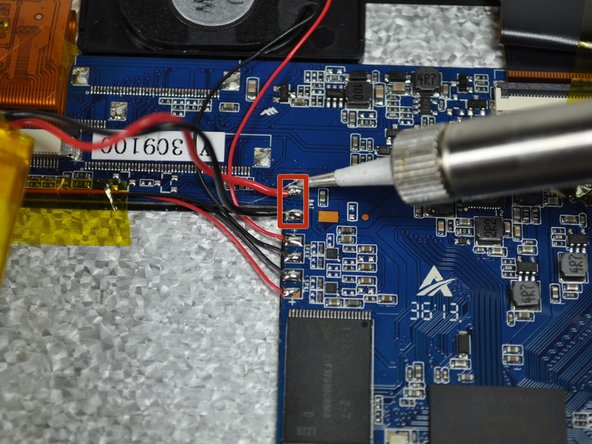
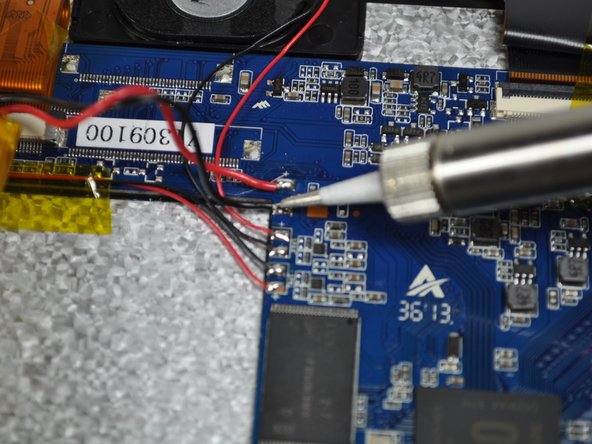
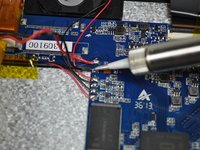
Follow the (Black and Red) wires from the battery to the motherboard.
-
The two wires (Black and Red) must be removed from the motherboard, as they are connected to the battery.
-
-
-
-
-
-
The camera head is located on the upper middle section of the device, close to the battery.
-
-
-
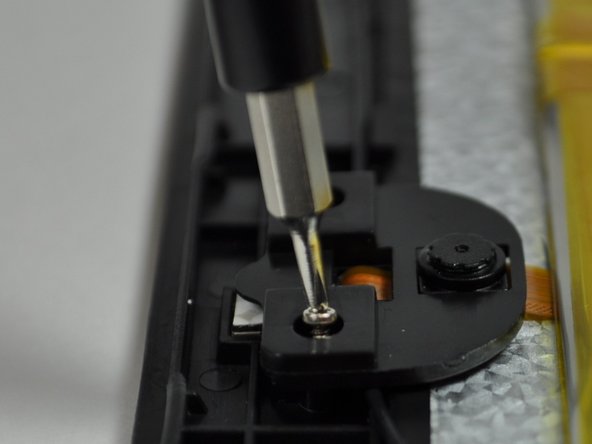
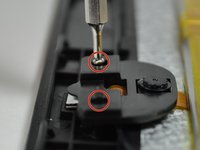
Start by locating the two left and right screws which hold the camera head in place.
-
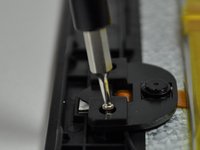
Using the Phillip's 000 screwdriver, remove the two 7 mm screws located in the picture by rotating the screw counter-clockwise.
-
-
-
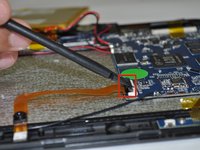
Locate the camera ribbon cable that is connected to the motherboard.
-
With a spudger, remove the camera ribbon cable base from the motherboard connector.
-
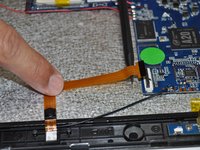
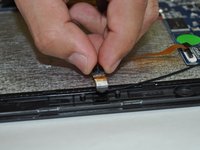
With one finger, delicately remove the camera ribbon cable by sliding down.
-
-






To reassemble your device, follow these instructions in reverse order.

팀

UW Tacoma, Team 3-3, Rose Winter 2015 UW Tacoma, Team 3-3, Rose Winter 2015 회원
UWT-ROSE-W15S3G3
4 회원들
안내서 12개를 작성함
