주요 콘텐츠로 건너뛰기

Power Mac G5 CD-ROM Drive Replacement

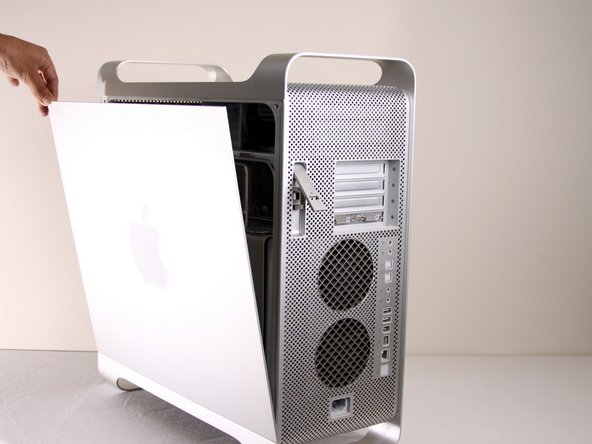
  1. Power Mac G5 CD-ROM Drive Replacement, Side Panel: 1 단계, 이미지 1개 중 1개
    • To avoid electrocution, shut down the computer. Do not open the computer or attempt to install any items inside it while the computer is on.

    • To avoid being burned, wait at least 10 minutes to allow the computer's internal components to cool.

  2. Power Mac G5 CD-ROM Drive Replacement: 2 단계, 이미지 1개 중 1개
    • Remove all the cables, including the power cables before opening the unit.

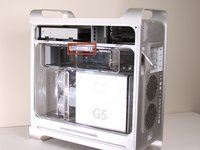
  3. Power Mac G5 CD-ROM Drive Replacement: 3 단계, 이미지 2개 중 1개 Power Mac G5 CD-ROM Drive Replacement: 3 단계, 이미지 2개 중 2개
    • Lift the tab to unlock the side panel.

    • The panel should fall out. If the panel does not fall out by itself pull a little from the edges.

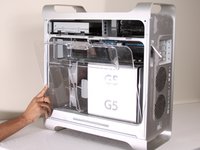
  4. Power Mac G5 CD-ROM Drive Replacement: 4 단계, 이미지 3개 중 1개 Power Mac G5 CD-ROM Drive Replacement: 4 단계, 이미지 3개 중 2개 Power Mac G5 CD-ROM Drive Replacement: 4 단계, 이미지 3개 중 3개
    • Remove the air deflector (the clear plastic cover) by pulling on the handle.

  5. Power Mac G5 CD-ROM Drive Replacement, CD-ROM Drive: 5 단계, 이미지 1개 중 1개
    • Locate the CD-ROM Drive on the top left corner of desktop.

  6. Power Mac G5 CD-ROM Drive Replacement: 6 단계, 이미지 3개 중 1개 Power Mac G5 CD-ROM Drive Replacement: 6 단계, 이미지 3개 중 2개 Power Mac G5 CD-ROM Drive Replacement: 6 단계, 이미지 3개 중 3개
    • Pull and rotate latches to the left.

  7. Power Mac G5 CD-ROM Drive Replacement: 7 단계, 이미지 1개 중 1개
    • Wiggle and pull out the CD Drive.

  8. Power Mac G5 CD-ROM Drive Replacement: 8 단계, 이미지 2개 중 1개 Power Mac G5 CD-ROM Drive Replacement: 8 단계, 이미지 2개 중 2개
    • Detach the first cable from the CD-ROM drive.

    • Detach the second cable from the CD-ROM drive.

    • On some models, the IDE cable is stuck to the top of the CD-ROM with foam tape. It is easier to unplug the IDE connector from the motherboard, and de-route the IDE cable as you remove the drive.

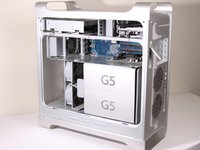
  9. Power Mac G5 CD-ROM Drive Replacement: 9 단계, 이미지 1개 중 1개
    • After the CD-ROM drive is removed, the area should look like this.

결론

To reassemble your device, follow these instructions in reverse order.

다른 44명이 해당 안내서를 완성하였습니다.

작성자

5다른 기여자 명과 함께

Jessica Chaidez

회원 가입일: 01/13/10

8,052 평판

안내서 3개를 작성함

Cal Poly, Team 5-8, Forte Winter 2010 Cal Poly, Team 5-8, Forte Winter 2010 회원

CPSU-FORTE-W10S5G8

7 회원들

안내서 30개를 작성함

2가이드 댓글

Is it possible to use an IDE to SATA connector? I want to install my Pioneer BDR burner to potentially use the PMG5 for data disc burning only. Any thoughts?

nirv - 답글

Misleading title. I know how to unplug the drive, thank you very much.

I've replaced the original drive with a better one and the %#*@ tray is stuck because it's too high.

engineer2137 - 답글

댓글 쓰기

조회 통계:

지난 24시간: 6

지난 7일: 26

지난 30일: 98

전체 시간: 35,710