소개
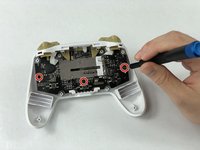
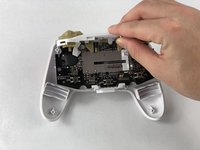
This guide will show you how to access and replace the L and R thumbstick covers on your PowerA Enhanced Wireless Controller. If your thumbsticks are sticking or causing drift, you may need to remove the covers to clean or replace them. Replacing worn-out thumbstick covers can improve gameplay performance.
The components involved in this replacement are small, so a steady hand and good organization are essential. Performing this repair yourself can save both time and money. Be sure to purchase the correct replacement parts in advance from the Xbox website or a local gaming store.
필요한 것
-
-
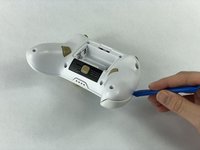
Remove the battery cover by pressing down on the lever located on the top of the cover.
-
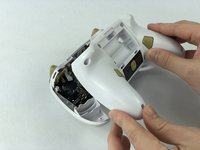
Apply pressure until it clicks out of place, and pull it off.
-
-




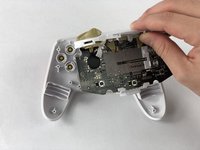


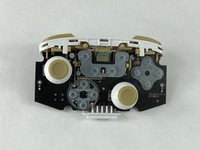
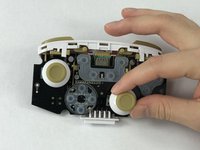
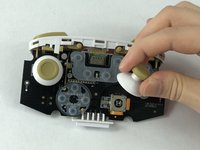
To reassemble your device, follow these instructions in reverse order.
다른 13명이 해당 안내서를 완성하였습니다.



팀

USF Tampa, Team S1-G5, Leahy Fall 2019 USF Tampa, Team S1-G5, Leahy Fall 2019 회원
USFT-LEAHY-F19S1G5
3 회원들
안내서 11개를 작성함
21가이드 댓글
i dont know i cleaned using plush sticks ( that usually go to ears that one ) i used that and isopropacol alcohoc 90%
it works for 2 weeks ( on me ) and now my Right analog stick is too Loose to wiggle there
BrunoS -
Where can I get replacement thumbsticks for this controller? Are they the same as the Switch Pro Controllers?
i need replacement joy-sticks too
BrunoS -
I need a link for the thumbsticks too. Cant seem to find them anywhere and PowerA does no sell them nor is willing to help.
