소개
If you've been experiencing issues with the functionality of your L and R buttons while using your PowerA Enhanced Wireless Controller for Nintendo Switch, you're not alone. These buttons are crucial to the operation of the controller and can often become less responsive over time due to wear and tear. This guide will walk you through the necessary steps to access and replace or clean these buttons, restoring your controller to peak performance.
This repair will address common issues such as marginal response of the L and R buttons, L and R buttons sticking due to dust or residue build up and/or physical damage on the L and R buttons.
Before beginning the repair process, it's important to remove the batteries from your controller to ensure your safety during the repair and prevent any potential issues with the motherboard. Step 1 of this guide will show you how to access the battery compartment.
필요한 것
-
-
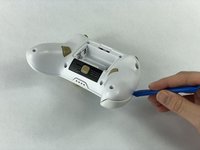
Remove the battery cover by pressing down on the lever located on the top of the cover.
-
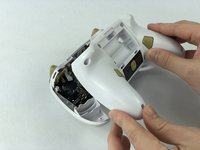
Apply pressure until it clicks out of place, and pull it off.
-
-
-
-
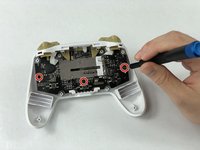
Lift the two white latches using the iFixit opening tool.
-
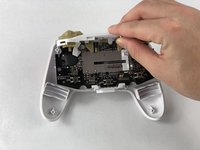
Lift the white covering off.
-




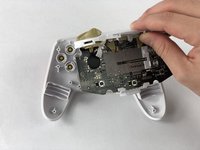


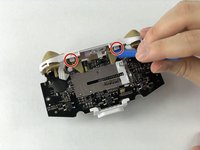
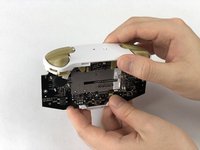
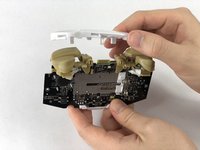

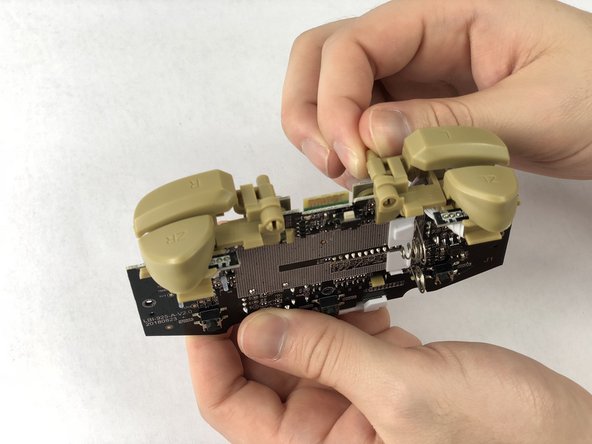
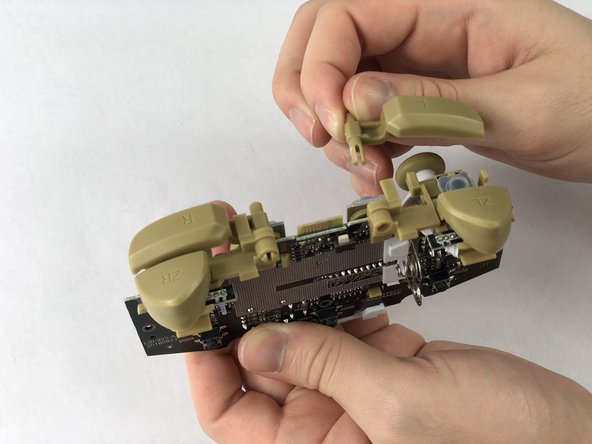

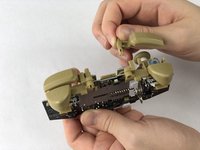
To reassemble your device, follow these instructions in reverse order.
다른 2명이 해당 안내서를 완성하였습니다.



팀

USF Tampa, Team S1-G5, Leahy Fall 2019 USF Tampa, Team S1-G5, Leahy Fall 2019 회원
USFT-LEAHY-F19S1G5
3 회원들
안내서 11개를 작성함
2가이드 댓글
I need to know how to fix the ZR and the ZL buttons, like a faster response time
