주요 콘텐츠로 건너뛰기

RedOctane X-Plorer Auxiliary Port Replacement

필요한 것

  1. RedOctane X-Plorer Auxiliary Port Replacement, Rear Case: 1 단계, 이미지 2개 중 1개 RedOctane X-Plorer Auxiliary Port Replacement, Rear Case: 1 단계, 이미지 2개 중 2개
    • Remove the strap by pulling it off of the mounts located on the body and neck.

  2. RedOctane X-Plorer Auxiliary Port Replacement: 2 단계, 이미지 3개 중 1개 RedOctane X-Plorer Auxiliary Port Replacement: 2 단계, 이미지 3개 중 2개 RedOctane X-Plorer Auxiliary Port Replacement: 2 단계, 이미지 3개 중 3개
    • Remove the nine 12mm Phillips #1 screws around the perimeter of the case with a screwdriver.

    • Remove the two 15mm Phillips #1 screws connecting the body panel to the neck panel with a screwdriver.

    • These screws can also be Torx on some models.

    • Pull off the rear case.

  3. RedOctane X-Plorer Auxiliary Port Replacement: 3 단계, 이미지 3개 중 1개 RedOctane X-Plorer Auxiliary Port Replacement: 3 단계, 이미지 3개 중 2개 RedOctane X-Plorer Auxiliary Port Replacement: 3 단계, 이미지 3개 중 3개
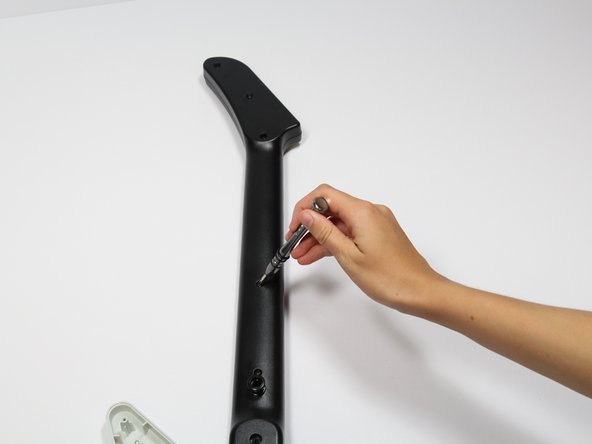
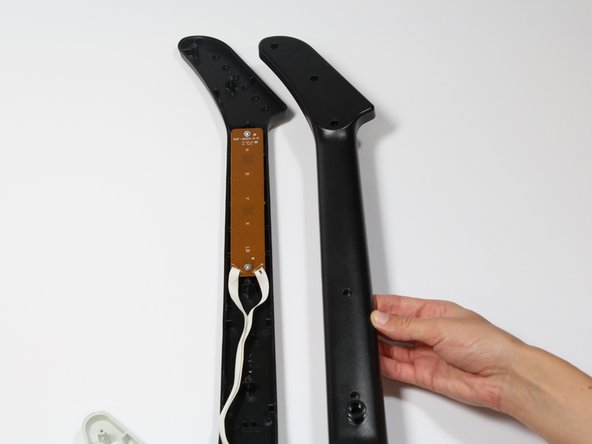
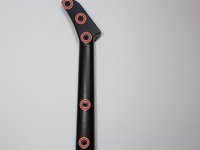
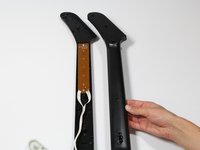
    • Remove the five 12mm Phillips #1 screws along the neck with a screwdriver.

    • Pull off the top shell of the neck to expose the internal features.

  4. RedOctane X-Plorer Auxiliary Port Replacement, Auxiliary Port: 4 단계, 이미지 3개 중 1개 RedOctane X-Plorer Auxiliary Port Replacement, Auxiliary Port: 4 단계, 이미지 3개 중 2개 RedOctane X-Plorer Auxiliary Port Replacement, Auxiliary Port: 4 단계, 이미지 3개 중 3개
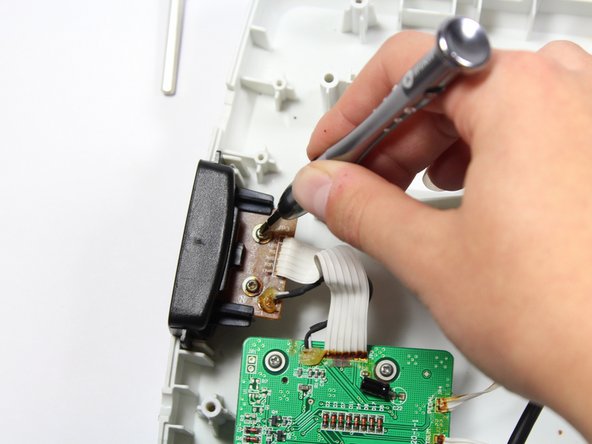
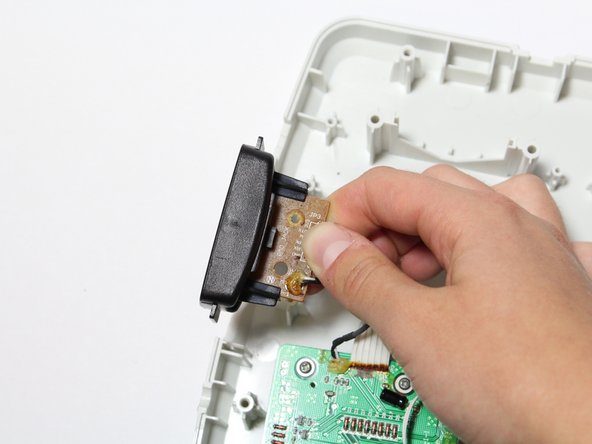
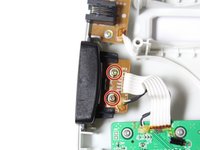
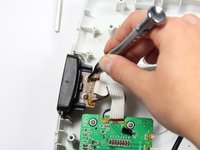
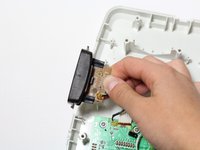
    • Remove the two 10mm Phillips #1 screws from the auxiliary port board using a screwdriver.

    • Gently lift up on the auxiliary port to remove it from the case.

결론

To reassemble your device, follow these instructions in reverse order.

작성자

3다른 기여자 명과 함께

Riley

회원 가입일: 04/18/18

703 평판

안내서 7개를 작성함

Cal Poly, Team S17-G1, Livingston Spring 2018 Cal Poly, Team S17-G1, Livingston Spring 2018 회원

CPSU-LIVINGSTON-S18S17G1

3 회원들

안내서 9개를 작성함

1가이드 댓글

What does the neck have to do with this? You mention it in the intro and step 3, but I don’t get why you’d need to open up the neck at all for this repair.

Tuesday - 답글

댓글 쓰기

조회 통계:

지난 24시간: 0

지난 7일: 10

지난 30일: 29

전체 시간: 1,463