주요 콘텐츠로 건너뛰기

Remove the iRobot Braava Jet 240 Motherboard Case

필요한 것

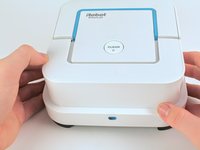
  1. Remove the iRobot Braava Jet 240 Motherboard Case, Battery: 1 단계, 이미지 1개 중 1개
    • Turn the device off.

  2. Remove the iRobot Braava Jet 240 Motherboard Case: 2 단계, 이미지 2개 중 1개 Remove the iRobot Braava Jet 240 Motherboard Case: 2 단계, 이미지 2개 중 2개
    • Use your fingers to gently pop out the battery.

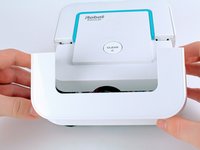
  3. Remove the iRobot Braava Jet 240 Motherboard Case, Mop Pad: 3 단계, 이미지 2개 중 1개 Remove the iRobot Braava Jet 240 Motherboard Case, Mop Pad: 3 단계, 이미지 2개 중 2개
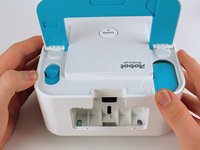
    • Lift up the handle to reveal the eject button.

  4. Remove the iRobot Braava Jet 240 Motherboard Case: 4 단계, 이미지 3개 중 1개 Remove the iRobot Braava Jet 240 Motherboard Case: 4 단계, 이미지 3개 중 2개 Remove the iRobot Braava Jet 240 Motherboard Case: 4 단계, 이미지 3개 중 3개
    • Use your finger to push the eject button forward.

  5. Remove the iRobot Braava Jet 240 Motherboard Case: 5 단계, 이미지 1개 중 1개
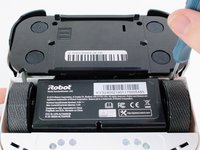
    • Tilt the robot on its side and let the mop pad slide out.

  6. Remove the iRobot Braava Jet 240 Motherboard Case, Front Shell: 6 단계, 이미지 2개 중 1개 Remove the iRobot Braava Jet 240 Motherboard Case, Front Shell: 6 단계, 이미지 2개 중 2개
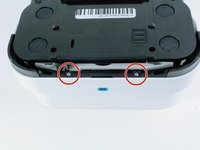
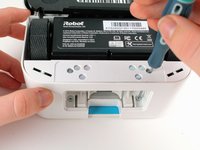
    • Remove the two 22.0 mm screws on the bottom-front of the robot using a Phillips #1 screwdriver.

  7. Remove the iRobot Braava Jet 240 Motherboard Case: 7 단계, 이미지 2개 중 1개 Remove the iRobot Braava Jet 240 Motherboard Case: 7 단계, 이미지 2개 중 2개
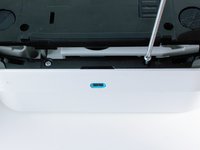
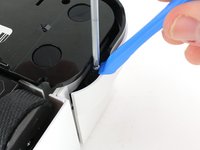
    • Use a Phillips #1 screwdriver and an iFixit opening tool to remove the two 15.0 mm screws on the front sides of the robot.

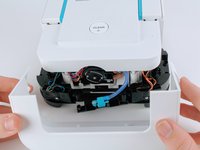
  8. Remove the iRobot Braava Jet 240 Motherboard Case: 8 단계, 이미지 3개 중 1개 Remove the iRobot Braava Jet 240 Motherboard Case: 8 단계, 이미지 3개 중 2개 Remove the iRobot Braava Jet 240 Motherboard Case: 8 단계, 이미지 3개 중 3개
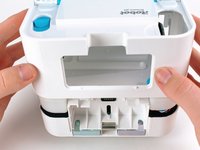
    • Carefully pull back on the front shell to remove it from the robot.

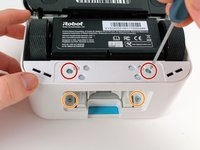
  9. Remove the iRobot Braava Jet 240 Motherboard Case, Back Shell: 9 단계, 이미지 2개 중 1개 Remove the iRobot Braava Jet 240 Motherboard Case, Back Shell: 9 단계, 이미지 2개 중 2개
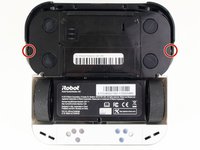
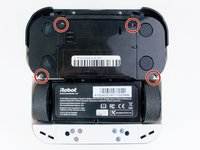
    • Insert a Phillips #1 screwdriver through the screw holes.

    • Unscrew the two 9.7 mm screws.

  10. Remove the iRobot Braava Jet 240 Motherboard Case: 10 단계, 이미지 2개 중 1개 Remove the iRobot Braava Jet 240 Motherboard Case: 10 단계, 이미지 2개 중 2개
    • Unscrew the four 9.7 mm screws using a long neck #1 Phillips screwdriver.

    • If the screws are unscrewed but do not come out easily, turn the robot upside down and gently shake it.

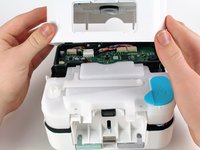
  11. Remove the iRobot Braava Jet 240 Motherboard Case: 11 단계, 이미지 3개 중 1개 Remove the iRobot Braava Jet 240 Motherboard Case: 11 단계, 이미지 3개 중 2개 Remove the iRobot Braava Jet 240 Motherboard Case: 11 단계, 이미지 3개 중 3개
    • Pull up on the back shell to remove it from the robot.

    • For reassembly, pop the mop pad release trigger back into place if it fell out during back shell removal.

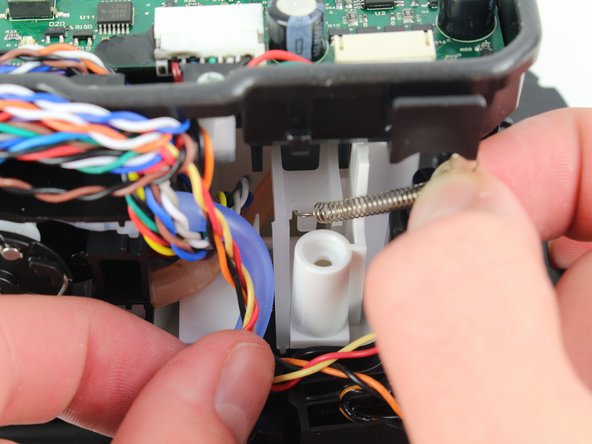
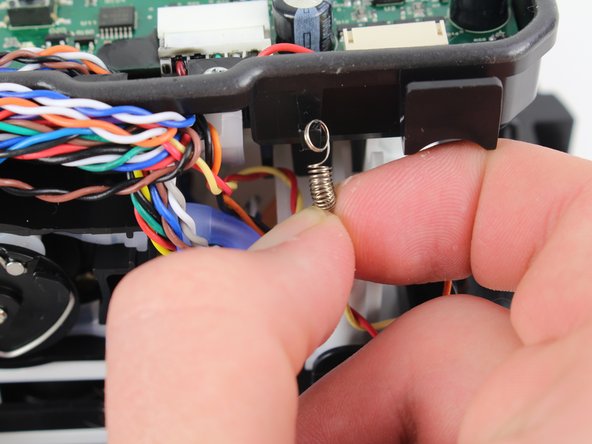
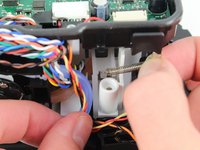
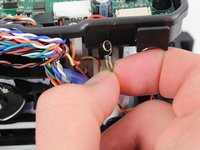
  12. Remove the iRobot Braava Jet 240 Motherboard Case, Remove pad ejection lever spring: 12 단계, 이미지 3개 중 1개 Remove the iRobot Braava Jet 240 Motherboard Case, Remove pad ejection lever spring: 12 단계, 이미지 3개 중 2개 Remove the iRobot Braava Jet 240 Motherboard Case, Remove pad ejection lever spring: 12 단계, 이미지 3개 중 3개
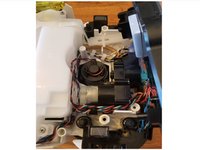
    • First pull up, then pull down on the spring to detach it from the hooks.

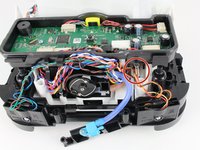
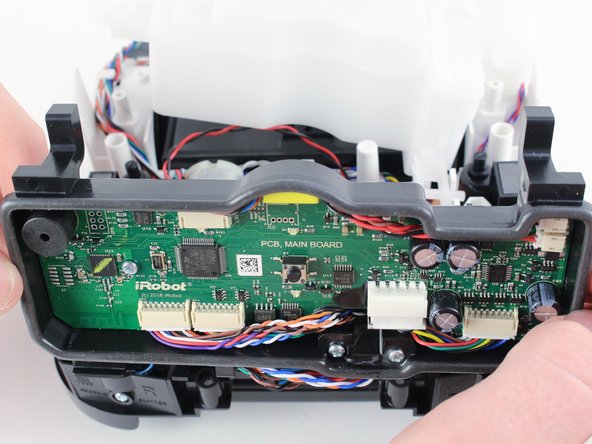
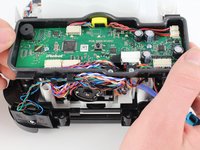
  13. Remove the iRobot Braava Jet 240 Motherboard Case, Remove the motherboard case: 13 단계, 이미지 3개 중 1개 Remove the iRobot Braava Jet 240 Motherboard Case, Remove the motherboard case: 13 단계, 이미지 3개 중 2개 Remove the iRobot Braava Jet 240 Motherboard Case, Remove the motherboard case: 13 단계, 이미지 3개 중 3개
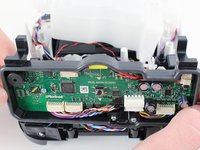
    • Lift up on the motherboard case and pull it forward to remove it from the device. This will expose the free-floating platform, as well as motors, water tubing, and the magnetic sensor pads.

결론

To reassemble your device, follow these instructions in reverse order.

작성자

1다른 기여자 명과 함께

Elven Decker

회원 가입일: 04/18/22

291 평판

안내서 3개를 작성함

3가이드 댓글

Etape 14 ...... poubelle !

laristochatbob - 답글
Etape 12 .................................. Poubelle !

laristochatbob - 답글

Can you add more detail? We have disconnected and reconnected the spring multiple times. What was the tricky part?

Elven Decker - 답글

댓글 쓰기

조회 통계:

지난 24시간: 4

지난 7일: 11

지난 30일: 31

전체 시간: 1,235