주요 콘텐츠로 건너뛰기

Replace Apple Xserve 2009 Motherboard and fans

필요한 것

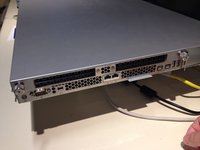
  1. Replace Apple Xserve 2009 Motherboard and fans, Xserve 2009 MLB and Fan replacement: 1 단계, 이미지 2개 중 1개 Replace Apple Xserve 2009 Motherboard and fans, Xserve 2009 MLB and Fan replacement: 1 단계, 이미지 2개 중 2개
    • Notable specs:

    • Dual Xeon Nehalem CPU @ 2.26 GHz

    • No SSD

    • No Hardware RAID

  2. Replace Apple Xserve 2009 Motherboard and fans: 2 단계, 이미지 1개 중 1개
    • Pull on release lever, and pull power supply out.

  3. Replace Apple Xserve 2009 Motherboard and fans: 3 단계, 이미지 2개 중 1개 Replace Apple Xserve 2009 Motherboard and fans: 3 단계, 이미지 2개 중 2개
    • Loosen the 2 thumbscrews on the back of the xserve to release the top.

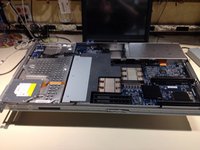
    • Slide top back, and lift top off.

  4. Replace Apple Xserve 2009 Motherboard and fans: 4 단계, 이미지 1개 중 1개
    • This step is not necessary if you are not changing the drive. It does not interfere with the rest of the procedure.

    • If the hard drives or blanks are still in the xserve, push the handle in to pop it out.

    • Pull the hard drive and blank sleds out.

  5. Replace Apple Xserve 2009 Motherboard and fans: 5 단계, 이미지 3개 중 1개 Replace Apple Xserve 2009 Motherboard and fans: 5 단계, 이미지 3개 중 2개 Replace Apple Xserve 2009 Motherboard and fans: 5 단계, 이미지 3개 중 3개
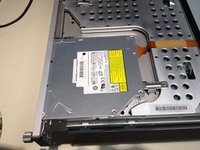
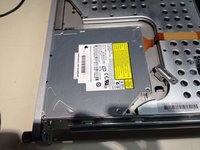
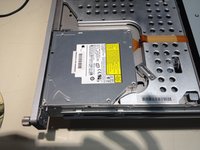
    • Slide lever lock to release the CD/DVD drive.

    • Slide CD/DVD drive back.

    • Lift drive up and unplug the SATA connector on the back.

    • This step is not necessary if you are not changing the drive. It does not interfere with the rest of the procedure.

  6. Replace Apple Xserve 2009 Motherboard and fans: 6 단계, 이미지 1개 중 1개
    • Using a #1 Phillips screwdriver, unscrew the screws on each side of PCI slot #2 on the back of the computer.

    • Once the screws are loosened, the PCI riser card should lift out of the slot.

    • Repeat for PCI slot #1

  7. Replace Apple Xserve 2009 Motherboard and fans: 7 단계, 이미지 1개 중 1개
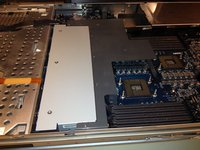
    • Remove the RAM from all slots.

  8. Replace Apple Xserve 2009 Motherboard and fans: 8 단계, 이미지 2개 중 1개 Replace Apple Xserve 2009 Motherboard and fans: 8 단계, 이미지 2개 중 2개
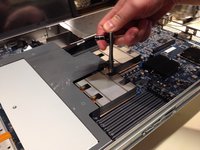
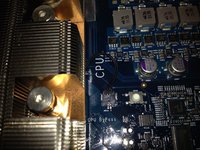
    • Using a 3.0mm Hex wrench (Allen wrench), loosen the 4 screws that hold the processor and heatsink down.

    • Unplug the sensor cable.

    • Lift the heatsink and processor off the motherboard.

    • Repeat if you have the dual processor model.

  9. Replace Apple Xserve 2009 Motherboard and fans: 9 단계, 이미지 3개 중 1개 Replace Apple Xserve 2009 Motherboard and fans: 9 단계, 이미지 3개 중 2개 Replace Apple Xserve 2009 Motherboard and fans: 9 단계, 이미지 3개 중 3개
    • Using a #1 phillips screwdriver, loosen the 5 screws that hold the plastic bezel in place.

    • Remove the plastic bezel.

    • Using a #2 phillips screwdriver, loosen the 2 screws that hold the fan array in place

    • Lift the fan array out.

  10. Replace Apple Xserve 2009 Motherboard and fans: 10 단계, 이미지 2개 중 1개 Replace Apple Xserve 2009 Motherboard and fans: 10 단계, 이미지 2개 중 2개
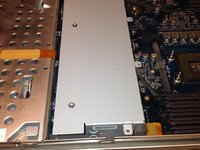
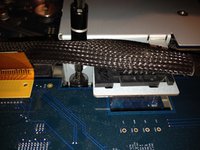
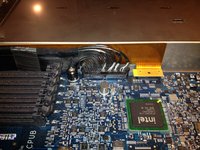
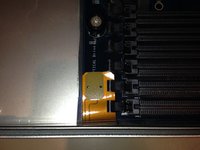
    • Using the spudger, lift the connector on the right.

    • Carefully squeeze the connector on the left and unplug it.

    • Using the spudger, lift the CD/DVD connector by the CPU A RAM slots.

  11. Replace Apple Xserve 2009 Motherboard and fans: 11 단계, 이미지 3개 중 1개 Replace Apple Xserve 2009 Motherboard and fans: 11 단계, 이미지 3개 중 2개 Replace Apple Xserve 2009 Motherboard and fans: 11 단계, 이미지 3개 중 3개
    • Using a #2 screwdriver, loosen the 9 screws that hold the motherboard in place.

    • There are 3 rows of 3 screws each. 1 row by the back of the computer, 1 row in the middle and 1 row by the fan array. They are obvious by the black plastic spacer/retainer on them.

  12. Replace Apple Xserve 2009 Motherboard and fans: 12 단계, 이미지 1개 중 1개
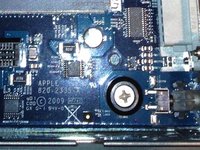
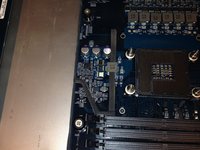
    • Using a #2 screwdriver, loosen the screw on the power board.

    • Slide it up to disconnect it from the motherboard.

  13. Replace Apple Xserve 2009 Motherboard and fans: 13 단계, 이미지 2개 중 1개 Replace Apple Xserve 2009 Motherboard and fans: 13 단계, 이미지 2개 중 2개
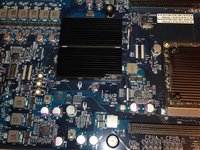
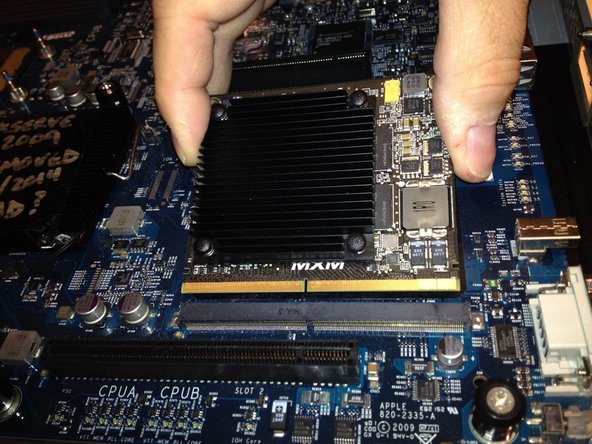
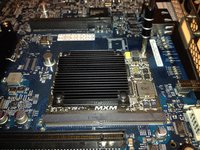
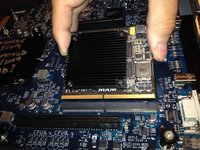
    • Remove the 2 screws that hold the video card on.

    • Slide the card out of the socket.

  14. Replace Apple Xserve 2009 Motherboard and fans: 14 단계, 이미지 1개 중 1개
    • Lift the motherboard and slide it out ofthe connectors on the back of the computer.

    • Then tip the motherboard up and out of the computer.

결론

To reassemble your device, follow these instructions in reverse order.

다른 18명이 해당 안내서를 완성하였습니다.

작성자

6다른 기여자 명과 함께

Tod Hallberg

회원 가입일: 07/08/14

677 평판

안내서 1개를 작성함

0가이드 댓글

댓글 쓰기

조회 통계:

지난 24시간: 2

지난 7일: 6

지난 30일: 105

전체 시간: 12,170