주요 콘텐츠로 건너뛰기

Replace faultly digit

  1. Replace faultly digit, Display digit: 1 단계, 이미지 3개 중 1개 Replace faultly digit, Display digit: 1 단계, 이미지 3개 중 2개 Replace faultly digit, Display digit: 1 단계, 이미지 3개 중 3개
    • Unplug the power supply from the wall, remove batteries.

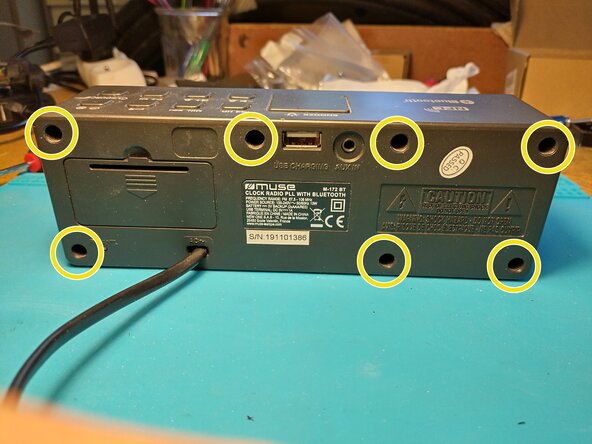
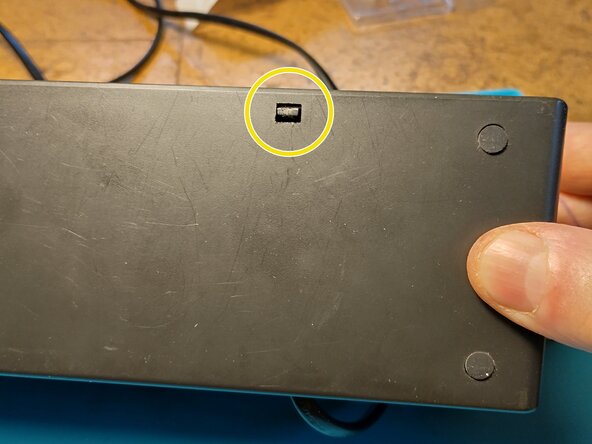
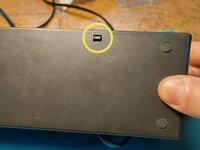
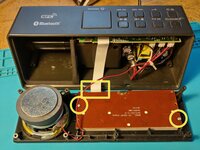
    • Unscrew x7 and open the device by unlocking the plastic clip on the bottom face.

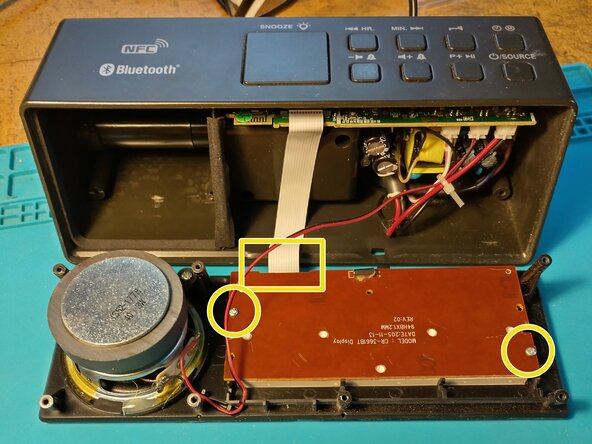
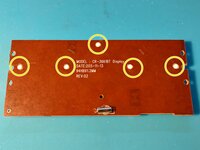
    • On the rear of the display panel, unscrew x2 and unclip the flat cable.

  2. Replace faultly digit: 2 단계, 이미지 3개 중 1개 Replace faultly digit: 2 단계, 이미지 3개 중 2개 Replace faultly digit: 2 단계, 이미지 3개 중 3개
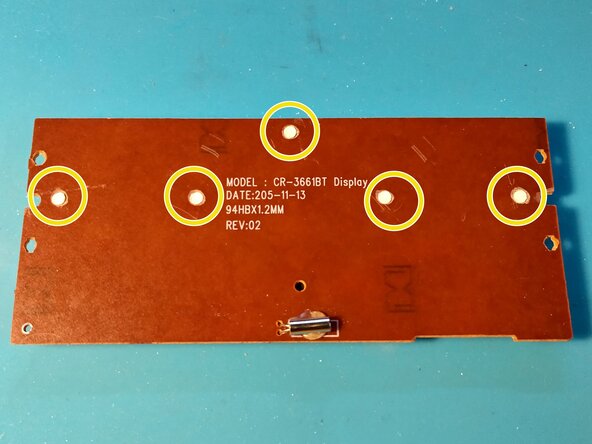
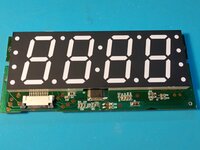
    • We want to separate the digit support from the PCB to access the leds.

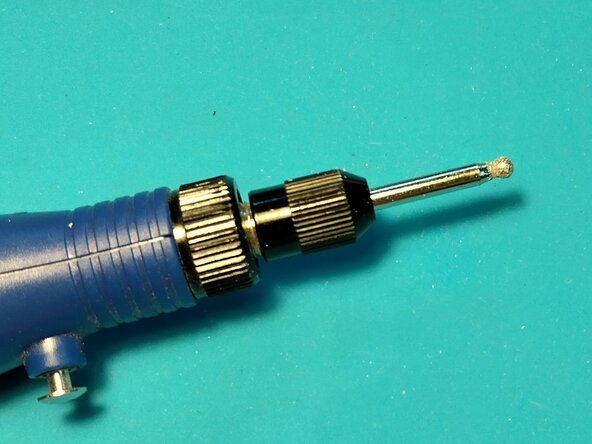
    • On the back, mill the white clips to free the PCB from the digit support. I used a Dremel like tool.

  3. Replace faultly digit: 3 단계, 이미지 2개 중 1개 Replace faultly digit: 3 단계, 이미지 2개 중 2개
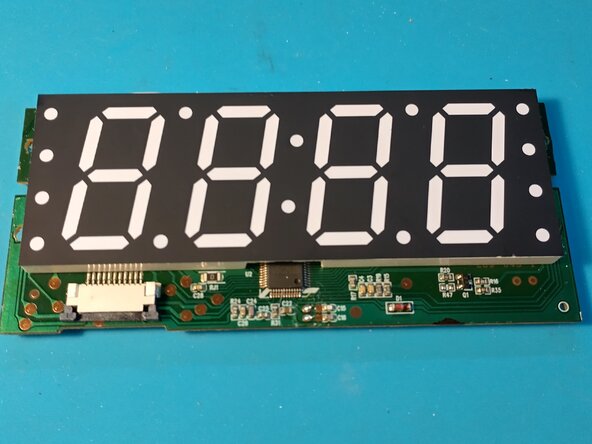
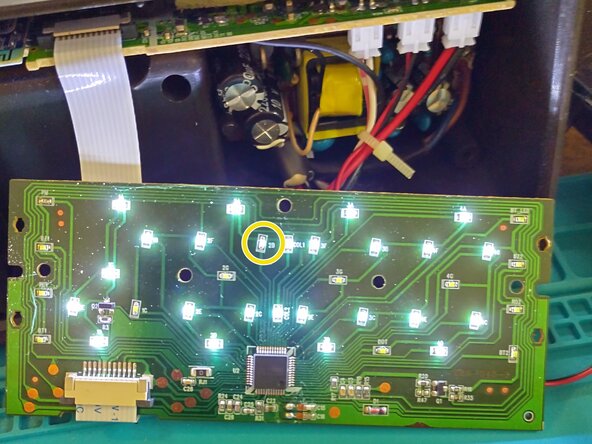
    • You can test the leds by plug in the flat cable. Be carefull of high voltage.

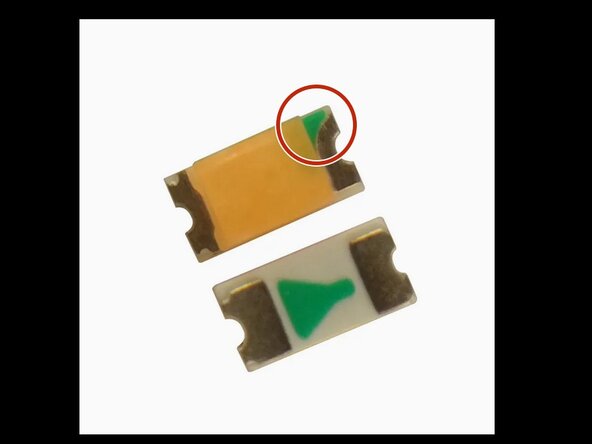
    • In my case, I had to replace the 2B led. Locate the green mark before unsoldering the led. Green mark goes to the driver chip.

    • To buy leds, search Internet with key words : white led smd 0603

    • Once done, you can try the led fix and reassemble the device.

결론

Pour réassembler votre appareil, suivez les instructions dans l'ordre inverse.
작성자

1다른 기여자 명과 함께

Pierre Le Gargasson

회원 가입일: 12/17/21

387 평판

안내서 3개를 작성함

0가이드 댓글

댓글 쓰기

조회 통계:

지난 24시간: 1

지난 7일: 3

지난 30일: 7

전체 시간: 83