주요 콘텐츠로 건너뛰기

Roborock S7 Max Ultra Dust Bin Replacement

필요한 것

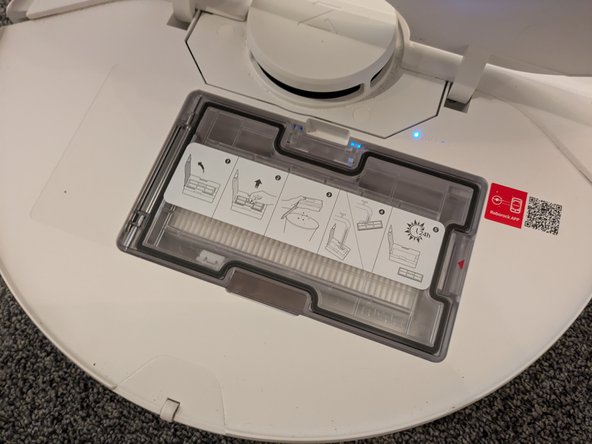
  1. Roborock S7 Max Ultra Dust Bin Replacement, Open the Back Cover: 1 단계, 이미지 2개 중 1개 Roborock S7 Max Ultra Dust Bin Replacement, Open the Back Cover: 1 단계, 이미지 2개 중 2개
    • Flip open the back cover in order to gain access to the dustbin.

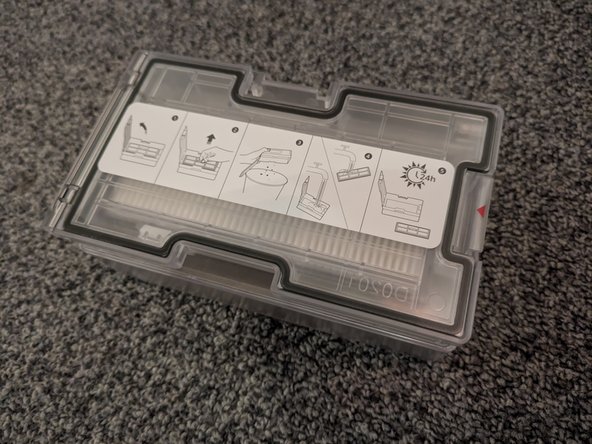
  2. Roborock S7 Max Ultra Dust Bin Replacement, Remove the Dust Bin: 2 단계, 이미지 2개 중 1개 Roborock S7 Max Ultra Dust Bin Replacement, Remove the Dust Bin: 2 단계, 이미지 2개 중 2개
    • Press the latch securing the dustbin while gently pulling it out of the device.

결론

To reassemble your device, follow these instructions in reverse order.

Sebastian

회원 가입일: 08/19/18

31,061 평판

안내서 71개를 작성함

German Translators German Translators 회원

Community

42 회원들

안내서 1,550개를 작성함

0가이드 댓글

댓글 쓰기

조회 통계:

지난 24시간: 1

지난 7일: 6

지난 30일: 21

전체 시간: 302