주요 콘텐츠로 건너뛰기

Roborock S7: Laser Distance Sensor Replacement

필요한 것

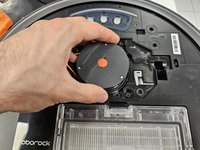
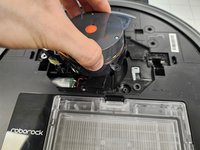
  1. Roborock S7: Laser Distance Sensor Replacement, Remove the front half of the top cover: 1 단계, 이미지 3개 중 1개 Roborock S7: Laser Distance Sensor Replacement, Remove the front half of the top cover: 1 단계, 이미지 3개 중 2개 Roborock S7: Laser Distance Sensor Replacement, Remove the front half of the top cover: 1 단계, 이미지 3개 중 3개
    • It is only held on by latches.

    • Give the cover a firm tug.

  2. Roborock S7: Laser Distance Sensor Replacement, Remove the back half of the top cover.: 2 단계, 이미지 2개 중 1개 Roborock S7: Laser Distance Sensor Replacement, Remove the back half of the top cover.: 2 단계, 이미지 2개 중 2개
    • Remove the screws.

    • Remove the plastic tabs, then remove the back half of the top cover.

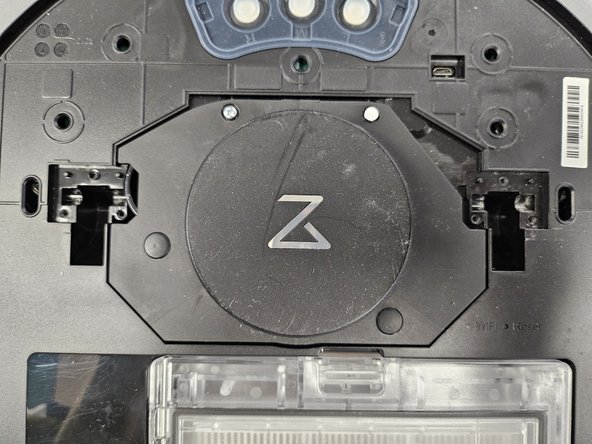
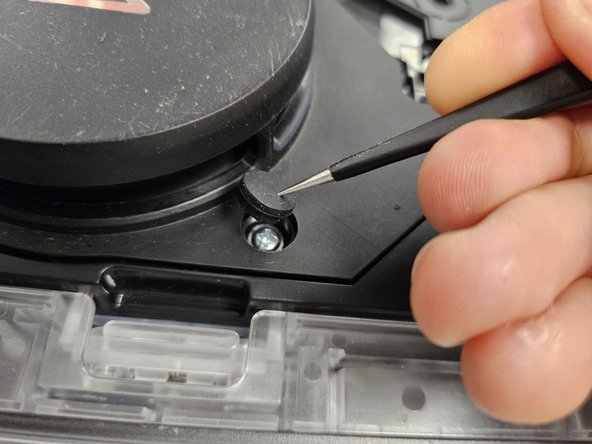
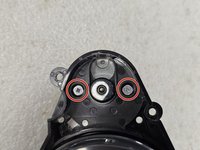
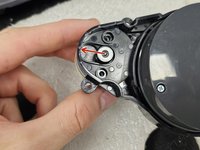
  3. Roborock S7: Laser Distance Sensor Replacement, Removing the rubber caps.: 3 단계, 이미지 2개 중 1개 Roborock S7: Laser Distance Sensor Replacement, Removing the rubber caps.: 3 단계, 이미지 2개 중 2개
    • Remove the rubber caps covering the 2 screws.

    • There are multiple techniques to do this, but I usually just stab them with sharp tipped tweezers. You could slip them in between the housing and the rubber cap as well.

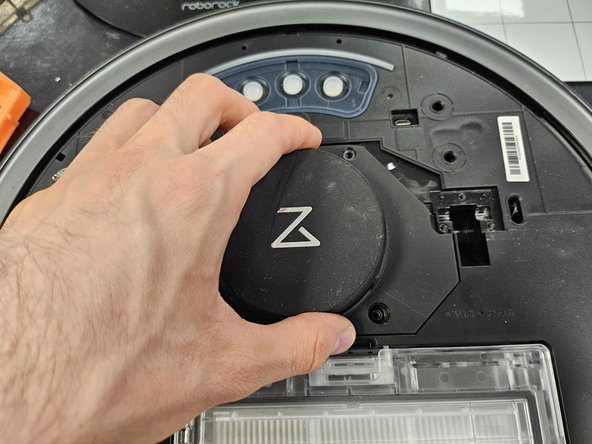
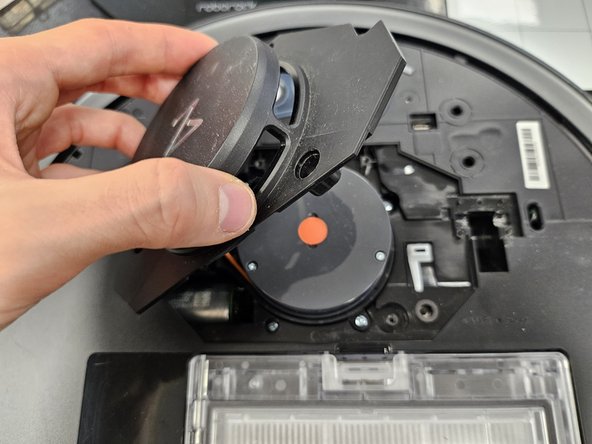
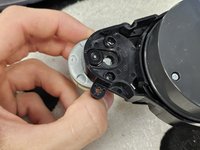
  4. Roborock S7: Laser Distance Sensor Replacement, Remove the screws holding the LDS cage.: 4 단계, 이미지 3개 중 1개 Roborock S7: Laser Distance Sensor Replacement, Remove the screws holding the LDS cage.: 4 단계, 이미지 3개 중 2개 Roborock S7: Laser Distance Sensor Replacement, Remove the screws holding the LDS cage.: 4 단계, 이미지 3개 중 3개
    • Remove the screws.

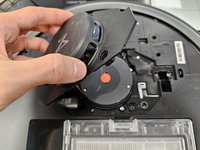
    • Then simply grab and lift the LDS cage off.

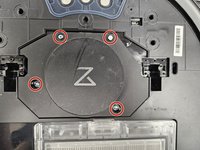
  5. Roborock S7: Laser Distance Sensor Replacement, Removing the LDS.: 5 단계, 이미지 3개 중 1개 Roborock S7: Laser Distance Sensor Replacement, Removing the LDS.: 5 단계, 이미지 3개 중 2개 Roborock S7: Laser Distance Sensor Replacement, Removing the LDS.: 5 단계, 이미지 3개 중 3개
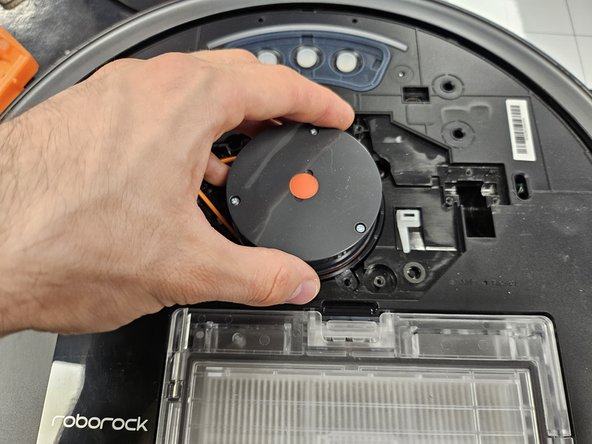
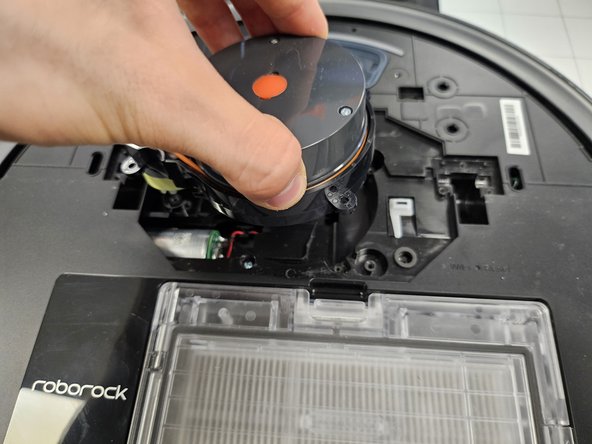
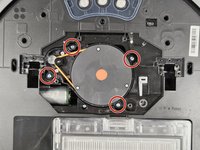
    • Remove the four marked screws.

    • Then, much like the cage, simply lift the LDS out of the slot.

    • One iteration of the LDS is smaller in size and is connected to the motherboard via cable connector. You will also see 8 screws, simply unscrew the inner 4, then lift it slowly, until you can flip it over and detach the connector.

    • If you have an LDS replacement, simply insert your new LDS and close the device up.

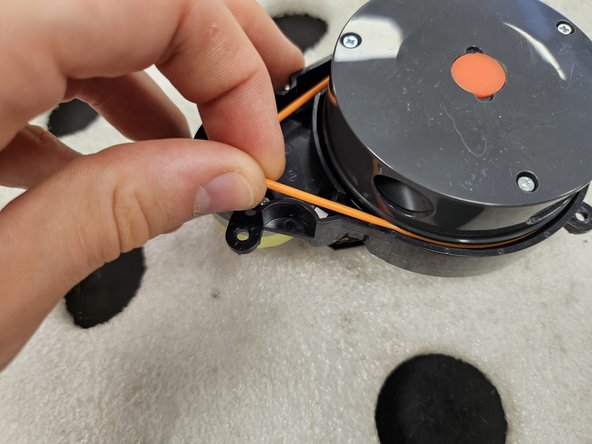
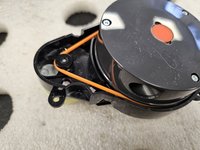
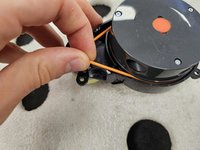
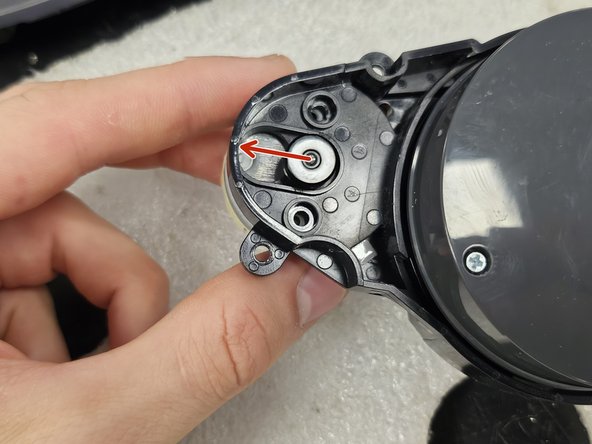
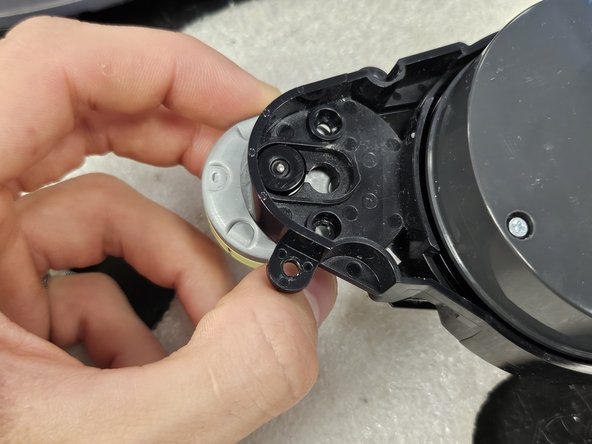
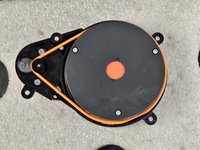
  6. Roborock S7: Laser Distance Sensor Replacement, Removing the rubber band between the motor and the LDS: 6 단계, 이미지 3개 중 1개 Roborock S7: Laser Distance Sensor Replacement, Removing the rubber band between the motor and the LDS: 6 단계, 이미지 3개 중 2개 Roborock S7: Laser Distance Sensor Replacement, Removing the rubber band between the motor and the LDS: 6 단계, 이미지 3개 중 3개
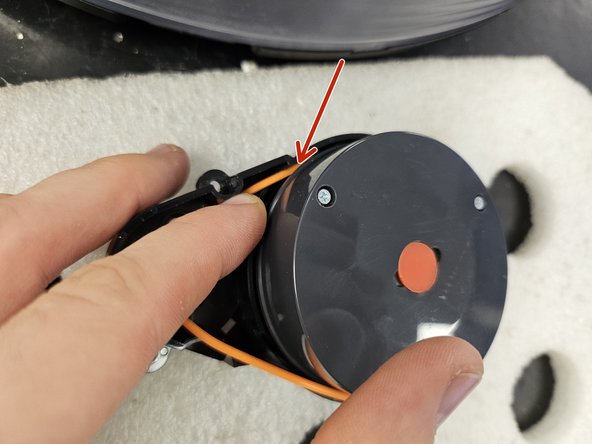
    • If you're planning on replacing or cleaning the LDS' motor, follow the following steps.

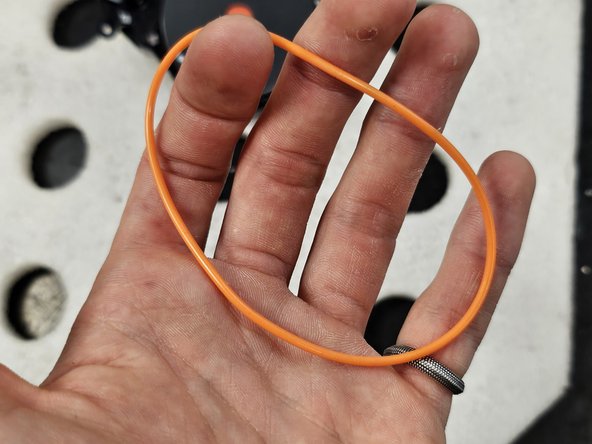
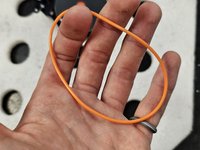
    • Simply remove the rubber band connecting the LDS and the motor.

    • Do not stretch it out. It is flexible, but if you leave it stretched out, it will permanently deform.

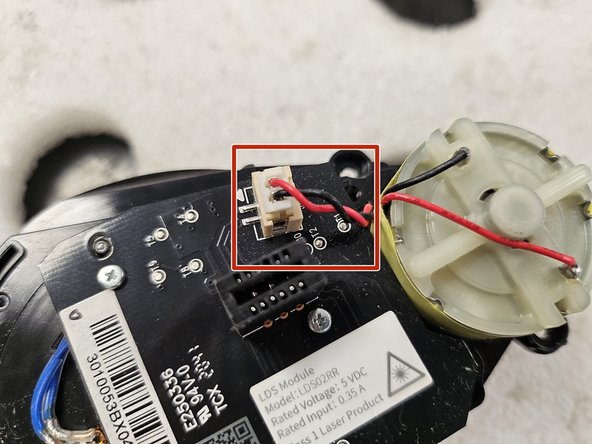
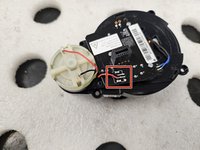
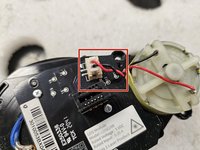
  7. Roborock S7: Laser Distance Sensor Replacement, Check whether the motor is soldered or connected onto LDS' PCBA.: 7 단계, 이미지 2개 중 1개 Roborock S7: Laser Distance Sensor Replacement, Check whether the motor is soldered or connected onto LDS' PCBA.: 7 단계, 이미지 2개 중 2개
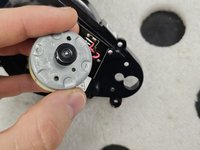
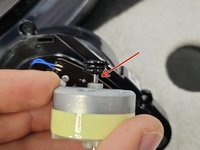
    • Again, multiple iterations of LDS are different. Some have connectors for the motor, some are soldered.

    • Depending on what you have, you might have to solder a new motor on.

    • If it has a connector, disconnect it now.

  8. Roborock S7: Laser Distance Sensor Replacement, Remove the motor.: 8 단계, 이미지 3개 중 1개 Roborock S7: Laser Distance Sensor Replacement, Remove the motor.: 8 단계, 이미지 3개 중 2개 Roborock S7: Laser Distance Sensor Replacement, Remove the motor.: 8 단계, 이미지 3개 중 3개
    • These screws are very easy to strip. Maintain good downward pressure and turn slowly.

    • Remove the screws. Use a PH #00 precision screwdriver.

    • If your motor is soldered onto LDS PCBA and you haven't de-soldered it, slowly and carefully, slide it out.

  9. Roborock S7: Laser Distance Sensor Replacement, Check and clean the motor.: 9 단계, 이미지 2개 중 1개 Roborock S7: Laser Distance Sensor Replacement, Check and clean the motor.: 9 단계, 이미지 2개 중 2개
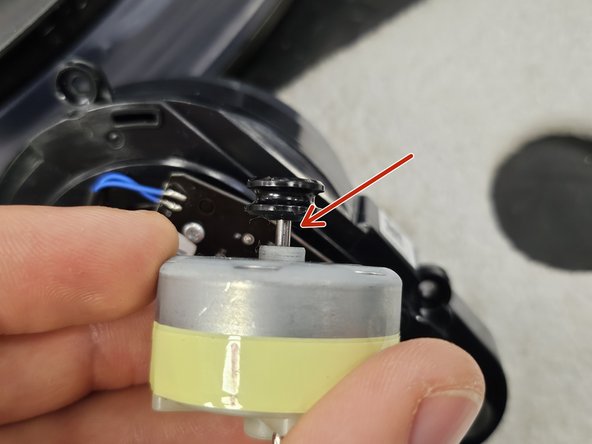
    • Once you have the motor out, check if the driving rod is clean. If not, clean it, then test if that resolves your Error 1.

    • In many cases, the driving rod is chockful of hair, dust and grime, which causes the motor to seize and be unable to spin the LDS (especially on newer iterations, which use the smaller LDS).

    • You can test the motor by connecting it to a 5V battery. You can test it with even a 12V battery, but you risk damaging it by running it for an extended period of time.

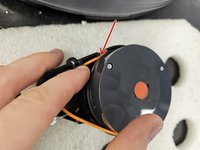
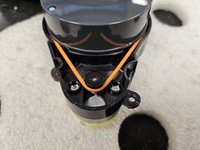
  10. Roborock S7: Laser Distance Sensor Replacement, Tips on the rubber band: 10 단계, 이미지 3개 중 1개 Roborock S7: Laser Distance Sensor Replacement, Tips on the rubber band: 10 단계, 이미지 3개 중 2개 Roborock S7: Laser Distance Sensor Replacement, Tips on the rubber band: 10 단계, 이미지 3개 중 3개
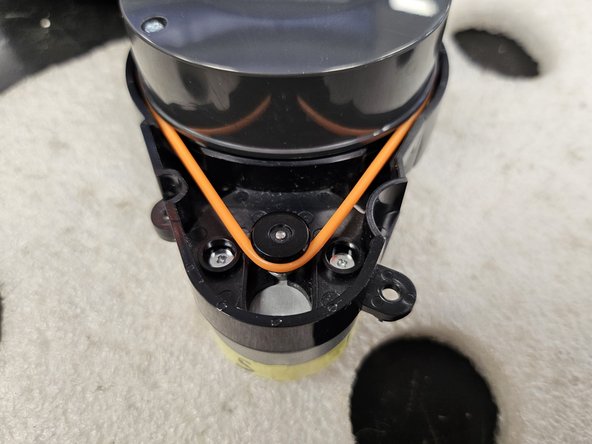
    • Fit the rubber band into the groove on the motor, and above the groove around the LDS.

    • Push the rubber band down, then rotate the LDS to drive the rubber band into the groove.

    • Do a full rotation and seat the entire rubber band.

    • Give the LDS a test spin. If it spins freely and comes to a slow stop, it's good. If it stops abruptly, you applied it wrong or something else is seizing the motor.

  11. Roborock S7: Laser Distance Sensor Replacement, Screeeeews!: 11 단계, 이미지 1개 중 1개
    • Here are the screws organised by steps and size.

    • Use this if needed as a reference during reassembly.

결론

To reassemble your device, follow these instructions in reverse order.

다른 한 분이 해당 안내서를 완성하였습니다.

작성자

1다른 기여자 명과 함께

DegenFixer

회원 가입일: 09/18/24

5,081 평판

안내서 24개를 작성함

0가이드 댓글

댓글 쓰기

조회 통계:

지난 24시간: 22

지난 7일: 108

지난 30일: 420

전체 시간: 3,739