주요 콘텐츠로 건너뛰기

Samsung Galaxy Core Plus Battery Replacement

필요한 것

  1. Samsung Galaxy Core Plus Battery Replacement, Back Cover: 1 단계, 이미지 2개 중 1개 Samsung Galaxy Core Plus Battery Replacement, Back Cover: 1 단계, 이미지 2개 중 2개
    • Insert the flat side of a spudger into the gap next to the power button.

    • The back cover is held by plastic clips. Pry the cover away from the phone until the clips release.

  2. Samsung Galaxy Core Plus Battery Replacement: 2 단계, 이미지 3개 중 1개 Samsung Galaxy Core Plus Battery Replacement: 2 단계, 이미지 3개 중 2개 Samsung Galaxy Core Plus Battery Replacement: 2 단계, 이미지 3개 중 3개
    • Insert an opening pick between the phone and the back cover.

    • Slide the opening pick along the perimeter of the cover.

    • Continue to release the clips by prying away from the phone.

  3. Samsung Galaxy Core Plus Battery Replacement: 3 단계, 이미지 2개 중 1개 Samsung Galaxy Core Plus Battery Replacement: 3 단계, 이미지 2개 중 2개
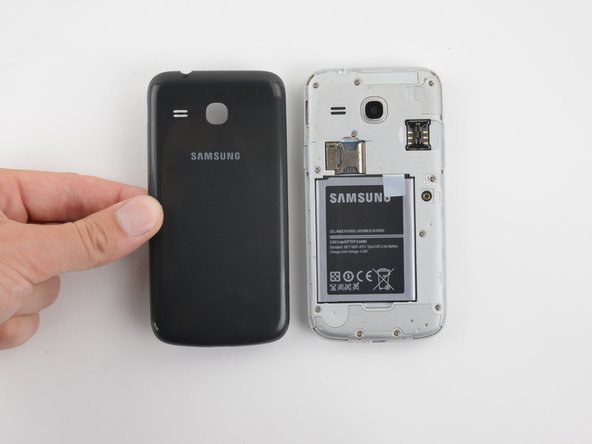
    • Once all of the clips have been released, remove the back cover by hand.

  4. Samsung Galaxy Core Plus Battery Replacement, Battery: 4 단계, 이미지 3개 중 1개 Samsung Galaxy Core Plus Battery Replacement, Battery: 4 단계, 이미지 3개 중 2개 Samsung Galaxy Core Plus Battery Replacement, Battery: 4 단계, 이미지 3개 중 3개
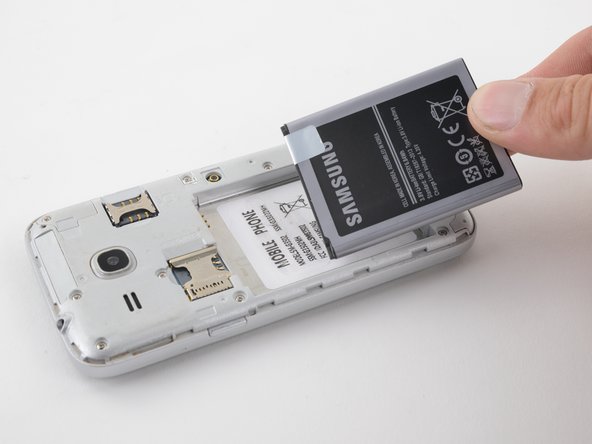
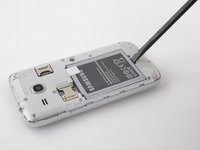
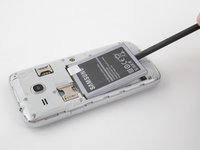
    • Insert the flat end of a spudger into the gap at the bottom of the battery.

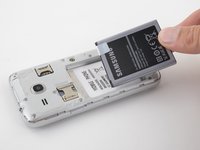
    • Pry the battery up and away from the phone.

    • Grab the battery and lift it out of the phone.

결론

To reassemble your device, follow these instructions in reverse order.

다른 2명이 해당 안내서를 완성하였습니다.

작성자

1다른 기여자 명과 함께

Clay Eickemeyer

회원 가입일: 08/24/22

388 평판

안내서 2개를 작성함

2가이드 댓글

ዝተባለሸወ ቦርድ ከመይ ገይርና ነዐርዮ

GRmay Kndeya - 답글

ዝርዝረሰ ናይ መሳርሕታት ኣቅሑ ሽሞም ንደሊ ከምኡ ድማ ዓቀኖም

GRmay Kndeya - 답글

댓글 쓰기

조회 통계:

지난 24시간: 0

지난 7일: 2

지난 30일: 6

전체 시간: 140