주요 콘텐츠로 건너뛰기

Samsung Galaxy Core Plus Motherboard Replacement

필요한 것

  1. Samsung Galaxy Core Plus Motherboard Replacement, Back Cover: 1 단계, 이미지 2개 중 1개 Samsung Galaxy Core Plus Motherboard Replacement, Back Cover: 1 단계, 이미지 2개 중 2개
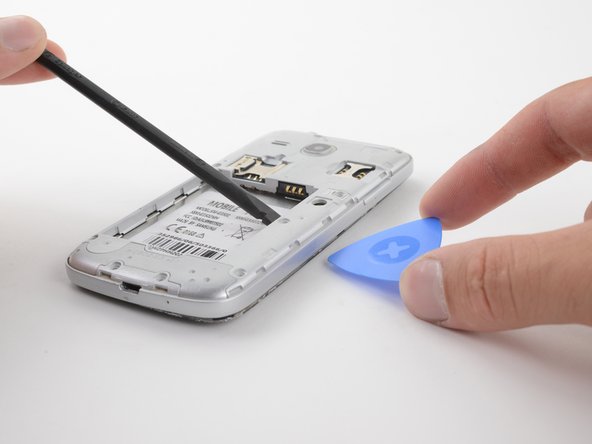
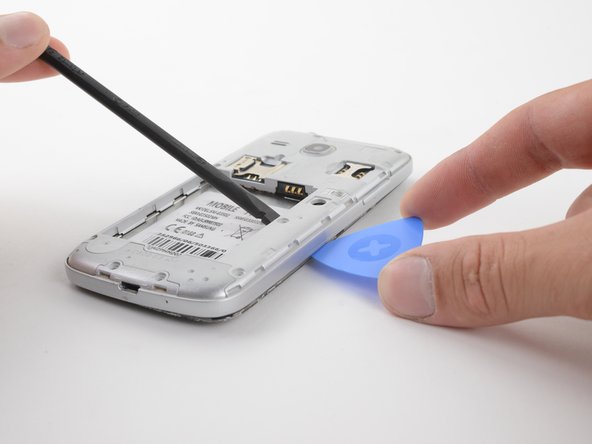
    • Insert the flat side of a spudger into the gap next to the power button.

    • The back cover is held by plastic clips. Pry the cover away from the phone until the clips release.

  2. Samsung Galaxy Core Plus Motherboard Replacement: 2 단계, 이미지 3개 중 1개 Samsung Galaxy Core Plus Motherboard Replacement: 2 단계, 이미지 3개 중 2개 Samsung Galaxy Core Plus Motherboard Replacement: 2 단계, 이미지 3개 중 3개
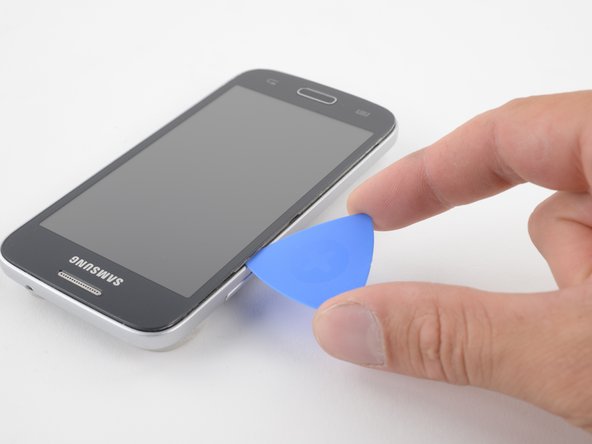
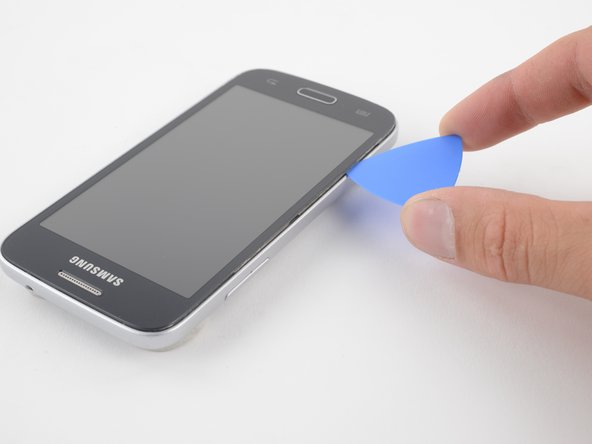
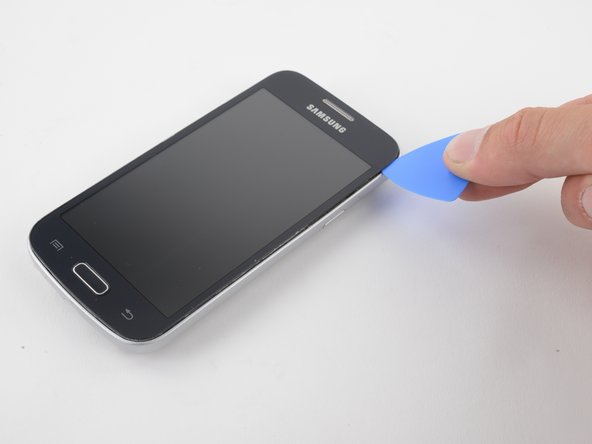
    • Insert an opening pick between the phone and the back cover.

    • Slide the opening pick along the perimeter of the cover.

    • Continue to release the clips by prying away from the phone.

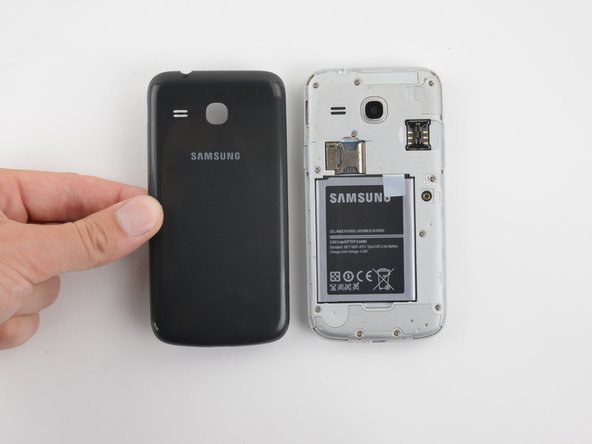
  3. Samsung Galaxy Core Plus Motherboard Replacement: 3 단계, 이미지 2개 중 1개 Samsung Galaxy Core Plus Motherboard Replacement: 3 단계, 이미지 2개 중 2개
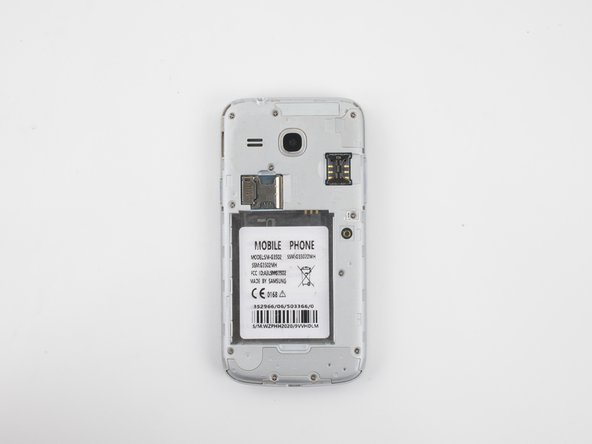
    • Once all of the clips have been released, remove the back cover by hand.

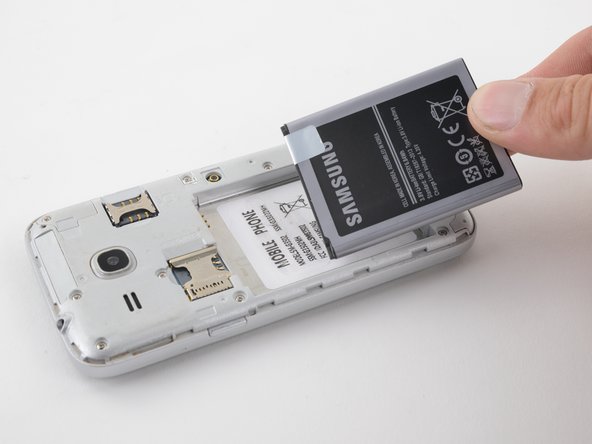
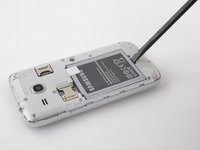
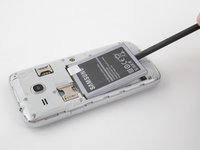
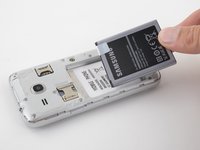
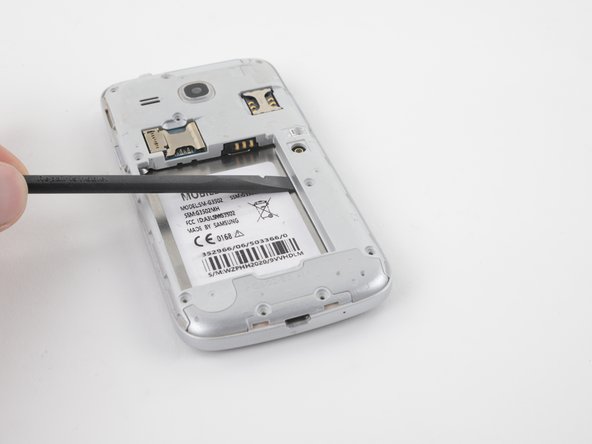
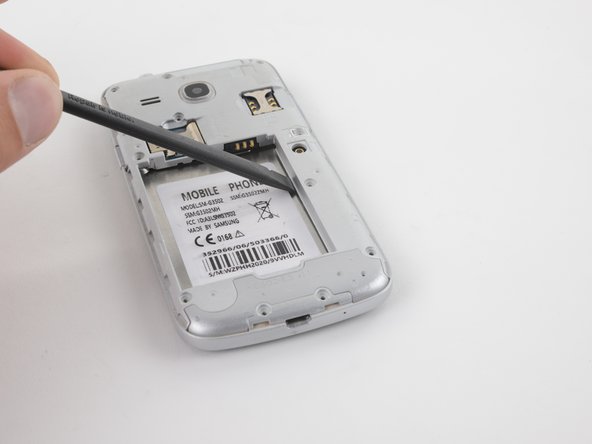
  4. Samsung Galaxy Core Plus Motherboard Replacement, Battery: 4 단계, 이미지 3개 중 1개 Samsung Galaxy Core Plus Motherboard Replacement, Battery: 4 단계, 이미지 3개 중 2개 Samsung Galaxy Core Plus Motherboard Replacement, Battery: 4 단계, 이미지 3개 중 3개
    • Insert the flat end of a spudger into the gap at the bottom of the battery.

    • Pry the battery up and away from the phone.

    • Grab the battery and lift it out of the phone.

  5. Samsung Galaxy Core Plus Motherboard Replacement, Remove screws from the midframe: 5 단계, 이미지 2개 중 1개 Samsung Galaxy Core Plus Motherboard Replacement, Remove screws from the midframe: 5 단계, 이미지 2개 중 2개
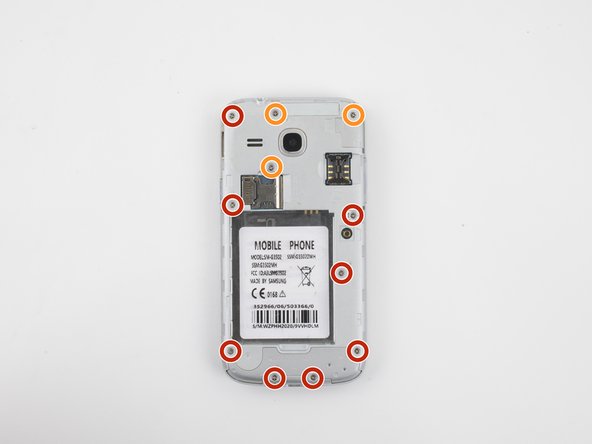
    • Use a Phillips #00 screwdriver to remove eleven T3 screws from the midframe.

    • There are eight 4mm screws on the left and bottom of the midframe.

    • There are three 3.9mm screws in the upper right of the midframe.

  6. Samsung Galaxy Core Plus Motherboard Replacement, Heat the front of the phone: 6 단계, 이미지 1개 중 1개
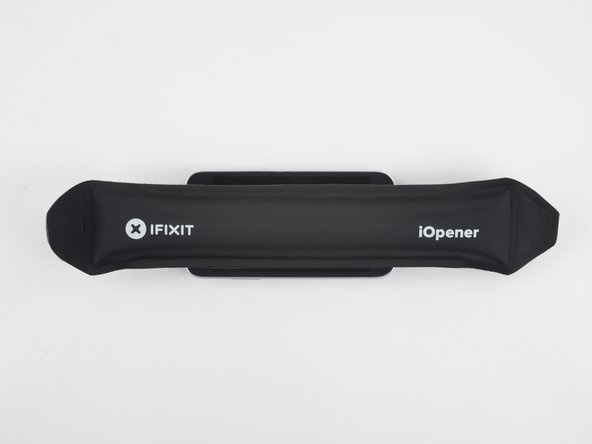
    • Heat an iOpener and apply it to the front of the device for two minutes. This will loosen the adhesive around the perimeter of the screen.

    • A hair dryer, heat gun, or hot plate may also be used. Be careful when applying heat—the display is susceptible to damage.

  7. Samsung Galaxy Core Plus Motherboard Replacement, Loosen the midframe from the screen: 7 단계, 이미지 2개 중 1개 Samsung Galaxy Core Plus Motherboard Replacement, Loosen the midframe from the screen: 7 단계, 이미지 2개 중 2개
    • Insert a spudger under the midframe and pry upward.

    • You may pry along any side of the battery recess. The right side and top side will be the easiest.

    • Do not pry near any connectors or black plastic parts. These will not separate with the midframe.

  8. Samsung Galaxy Core Plus Motherboard Replacement: 8 단계, 이미지 2개 중 1개 Samsung Galaxy Core Plus Motherboard Replacement: 8 단계, 이미지 2개 중 2개
    • While prying the midframe away from the screen, insert an opening pick between the glass screen and midframe.

  9. Samsung Galaxy Core Plus Motherboard Replacement: 9 단계, 이미지 3개 중 1개 Samsung Galaxy Core Plus Motherboard Replacement: 9 단계, 이미지 3개 중 2개 Samsung Galaxy Core Plus Motherboard Replacement: 9 단계, 이미지 3개 중 3개
    • Slide the opening pick around the perimeter of the glass screen. This will cut the adhesive between the glass and the midframe.

    • Use multiple opening picks if the screen re-adheres as you slide the pick.

  10. Samsung Galaxy Core Plus Motherboard Replacement, Remove the midframe: 10 단계, 이미지 2개 중 1개 Samsung Galaxy Core Plus Motherboard Replacement, Remove the midframe: 10 단계, 이미지 2개 중 2개
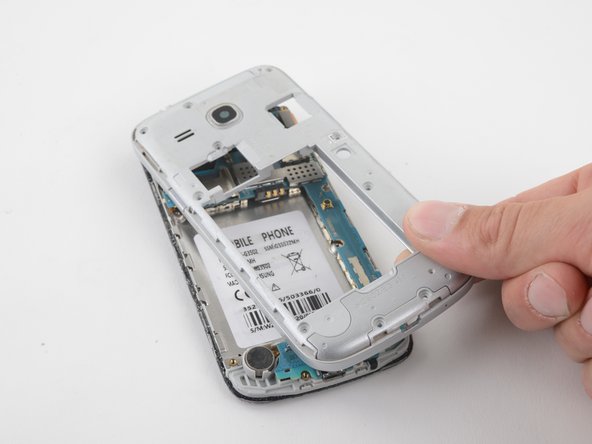
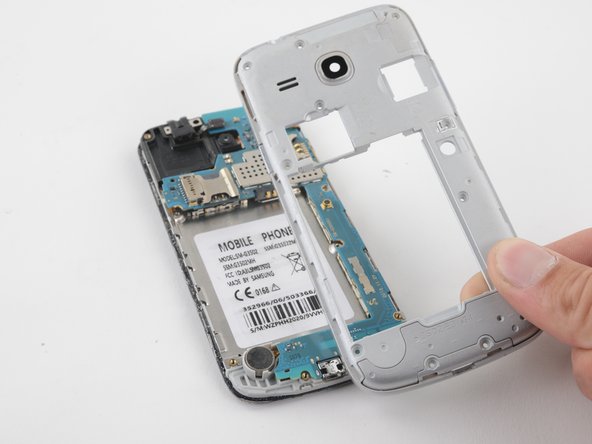
    • Once the adhesive between the midframe and screen has been cut, the midframe will be free.

    • Grab and pull the midframe away from the phone.

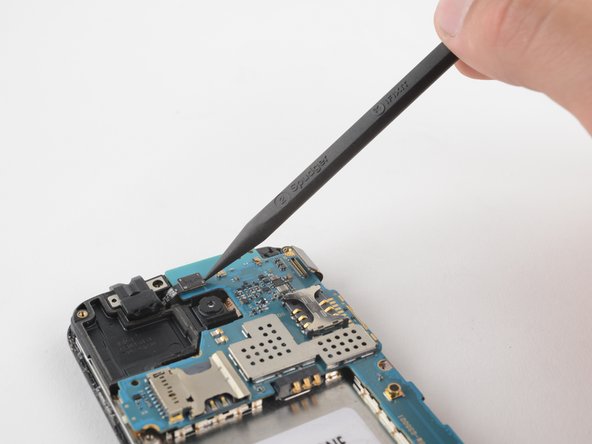
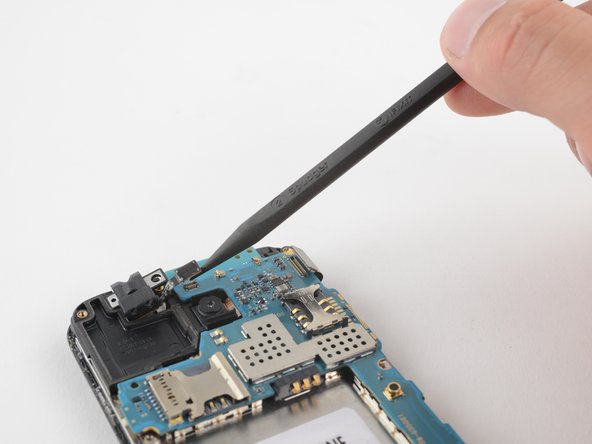
  11. Samsung Galaxy Core Plus Motherboard Replacement, Disconnect the headphone jack: 11 단계, 이미지 2개 중 1개 Samsung Galaxy Core Plus Motherboard Replacement, Disconnect the headphone jack: 11 단계, 이미지 2개 중 2개
    • Use a spudger to release the press-fit connector from the motherboard.

    • The press-fit connector is the only thing holding the headphone jack in place. Be careful not to lose this piece when it comes off.

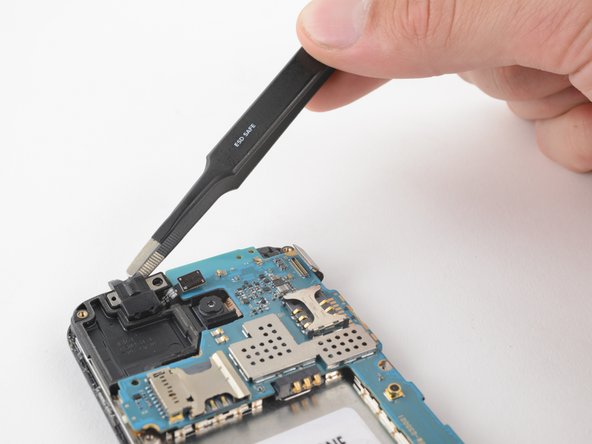
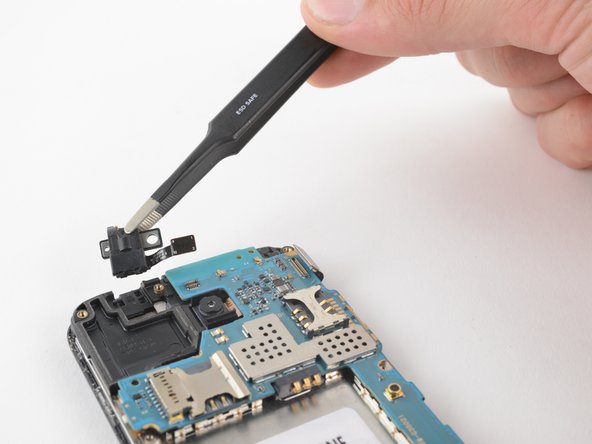
  12. Samsung Galaxy Core Plus Motherboard Replacement, Remove the headphone jack: 12 단계, 이미지 2개 중 1개 Samsung Galaxy Core Plus Motherboard Replacement, Remove the headphone jack: 12 단계, 이미지 2개 중 2개
    • Using a pair of blunt-nose tweezers or your fingers, remove the headphone jack.

  13. Samsung Galaxy Core Plus Motherboard Replacement, Disconnect the display connector: 13 단계, 이미지 2개 중 1개 Samsung Galaxy Core Plus Motherboard Replacement, Disconnect the display connector: 13 단계, 이미지 2개 중 2개
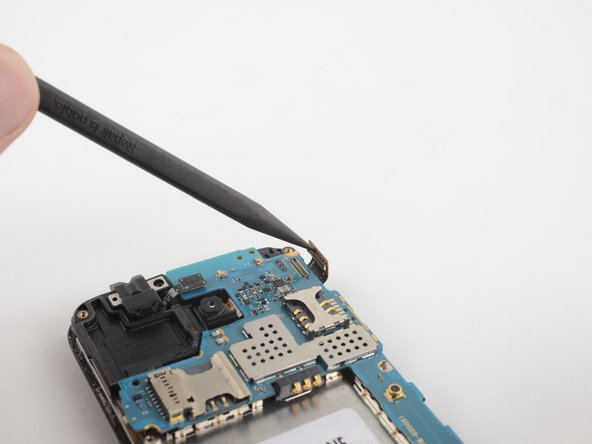
    • Use a spudger to flick open the press-fit connector located in the upper right of the phone.

  14. Samsung Galaxy Core Plus Motherboard Replacement, Remove the motherboard: 14 단계, 이미지 2개 중 1개 Samsung Galaxy Core Plus Motherboard Replacement, Remove the motherboard: 14 단계, 이미지 2개 중 2개
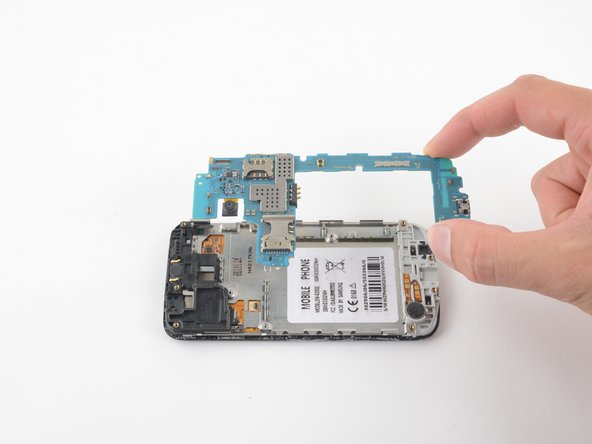
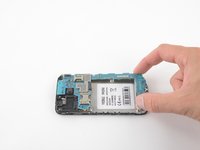
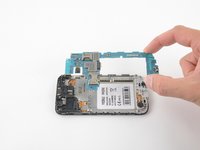
    • Simply grab and lift the motherboard from the phone. There are no screws or cables holding it in place.

결론

To reassemble your device, follow these instructions in reverse order.

다른 한 분이 해당 안내서를 완성하였습니다.

작성자

1다른 기여자 명과 함께

Clay Eickemeyer

회원 가입일: 08/24/22

388 평판

안내서 2개를 작성함

0가이드 댓글

댓글 쓰기

조회 통계:

지난 24시간: 0

지난 7일: 2

지난 30일: 10

전체 시간: 195