주요 콘텐츠로 건너뛰기
수리 커뮤니티 가입 - 계정 만들기

Samsung Galaxy Express 3 Back and Recent Apps button Replacement

필요한 것

  1. Samsung Galaxy Express 3 Back and Recent Apps button Replacement, Battery: 1 단계, 이미지 2개 중 1개 Samsung Galaxy Express 3 Back and Recent Apps button Replacement, Battery: 1 단계, 이미지 2개 중 2개
    • Locate the indent area highlighted in red and use either your fingernail or a Prying Tool (such as a guitar pick) to separate the back from the body of the phone.

  2. Samsung Galaxy Express 3 Back and Recent Apps button Replacement: 2 단계, 이미지 3개 중 1개 Samsung Galaxy Express 3 Back and Recent Apps button Replacement: 2 단계, 이미지 3개 중 2개 Samsung Galaxy Express 3 Back and Recent Apps button Replacement: 2 단계, 이미지 3개 중 3개
    • Once the cover is removed, locate the battery that reads "SAMSUNG."

    • Use either your fingernail or a Plastic Prying Tool (such as a guitar pick) to lift up the bottom indent of the battery.

    • Do not use a metal tool, as it can cause injury.

  3. Samsung Galaxy Express 3 Back and Recent Apps button Replacement, Screen: 3 단계, 이미지 2개 중 1개 Samsung Galaxy Express 3 Back and Recent Apps button Replacement, Screen: 3 단계, 이미지 2개 중 2개
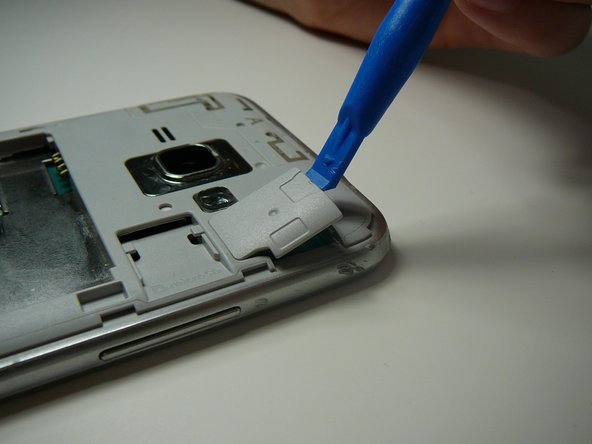
    • Use a Plastic Prying Tool (such as a spudger) to pop out piece shown.

  4. Samsung Galaxy Express 3 Back and Recent Apps button Replacement: 4 단계, 이미지 1개 중 1개
    • Detach the screen connector.

  5. Samsung Galaxy Express 3 Back and Recent Apps button Replacement: 5 단계, 이미지 2개 중 1개 Samsung Galaxy Express 3 Back and Recent Apps button Replacement: 5 단계, 이미지 2개 중 2개
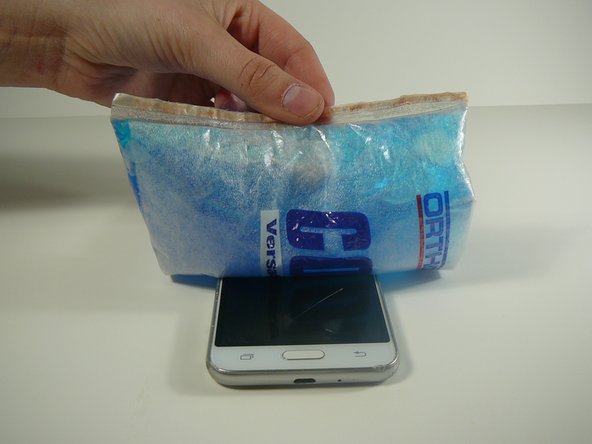
    • Use a blow dryer or heating pad to heat up the screen.

    • Do not skip this step, as it may result in a broken screen and/or LCD.

    • This step loosens the glue holding the screen in place.

  6. Samsung Galaxy Express 3 Back and Recent Apps button Replacement: 6 단계, 이미지 3개 중 1개 Samsung Galaxy Express 3 Back and Recent Apps button Replacement: 6 단계, 이미지 3개 중 2개 Samsung Galaxy Express 3 Back and Recent Apps button Replacement: 6 단계, 이미지 3개 중 3개
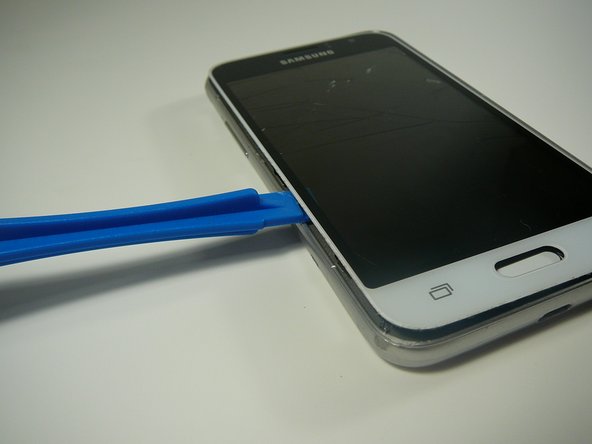
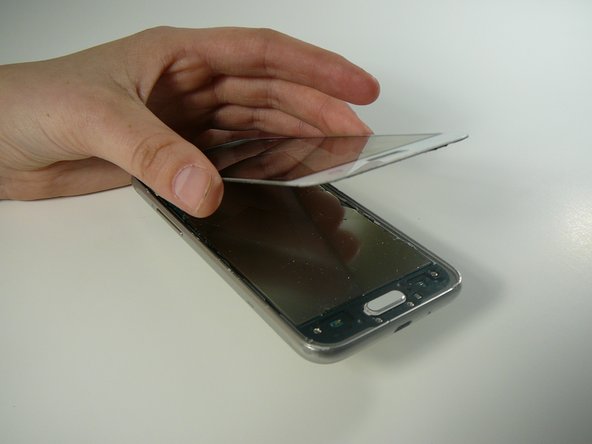
    • Use a Thin Plastic Tool (such as a guitar pick) or Plastic Prying Tool (such as a spudger) to lift out the glass digitizer and LCD screen around the edges.

    • Do this slowly and carefully, as both parts can crack very easily.

    • Ensure your tool is plastic, as a metal tool can damage the screen easily.

  7. Samsung Galaxy Express 3 Back and Recent Apps button Replacement, Back and Recent Apps Touch Sensor Button(s): 7 단계, 이미지 2개 중 1개 Samsung Galaxy Express 3 Back and Recent Apps button Replacement, Back and Recent Apps Touch Sensor Button(s): 7 단계, 이미지 2개 중 2개
    • Use a plastic tool to remove back and/or recent tabs circuit buttons.

    • Use a plastic tool as a metal tool can be dangerous to the phone or you.

결론

To reassemble your device, follow these instructions in reverse order.

작성자

1다른 기여자 명과 함께

Mack Johnson

회원 가입일: 04/05/18

996 평판

안내서 6개를 작성함

0가이드 댓글

댓글 쓰기

조회 통계:

지난 24시간: 1

지난 7일: 3

지난 30일: 9

전체 시간: 708