
Samsung Galaxy Luna LCD display Replacement

최종 수정일 2019년 5월 10일
조회수: 1.8천
통계 보기:
- 지난 24시간
- 3
- 지난 7일:
- 12
- 지난 30일:
- 57
- 전체 시간:
- 1,774
댓글: 2
2 guide comments.
Go to guide comments완료함: 2 3
2명이 이 안내서를 "완료"로 표시했습니다. 다음은 귀하의 차례입니까?
3명이 이 안내서를 "완료"로 표시했습니다. 귀하를 포함해서요 — 수고하셨어요!
즐겨찾기: 1 2
1명이 이 가이드를 즐겨찾기 (및 구독) 했습니다 — 귀하를 포함해서요!
2명이 이 가이드를 즐겨찾기 (및 구독) 했습니다 — 귀하를 포함해서요!
소개
1단계로 이동하기 ↓Use this guide to replace your Samsung Luna LCD display.
필요한 것
도구
-
-
Spudger4.9


-
-
-
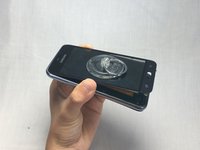
Apply pressure to the middle section of the screen while pulling up the lower edge by pivoting your wrist.
-
-
-
-
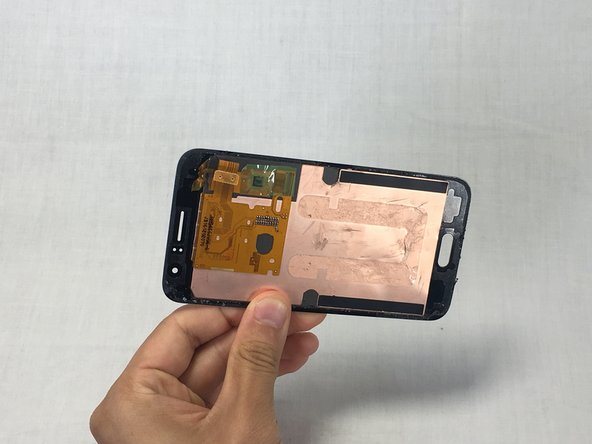
Once you've opened a large enough gap, insert a Spudger tool between the glass and the motherboard.
-
Slide the Spudger tool around the gap until the screen is completely separated from the motherboard.
-
-
-
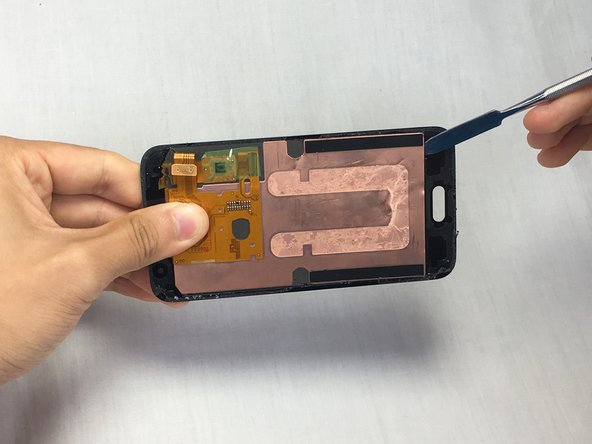
Place the spudger tool between the LCD and the glass screen.
-
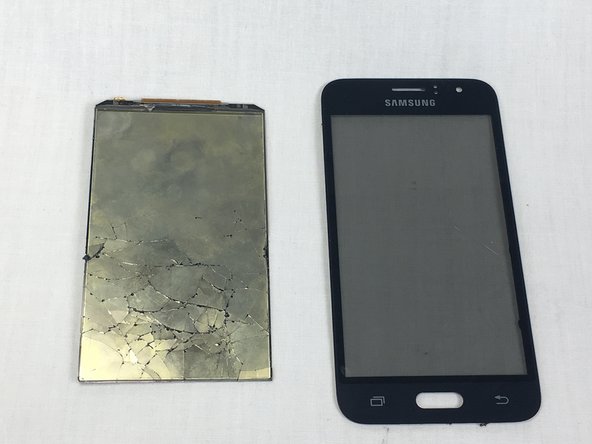
Slide the spudger tool in between the screen and the display until both are completely separated from each other.
-

 FixBot에 문의하기






To reassemble your device, follow these instructions in reverse order.
다른 2명이 해당 안내서를 완성하였습니다.

팀

USF Tampa, Team S6-G1, Eyestone Spring 2018 USF Tampa, Team S6-G1, Eyestone Spring 2018 회원
USFT-EYESTONE-S18S6G1
4 회원들
안내서 60개를 작성함
2가이드 댓글
Hola, cual es el numero de parte de la pantalla a reemplazar?
It appears that OEM screens are no longer available for this phone. I was able to find this third party display assembly that looks like it would work, but I can’t attest to its functionality, so there would be a bit of risk involved for you. Hope that helps!
