주요 콘텐츠로 건너뛰기

Samsung Galaxy Note Edge Ear Speaker/Power Button Replacement

필요한 것

  1. Samsung Galaxy Note Edge Ear Speaker/Power Button Replacement, Battery: 1 단계, 이미지 1개 중 1개
    • Power down your device and make sure that it is turned off.

    • Place the phone with the screen facing down on a clean flat surface.

  2. Samsung Galaxy Note Edge Ear Speaker/Power Button Replacement: 2 단계, 이미지 3개 중 1개 Samsung Galaxy Note Edge Ear Speaker/Power Button Replacement: 2 단계, 이미지 3개 중 2개 Samsung Galaxy Note Edge Ear Speaker/Power Button Replacement: 2 단계, 이미지 3개 중 3개
    • Use your Supdger to remove the back cover of the phone using notch located in the top left corner of the phone.

    • Remove battery by using your Supdger on the notch located directly underneath battery location.

    • During the creation of this guide, we did not have access to a battery in our device.

  3. Samsung Galaxy Note Edge Ear Speaker/Power Button Replacement, Motherboard: 3 단계, 이미지 1개 중 1개
    • Remove the SIM Card from the SIM Card holder by gently sliding the SIM Card horizontally.

    • Remove the stylus from the stylus holder.

  4. Samsung Galaxy Note Edge Ear Speaker/Power Button Replacement: 4 단계, 이미지 3개 중 1개 Samsung Galaxy Note Edge Ear Speaker/Power Button Replacement: 4 단계, 이미지 3개 중 2개 Samsung Galaxy Note Edge Ear Speaker/Power Button Replacement: 4 단계, 이미지 3개 중 3개
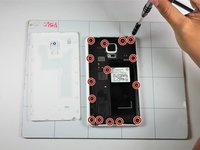
    • Using a Phillips #000 Screwdriver, remove the fifteen 4mm screws that secure the rear chassis.

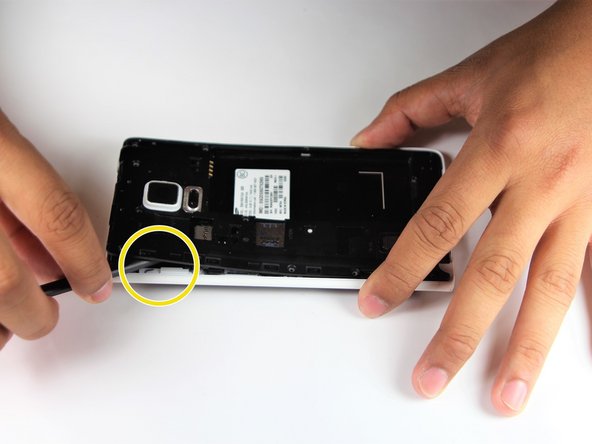
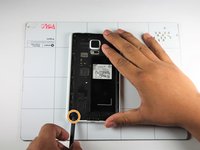
    • Insert your spudger into the stylus socket and pry the midframe from the phone.

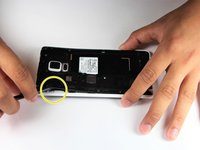
    • Move the spudger around edge of phone, carefully prying the midframe from the phone until midframe is entirely separated.

  5. Samsung Galaxy Note Edge Ear Speaker/Power Button Replacement: 5 단계, 이미지 2개 중 1개 Samsung Galaxy Note Edge Ear Speaker/Power Button Replacement: 5 단계, 이미지 2개 중 2개
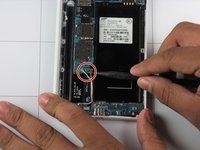
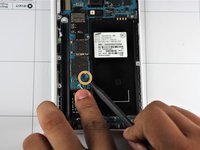
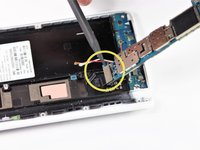
    • With the pointed end of your spudger, disconnect the two wires (pink and white) located near the bottom of the phone.

    • Using pointed end of your dpudger, disconnect the finger print scanner cable- it is located directly above the pink and white cables.

  6. Samsung Galaxy Note Edge Ear Speaker/Power Button Replacement: 6 단계, 이미지 3개 중 1개 Samsung Galaxy Note Edge Ear Speaker/Power Button Replacement: 6 단계, 이미지 3개 중 2개 Samsung Galaxy Note Edge Ear Speaker/Power Button Replacement: 6 단계, 이미지 3개 중 3개
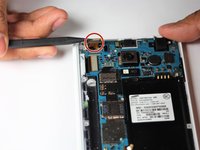
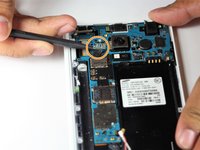
    • Using your Spudger's pointed end, pry off the following leads that connect these parts to the logic board in the top left hand corner:

    • Front Facing Camera

    • AMOLED Display Screen

    • AMOLED Capacitive Screen

  7. Samsung Galaxy Note Edge Ear Speaker/Power Button Replacement: 7 단계, 이미지 3개 중 1개 Samsung Galaxy Note Edge Ear Speaker/Power Button Replacement: 7 단계, 이미지 3개 중 2개 Samsung Galaxy Note Edge Ear Speaker/Power Button Replacement: 7 단계, 이미지 3개 중 3개
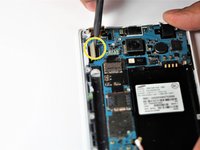
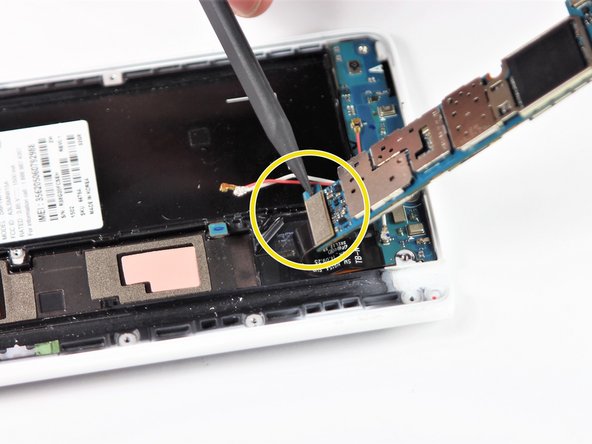
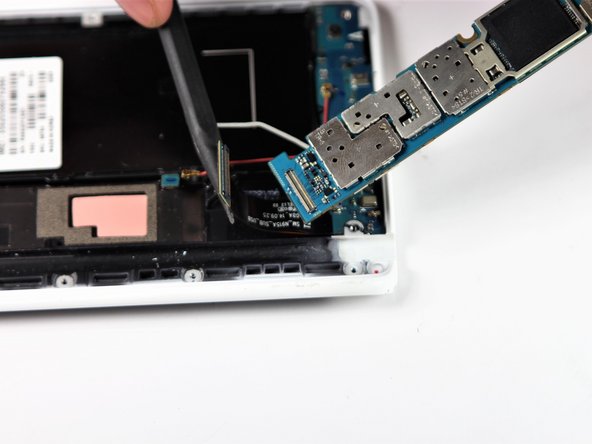
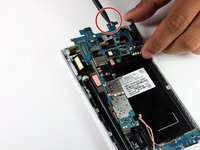
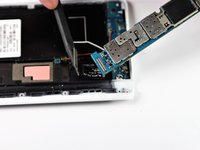
    • At the top end, gently insert pointed end of spudger underneath the motherboard.

    • Lift the motherboard up gently. Disconnect the cable connecting the daughter board. It is attached to the underside of the motherboard.

    • Remove the motherboard from the device.

  8. Samsung Galaxy Note Edge Ear Speaker/Power Button Replacement, Ear Speaker and Power Button: 8 단계, 이미지 1개 중 1개
    • Gently insert the pointed end of your spudger under the gold ribbon connecting the speaker and power button.

    • Lift the ribbon to disconnect it from the frame.

  9. Samsung Galaxy Note Edge Ear Speaker/Power Button Replacement: 9 단계, 이미지 2개 중 1개 Samsung Galaxy Note Edge Ear Speaker/Power Button Replacement: 9 단계, 이미지 2개 중 2개
    • Insert the pointed end of spudger under an edge on the left side of the phones speaker.

    • Gently pry the speaker and power button from its home.

    • Carefully remove the power button from the device.

    • To reassemble, the Power Button must be inserted back in first.

결론

To reassemble your device, follow these instructions in reverse order.

다른 한 분이 해당 안내서를 완성하였습니다.

작성자

3다른 기여자 명과 함께

Duc Huynh

회원 가입일: 04/19/18

262 평판

안내서 2개를 작성함

Cal Poly, Team S22-G6, Maness Spring 2018 Cal Poly, Team S22-G6, Maness Spring 2018 회원

CPSU-MANESS-S18S22G6

4 회원들

안내서 10개를 작성함

0가이드 댓글

댓글 쓰기

조회 통계:

지난 24시간: 0

지난 7일: 6

지난 30일: 14

전체 시간: 700