주요 콘텐츠로 건너뛰기

Samsung Galaxy Note II Front Facing Camera Assembly Replacement

필요한 것

  1. Samsung Galaxy Note II Front Facing Camera Assembly Replacement, Stylus: 1 단계, 이미지 2개 중 1개 Samsung Galaxy Note II Front Facing Camera Assembly Replacement, Stylus: 1 단계, 이미지 2개 중 2개
    • Grasp the end of the stylus and remove it from its slot in the midframe.

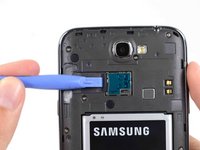
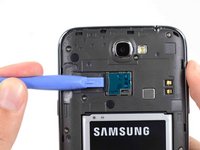
  2. Samsung Galaxy Note II Front Facing Camera Assembly Replacement, Rear Case: 2 단계, 이미지 2개 중 1개 Samsung Galaxy Note II Front Facing Camera Assembly Replacement, Rear Case: 2 단계, 이미지 2개 중 2개
    • Pry with a plastic opening tool, or your fingernail, in the divot to the left of the rear-facing camera, near the power button.

  3. Samsung Galaxy Note II Front Facing Camera Assembly Replacement: 3 단계, 이미지 3개 중 1개 Samsung Galaxy Note II Front Facing Camera Assembly Replacement: 3 단계, 이미지 3개 중 2개 Samsung Galaxy Note II Front Facing Camera Assembly Replacement: 3 단계, 이미지 3개 중 3개
    • Lift the rear case by the corner nearest the divot and remove it from the phone.

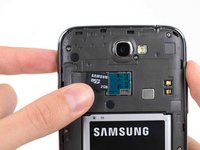
  4. Samsung Galaxy Note II Front Facing Camera Assembly Replacement, MicroSD Card: 4 단계, 이미지 3개 중 1개 Samsung Galaxy Note II Front Facing Camera Assembly Replacement, MicroSD Card: 4 단계, 이미지 3개 중 2개 Samsung Galaxy Note II Front Facing Camera Assembly Replacement, MicroSD Card: 4 단계, 이미지 3개 중 3개
    • If you have an SD card inserted, use the flat end of a spudger, or your fingernail, to press the microSD card slightly deeper into its slot until you hear a click.

    • After the click, release the card and it will pop out of its slot.

    • Remove the microSD card.

    • For reassembly, push the microSD card into the slot until it clicks in place.

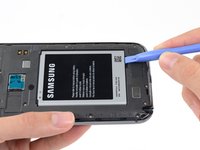
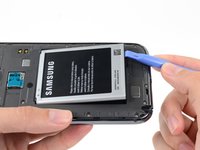
  5. Samsung Galaxy Note II Front Facing Camera Assembly Replacement, Battery: 5 단계, 이미지 2개 중 1개 Samsung Galaxy Note II Front Facing Camera Assembly Replacement, Battery: 5 단계, 이미지 2개 중 2개
    • Insert a plastic opening tool, or your finger, into the notch of the battery compartment and lift the battery upward.

  6. Samsung Galaxy Note II Front Facing Camera Assembly Replacement: 6 단계, 이미지 1개 중 1개
    • Remove the battery from the midframe.

  7. Samsung Galaxy Note II Front Facing Camera Assembly Replacement, Midframe: 7 단계, 이미지 1개 중 1개
    • Remove the eleven 4.0 mm Phillips #00 screws securing the midframe to the display assembly.

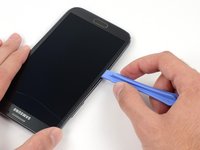
  8. Samsung Galaxy Note II Front Facing Camera Assembly Replacement: 8 단계, 이미지 3개 중 1개 Samsung Galaxy Note II Front Facing Camera Assembly Replacement: 8 단계, 이미지 3개 중 2개 Samsung Galaxy Note II Front Facing Camera Assembly Replacement: 8 단계, 이미지 3개 중 3개
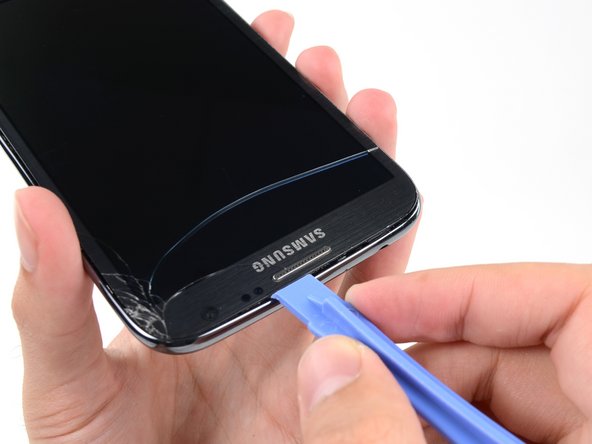
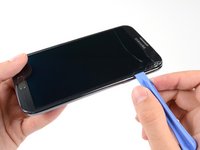
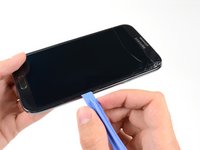
    • Insert your plastic opening tool between the midframe and front panel assembly on the side of the phone.

    • Slide the plastic opening tool down the seam.

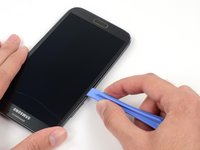
  9. Samsung Galaxy Note II Front Facing Camera Assembly Replacement: 9 단계, 이미지 3개 중 1개 Samsung Galaxy Note II Front Facing Camera Assembly Replacement: 9 단계, 이미지 3개 중 2개 Samsung Galaxy Note II Front Facing Camera Assembly Replacement: 9 단계, 이미지 3개 중 3개
    • Continue to run the plastic opening tool down the seam.

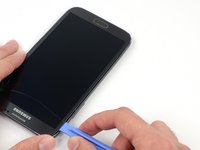
  10. Samsung Galaxy Note II Front Facing Camera Assembly Replacement: 10 단계, 이미지 2개 중 1개 Samsung Galaxy Note II Front Facing Camera Assembly Replacement: 10 단계, 이미지 2개 중 2개
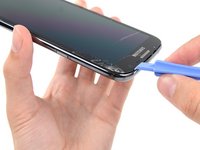
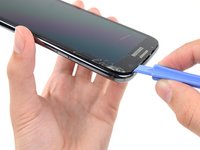
    • Carefully pry around the corner with a plastic opening tool.

  11. Samsung Galaxy Note II Front Facing Camera Assembly Replacement: 11 단계, 이미지 2개 중 1개 Samsung Galaxy Note II Front Facing Camera Assembly Replacement: 11 단계, 이미지 2개 중 2개
    • Pry along the top of the phone with a plastic opening tool.

  12. Samsung Galaxy Note II Front Facing Camera Assembly Replacement: 12 단계, 이미지 2개 중 1개 Samsung Galaxy Note II Front Facing Camera Assembly Replacement: 12 단계, 이미지 2개 중 2개
    • Push the plastic opening tool down to free the corner of the midframe from the display assembly.

  13. Samsung Galaxy Note II Front Facing Camera Assembly Replacement: 13 단계, 이미지 2개 중 1개 Samsung Galaxy Note II Front Facing Camera Assembly Replacement: 13 단계, 이미지 2개 중 2개
    • Free the clips along the power button side of the phone.

    • Lastly, free the two clips along the top and bottom edge of battery compartment.

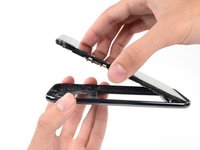
  14. Samsung Galaxy Note II Front Facing Camera Assembly Replacement: 14 단계, 이미지 2개 중 1개 Samsung Galaxy Note II Front Facing Camera Assembly Replacement: 14 단계, 이미지 2개 중 2개
    • Lift the display assembly out of the midframe.

  15. Samsung Galaxy Note II Front Facing Camera Assembly Replacement, Front Facing Camera Assembly: 15 단계, 이미지 1개 중 1개
    • Remove the 3mm Phillips #00 screw from the front-facing camera bracket.

  16. Samsung Galaxy Note II Front Facing Camera Assembly Replacement: 16 단계, 이미지 1개 중 1개
    • Remove the front-facing camera bracket.

  17. Samsung Galaxy Note II Front Facing Camera Assembly Replacement: 17 단계, 이미지 1개 중 1개
    • Use the flat end of a spudger to disconnect the front-facing camera connector.

  18. Samsung Galaxy Note II Front Facing Camera Assembly Replacement: 18 단계, 이미지 1개 중 1개
    • Remove the front-facing camera.

결론

To reassemble your device, follow these instructions in reverse order.

다른 13명이 해당 안내서를 완성하였습니다.

작성자

2다른 기여자 명과 함께

Sam Goldheart

회원 가입일: 10/18/12

474,972 평판

안내서 538개를 작성함

iFixit iFixit 회원

Staff

123 회원들

안내서 23,648개를 작성함

0가이드 댓글

댓글 쓰기

조회 통계:

지난 24시간: 0

지난 7일: 5

지난 30일: 15

전체 시간: 11,964