주요 콘텐츠로 건너뛰기

Samsung Galaxy Note II MicroSD Card Replacement

필요한 것

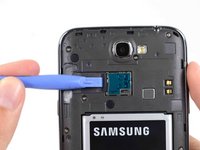
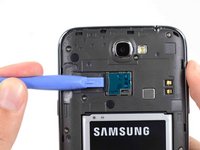
  1. Samsung Galaxy Note II MicroSD Card Replacement, Rear Case: 1 단계, 이미지 2개 중 1개 Samsung Galaxy Note II MicroSD Card Replacement, Rear Case: 1 단계, 이미지 2개 중 2개
    • Pry with a plastic opening tool, or your fingernail, in the divot to the left of the rear-facing camera, near the power button.

  2. Samsung Galaxy Note II MicroSD Card Replacement: 2 단계, 이미지 3개 중 1개 Samsung Galaxy Note II MicroSD Card Replacement: 2 단계, 이미지 3개 중 2개 Samsung Galaxy Note II MicroSD Card Replacement: 2 단계, 이미지 3개 중 3개
    • Lift the rear case by the corner nearest the divot and remove it from the phone.

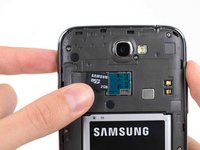
  3. Samsung Galaxy Note II MicroSD Card Replacement, MicroSD Card: 3 단계, 이미지 3개 중 1개 Samsung Galaxy Note II MicroSD Card Replacement, MicroSD Card: 3 단계, 이미지 3개 중 2개 Samsung Galaxy Note II MicroSD Card Replacement, MicroSD Card: 3 단계, 이미지 3개 중 3개
    • If you have an SD card inserted, use the flat end of a spudger, or your fingernail, to press the microSD card slightly deeper into its slot until you hear a click.

    • After the click, release the card and it will pop out of its slot.

    • Remove the microSD card.

    • For reassembly, push the microSD card into the slot until it clicks in place.

결론

To reassemble your device, follow these instructions in reverse order.

다른 15명이 해당 안내서를 완성하였습니다.

작성자

2다른 기여자 명과 함께

Sam Goldheart

회원 가입일: 10/18/12

474,972 평판

안내서 538개를 작성함

iFixit iFixit 회원

Staff

123 회원들

안내서 23,648개를 작성함

0가이드 댓글

댓글 쓰기

조회 통계:

지난 24시간: 1

지난 7일: 6

지난 30일: 15

전체 시간: 12,526