주요 콘텐츠로 건너뛰기
수리 커뮤니티 가입 - 계정 만들기

Samsung Galaxy Y LCD Display Replacement

필요한 것

  1. Samsung Galaxy Y LCD Display Replacement, Back Panel: 1 단계, 이미지 3개 중 1개 Samsung Galaxy Y LCD Display Replacement, Back Panel: 1 단계, 이미지 3개 중 2개 Samsung Galaxy Y LCD Display Replacement, Back Panel: 1 단계, 이미지 3개 중 3개
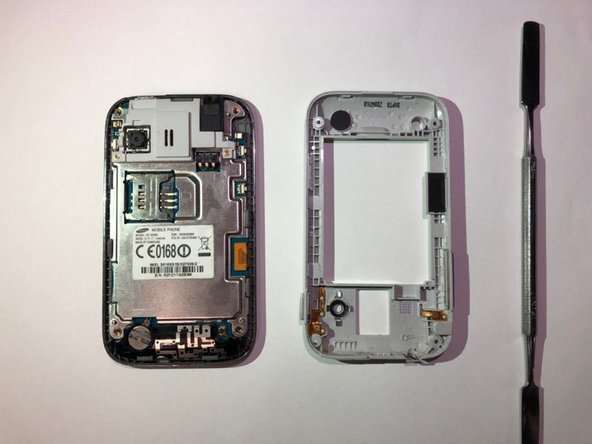
    • Use the blue plastic opening tool to pry the back-panel off of the device.

  2. Samsung Galaxy Y LCD Display Replacement, LCD Display: 2 단계, 이미지 3개 중 1개 Samsung Galaxy Y LCD Display Replacement, LCD Display: 2 단계, 이미지 3개 중 2개 Samsung Galaxy Y LCD Display Replacement, LCD Display: 2 단계, 이미지 3개 중 3개
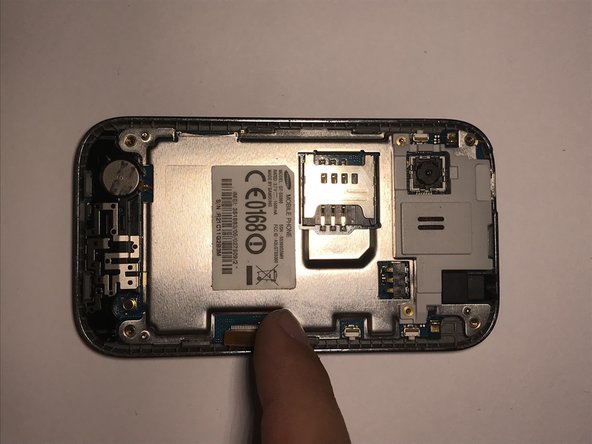
    • Use a Phillips #000 screwdriver to remove the four 5mm screws located in the corner of the interior back panel.

    • Remove the SD card as well by sliding the card out of it's slot.

  3. Samsung Galaxy Y LCD Display Replacement: 3 단계, 이미지 2개 중 1개 Samsung Galaxy Y LCD Display Replacement: 3 단계, 이미지 2개 중 2개
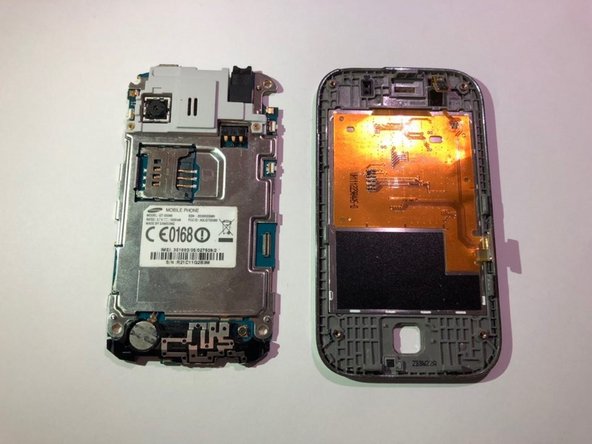
    • Use the metal pry tool to separate the interior back panel from the interior hardware and screen.

  4. Samsung Galaxy Y LCD Display Replacement: 4 단계, 이미지 3개 중 1개 Samsung Galaxy Y LCD Display Replacement: 4 단계, 이미지 3개 중 2개 Samsung Galaxy Y LCD Display Replacement: 4 단계, 이미지 3개 중 3개
    • Disconnect the orange motherboard connection, then remove the interior hardware from the front screen display.

  5. Samsung Galaxy Y LCD Display Replacement: 5 단계, 이미지 2개 중 1개 Samsung Galaxy Y LCD Display Replacement: 5 단계, 이미지 2개 중 2개
    이 단계에 사용된 도구:
    Tweezers
    $4.99
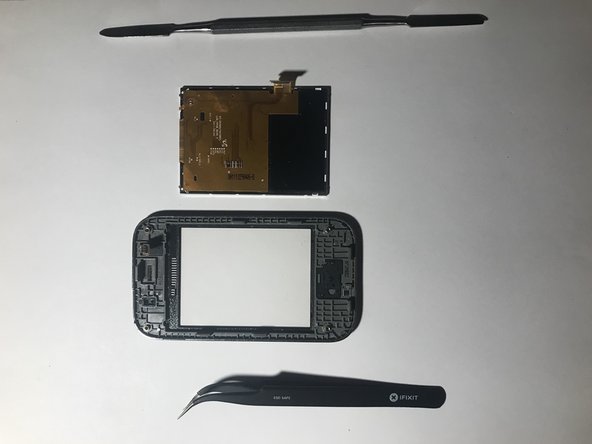
    • Gently remove the LCD screen lens from the outer screen using a pair of tweezers and the metal pry tool. Replace the faulty LCD.

    • The LCD maybe be glued in place, so the device might need to be heated to remove the part.

결론

To reassemble your device, follow these instructions in reverse order.

다른 한 분이 해당 안내서를 완성하였습니다.

작성자

2다른 기여자 명과 함께

Aidan Kurz

회원 가입일: 09/21/18

447 평판

안내서 3개를 작성함

0가이드 댓글

댓글 쓰기

조회 통계:

지난 24시간: 2

지난 7일: 10

지난 30일: 26

전체 시간: 845