주요 콘텐츠로 건너뛰기

Samsung S860 Motherboard Replacement

필요한 것

  1. Samsung S860 Motherboard Replacement, Battery: 1 단계, 이미지 3개 중 1개 Samsung S860 Motherboard Replacement, Battery: 1 단계, 이미지 3개 중 2개 Samsung S860 Motherboard Replacement, Battery: 1 단계, 이미지 3개 중 3개
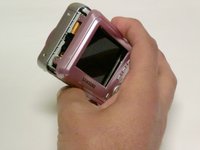
    • With the camera facing LCD side up, slide the battery compartment lid to the right.

    • Remove the old batteries.

  2. Samsung S860 Motherboard Replacement, LCD Screen: 2 단계, 이미지 2개 중 1개 Samsung S860 Motherboard Replacement, LCD Screen: 2 단계, 이미지 2개 중 2개
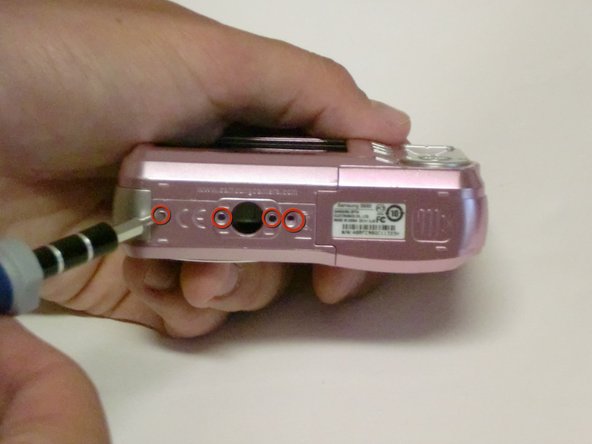
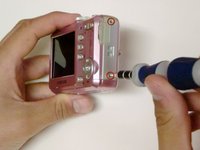
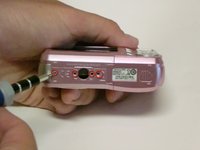
    • Remove all screws along the edges of the camera, using a #00 Phillips screwdriver.

  3. Samsung S860 Motherboard Replacement: 3 단계, 이미지 1개 중 1개
    • Slide open the battery compartment cover before removing the exterior covers of the camera.

  4. Samsung S860 Motherboard Replacement: 4 단계, 이미지 3개 중 1개 Samsung S860 Motherboard Replacement: 4 단계, 이미지 3개 중 2개 Samsung S860 Motherboard Replacement: 4 단계, 이미지 3개 중 3개
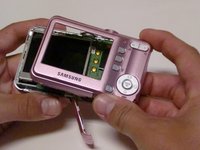
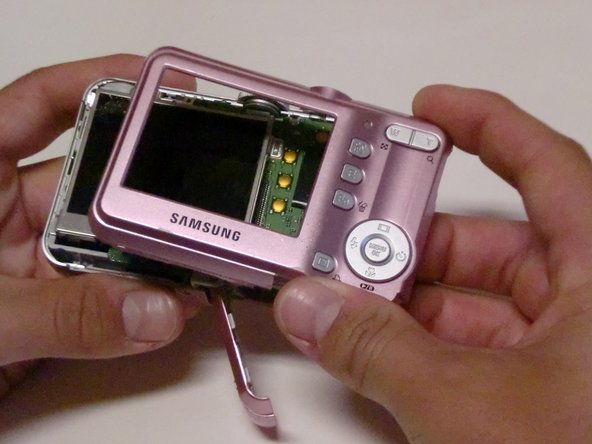
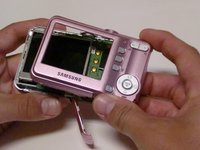
    • Carefully pull the back case (the side showing the LCD screen) away from the front half.

    • There are clips securing the top of the back case. Do not be afraid to use the proper amount of force to remove the back case.

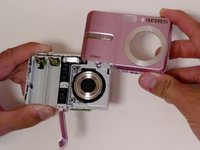
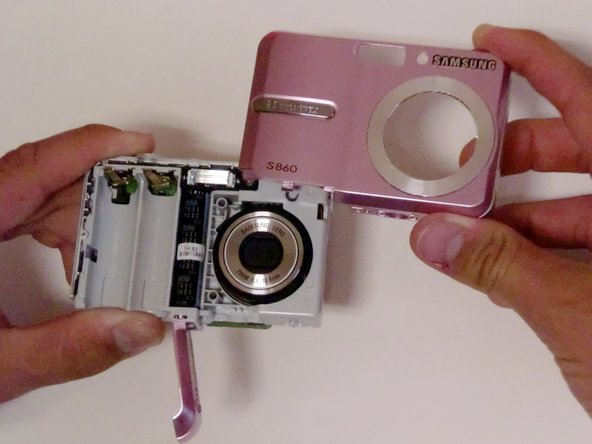
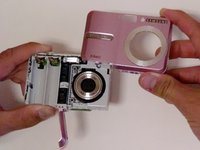
    • Turn the camera around to the front (the lens side). Carefully remove the front case.

    • There are also clips on the lens' side as well, so do not be afraid to use force.

  5. Samsung S860 Motherboard Replacement: 5 단계, 이미지 2개 중 1개 Samsung S860 Motherboard Replacement: 5 단계, 이미지 2개 중 2개
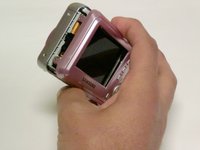
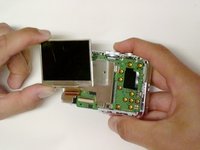
    • Position the camera so the LCD screen is facing you.

    • Remove the LCD screen from the screen plate.

    • Replace the broken LCD screen with the functioning LCD screen.

  6. Samsung S860 Motherboard Replacement, Motherboard: 6 단계, 이미지 2개 중 1개 Samsung S860 Motherboard Replacement, Motherboard: 6 단계, 이미지 2개 중 2개
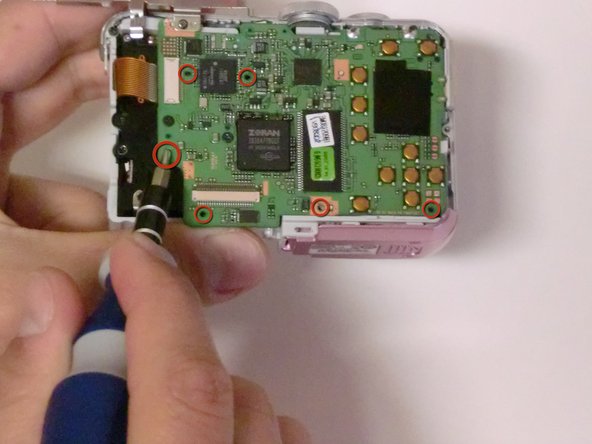
    • Using a #00 Phillips screwdriver, remove the six 4.3 mm screws along the edges of the camera.

    • Save them for putting the camera back together.

  7. Samsung S860 Motherboard Replacement: 7 단계, 이미지 1개 중 1개
    • Turn the bottom edge of the camera towards you.

    • Slide open the battery chamber.

    • This must be done to remove the exterior covers of the camera.

  8. Samsung S860 Motherboard Replacement: 8 단계, 이미지 3개 중 1개 Samsung S860 Motherboard Replacement: 8 단계, 이미지 3개 중 2개 Samsung S860 Motherboard Replacement: 8 단계, 이미지 3개 중 3개
    • Carefully pull the back of the camera (the LCD screen side) away from the front.

    • Turn the camera to the front (the flash side) and pull the case off.

    • There are clips on both sides of the case that secure it to the camera, so you may need to use a bit of force to remove the case.

  9. Samsung S860 Motherboard Replacement: 9 단계, 이미지 2개 중 1개 Samsung S860 Motherboard Replacement: 9 단계, 이미지 2개 중 2개
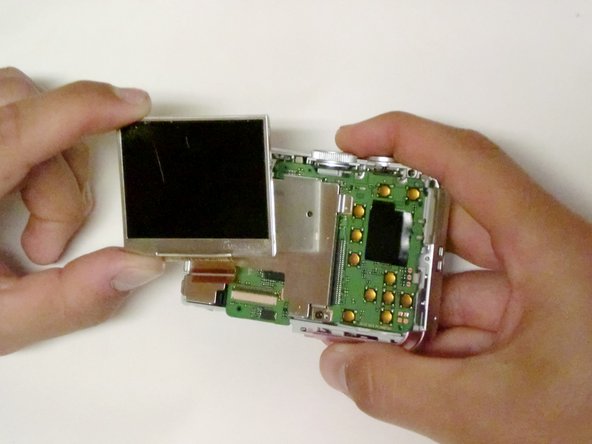
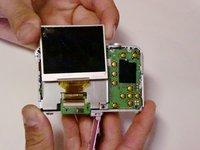
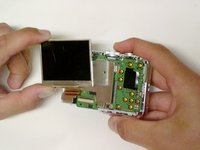
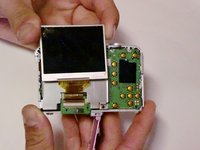
    • Orient the camera so the LCD screen is facing you.

    • Remove any tape holding the screen down.

    • Lift the LCD screen from the screen plate.

    • Lift the hinged lip on the camera body where the ribbon cable enters the connector.

    • Remove the ribbon from the logic board by gently pulling it straight out.

    • Try not to kink or crease the cable.

  10. Samsung S860 Motherboard Replacement: 10 단계, 이미지 1개 중 1개
    • Using a #00 Philips screwdriver, remove the two 4.5 mm screws from the screen plate.

    • Separate the screen plate and logic board.

  11. Samsung S860 Motherboard Replacement: 11 단계, 이미지 1개 중 1개
    • Locate the brown ribbon cable attached to the upper left edge of the logic board.

    • Remove this ribbon by gently pulling in the opposite direction of the logic board.

  12. Samsung S860 Motherboard Replacement: 12 단계, 이미지 1개 중 1개
    • Using a #00 Philips screwdriver, remove the three 3.32 mm screws connecting the logic board to the camera.

    • Separate the logic board and the core of the camera.

  13. Samsung S860 Motherboard Replacement: 13 단계, 이미지 1개 중 1개
    • Separate the logic board by carefully pulling the logic board away from the camera.

    • Be careful not to damage the battery compartment. The battery sensors are attached to the logic board, so be gentle.

    • The USB connector is going to want to hang up on the housing, but once you have that free, the battery leads will slide out relatively easily.

결론

To reassemble your device, follow these instructions in reverse order. Take your e-waste to an R2 or e-Stewards certified recycler.

다른 2명이 해당 안내서를 완성하였습니다.

작성자

8다른 기여자 명과 함께

Kando Ogunrinola

회원 가입일: 04/17/10

203 평판

안내서 3개를 작성함

Cal Poly, Team 33-72, Johann Spring 2010 Cal Poly, Team 33-72, Johann Spring 2010 회원

CPSU-JOHANN-S10S33G72

4 회원들

안내서 7개를 작성함

0가이드 댓글

댓글 쓰기

조회 통계:

지난 24시간: 2

지난 7일: 8

지난 30일: 29

전체 시간: 9,703