주요 콘텐츠로 건너뛰기
수리 커뮤니티 가입 - 계정 만들기

Sidekick II LCD Screen Replacement

필요한 것

  1. Sidekick II LCD Screen Replacement, Outer Casing: 1 단계, 이미지 1개 중 1개
    • Use the plastic opening tool to remove the 4 buttons on each corner of the Sidekick.

    • Gently pry open button and remove button.

    • Do this for each of the 3 buttons remaining.

  2. Sidekick II LCD Screen Replacement: 2 단계, 이미지 2개 중 1개 Sidekick II LCD Screen Replacement: 2 단계, 이미지 2개 중 2개
    • The bumpers on the top and bottom of the phone can be removed by simply "peeling" them off.

  3. Sidekick II LCD Screen Replacement: 3 단계, 이미지 1개 중 1개
    • Use the T6 Torx Screwdriver to remove the 4 screws that are underneath the 4 buttons you removed in step one.

  4. Sidekick II LCD Screen Replacement: 4 단계, 이미지 1개 중 1개
    • Flip the screen up halfway (90 degrees), to reveal the 2 screws above the right side of the keyboard.

    • Use the Torx 6 screwdriver to remove these 2 screws.

    • Be careful in handling the phone after removing the screws, because the two main bodies of the phone are no longer attached.

  5. Sidekick II LCD Screen Replacement: 5 단계, 이미지 1개 중 1개
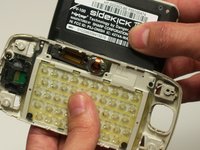
    • After removing the 6 screws and both bumpers, the phone will be easy to separate into the two main bodies.

    • You can use your hands to simply pull apart the top casing from the bottom casing.

  6. Sidekick II LCD Screen Replacement, LCD Screen: 6 단계, 이미지 2개 중 1개 Sidekick II LCD Screen Replacement, LCD Screen: 6 단계, 이미지 2개 중 2개
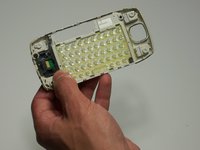
    • Flip the screen to its up position.

    • Remove screen from keyboard.

  7. Sidekick II LCD Screen Replacement: 7 단계, 이미지 1개 중 1개
    • Remove 4 screws from back of screen.

  8. Sidekick II LCD Screen Replacement: 8 단계, 이미지 1개 중 1개
    • Separate screen from housing with your fingers.

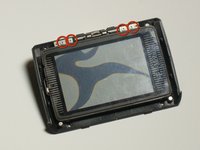
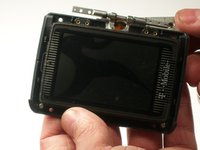
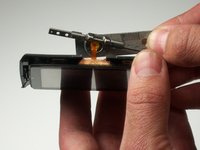
  9. Sidekick II LCD Screen Replacement: 9 단계, 이미지 3개 중 1개 Sidekick II LCD Screen Replacement: 9 단계, 이미지 3개 중 2개 Sidekick II LCD Screen Replacement: 9 단계, 이미지 3개 중 3개
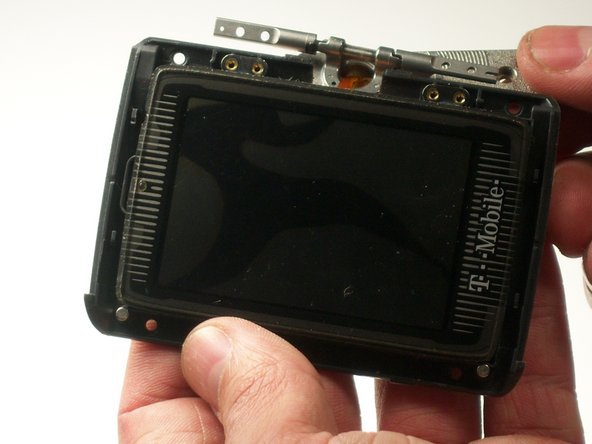
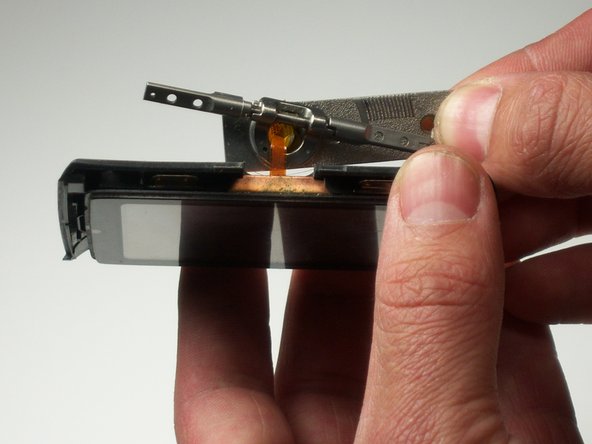
    • Remove 4 screws

    • Pay attention to the orientation of the screen on the backing because it is difficult to reassemble.

  10. Sidekick II LCD Screen Replacement: 10 단계, 이미지 1개 중 1개
    • Remove LCD protective cover with your fingers.

결승점

다른 2명이 해당 안내서를 완성하였습니다.

작성자

4다른 기여자 명과 함께

michael albaum

회원 가입일: 01/20/10

108 평판

안내서 6개를 작성함

Cal Poly, Team 3-19, Maness Winter 2010 Cal Poly, Team 3-19, Maness Winter 2010 회원

CPSU-MANESS-W10S3G19

4 회원들

안내서 11개를 작성함

0가이드 댓글

댓글 쓰기

조회 통계:

지난 24시간: 3

지난 7일: 14

지난 30일: 93

전체 시간: 4,165