주요 콘텐츠로 건너뛰기

Sony Cyber-Shot DSC-TX30 Movie Button Replacement

필요한 것

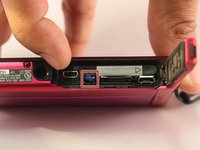
  1. Sony Cyber-Shot DSC-TX30 Movie Button Replacement, Battery: 1 단계, 이미지 2개 중 1개 Sony Cyber-Shot DSC-TX30 Movie Button Replacement, Battery: 1 단계, 이미지 2개 중 2개
    • Using your finger, slide the release catch to unlock the battery/memory card cover.

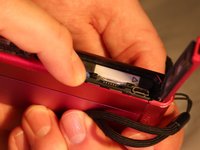
  2. Sony Cyber-Shot DSC-TX30 Movie Button Replacement: 2 단계, 이미지 2개 중 1개 Sony Cyber-Shot DSC-TX30 Movie Button Replacement: 2 단계, 이미지 2개 중 2개
    • Open the battery/memory card door.

  3. Sony Cyber-Shot DSC-TX30 Movie Button Replacement: 3 단계, 이미지 2개 중 1개 Sony Cyber-Shot DSC-TX30 Movie Button Replacement: 3 단계, 이미지 2개 중 2개
    • Push the battery eject lever to free the battery.

  4. Sony Cyber-Shot DSC-TX30 Movie Button Replacement: 4 단계, 이미지 1개 중 1개
    • Remove the battery from the device.

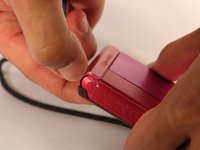
  5. Sony Cyber-Shot DSC-TX30 Movie Button Replacement, Outer Shell: 5 단계, 이미지 1개 중 1개
    • Using a Phillips #00 screwdriver, remove one black 2 2/5mm screw that is located next to the wrist band loop.

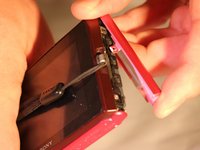
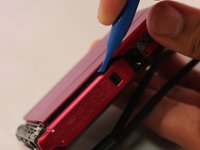
  6. Sony Cyber-Shot DSC-TX30 Movie Button Replacement: 6 단계, 이미지 1개 중 1개
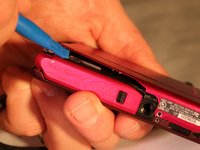
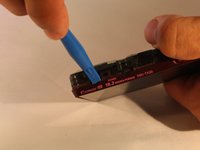
    • Using the plastic opening tool, separate the edge-casing from the rest of the camera.

  7. Sony Cyber-Shot DSC-TX30 Movie Button Replacement: 7 단계, 이미지 2개 중 1개 Sony Cyber-Shot DSC-TX30 Movie Button Replacement: 7 단계, 이미지 2개 중 2개
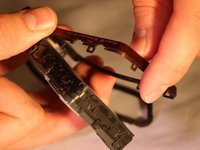
    • Pull the edge-casing off of the camera.

  8. Sony Cyber-Shot DSC-TX30 Movie Button Replacement: 8 단계, 이미지 1개 중 1개
    • Using a Phillips #00 screwdriver, remove one silver 3mm screw located on the front side of the camera.

    • Using a Phillips #00 screwdriver, remove one silver 5 2/5mm screw located on the front side of the camera

    • Using a Phillips #00 screwdriver, remove one black 2 1/2mm screw located on the front side of the camera.

  9. Sony Cyber-Shot DSC-TX30 Movie Button Replacement: 9 단계, 이미지 1개 중 1개
    • Using a Phillips #00 screwdriver, remove one 2 1/2mm screw located near the wrist strap.

  10. Sony Cyber-Shot DSC-TX30 Movie Button Replacement: 10 단계, 이미지 1개 중 1개
    • Using a Phillips #00 screwdriver remove one black 2 2/5mm screw near the tripod slot on the bottom of the casing.

  11. Sony Cyber-Shot DSC-TX30 Movie Button Replacement: 11 단계, 이미지 1개 중 1개
    • Using a Phillips #00 screwdriver remove the two 2 2/5mm black screws from the side of the camera opposite of the wrist strap

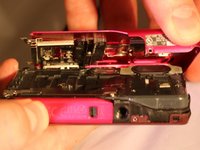
  12. Sony Cyber-Shot DSC-TX30 Movie Button Replacement: 12 단계, 이미지 2개 중 1개 Sony Cyber-Shot DSC-TX30 Movie Button Replacement: 12 단계, 이미지 2개 중 2개
    • Using the plastic opening tool, open the device's outer shell.

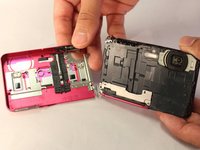
  13. Sony Cyber-Shot DSC-TX30 Movie Button Replacement: 13 단계, 이미지 2개 중 1개 Sony Cyber-Shot DSC-TX30 Movie Button Replacement: 13 단계, 이미지 2개 중 2개
    • Remove the front casing of the device.

  14. Sony Cyber-Shot DSC-TX30 Movie Button Replacement, Back Casing: 14 단계, 이미지 3개 중 1개 Sony Cyber-Shot DSC-TX30 Movie Button Replacement, Back Casing: 14 단계, 이미지 3개 중 2개 Sony Cyber-Shot DSC-TX30 Movie Button Replacement, Back Casing: 14 단계, 이미지 3개 중 3개
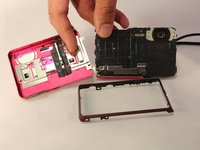
    • Using the plastic opening tool, remove the back casing of the device.

  15. Sony Cyber-Shot DSC-TX30 Movie Button Replacement, Movie Button: 15 단계, 이미지 2개 중 1개 Sony Cyber-Shot DSC-TX30 Movie Button Replacement, Movie Button: 15 단계, 이미지 2개 중 2개
    이 단계에 사용된 도구:
    Tweezers
    $4.99
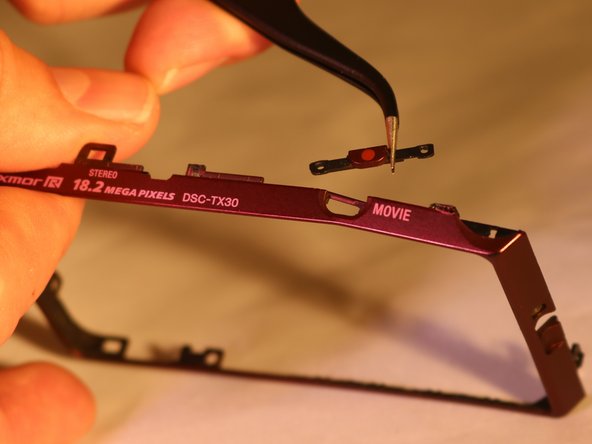
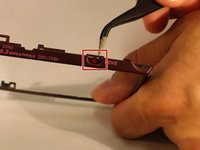
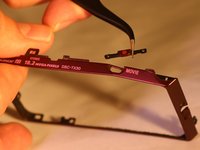
    • Using the tweezers, remove the movie button from the back casing of the device.

결론

To reassemble your device, follow these instructions in reverse order.

작성자

4다른 기여자 명과 함께

Kellen Fulkerson

회원 가입일: 04/11/17

689 평판

안내서 6개를 작성함

0가이드 댓글

댓글 쓰기

조회 통계:

지난 24시간: 0

지난 7일: 0

지난 30일: 7

전체 시간: 456