주요 콘텐츠로 건너뛰기

Sony Cyber-shot DSC-T1 Flash Module Replacement

필요한 것

  1. Sony Cyber-shot DSC-T1 Flash Module Replacement, Battery: 1 단계, 이미지 2개 중 1개 Sony Cyber-shot DSC-T1 Flash Module Replacement, Battery: 1 단계, 이미지 2개 중 2개
    • Locate the battery door at the bottom of the camera.

    • Press down on the door and slide it back. The door will pop open.

  2. Sony Cyber-shot DSC-T1 Flash Module Replacement: 2 단계, 이미지 1개 중 1개
    • Remove the battery from the door that you opened in the previous step.

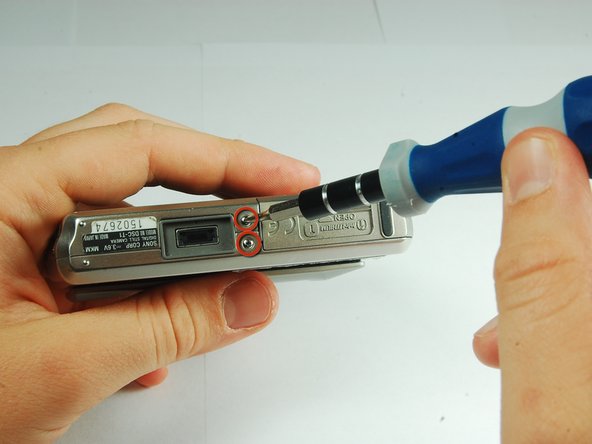
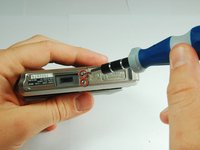
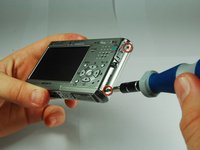
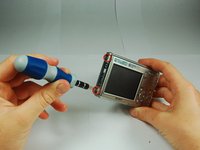
  3. Sony Cyber-shot DSC-T1 Flash Module Replacement, Disassembling Sony Cyber-shot DSC-T1 Removing Front Cover: 3 단계, 이미지 3개 중 1개 Sony Cyber-shot DSC-T1 Flash Module Replacement, Disassembling Sony Cyber-shot DSC-T1 Removing Front Cover: 3 단계, 이미지 3개 중 2개 Sony Cyber-shot DSC-T1 Flash Module Replacement, Disassembling Sony Cyber-shot DSC-T1 Removing Front Cover: 3 단계, 이미지 3개 중 3개
    • There are two screws on the left and right sides of the camera, and two screws on the bottom.

    • Use a PH00 screwdriver and remove the six 2.9mm screws.

  4. Sony Cyber-shot DSC-T1 Flash Module Replacement: 4 단계, 이미지 2개 중 1개 Sony Cyber-shot DSC-T1 Flash Module Replacement: 4 단계, 이미지 2개 중 2개
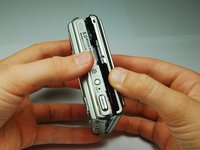
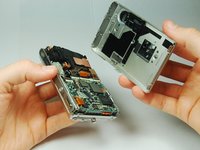
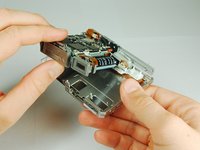
    • Use hands to gently pry the front casing away from the camera.

  5. Sony Cyber-shot DSC-T1 Flash Module Replacement, CCD Sensor Module: 5 단계, 이미지 2개 중 1개 Sony Cyber-shot DSC-T1 Flash Module Replacement, CCD Sensor Module: 5 단계, 이미지 2개 중 2개
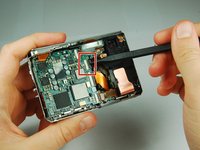
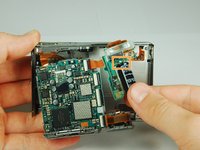
    • Use the tip of a spudger to flip up the tab on the ZIF connector securing the motherboard ribbon cable.

    • The second picture shows what these tabs look like in their open positions.

  6. Sony Cyber-shot DSC-T1 Flash Module Replacement: 6 단계, 이미지 1개 중 1개
    • Grasp the CCD Sensor Module and remove it.

  7. Sony Cyber-shot DSC-T1 Flash Module Replacement, Flash Module: 7 단계, 이미지 3개 중 1개 Sony Cyber-shot DSC-T1 Flash Module Replacement, Flash Module: 7 단계, 이미지 3개 중 2개 Sony Cyber-shot DSC-T1 Flash Module Replacement, Flash Module: 7 단계, 이미지 3개 중 3개
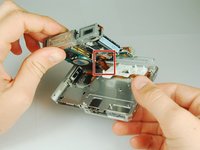
    • This camera houses a very strong capacitor (the black cylinder). Avoid touching anything around the two wires coming out of the top. Doing so will risk serious electric shock.

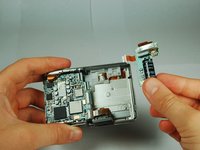
    • Carefully disengage the internal components from the casing by lifting at the bottom end and giving a gentle tug.

    • The components are still connected to the casing via cables, but they are much more maneuverable.

    • The flash module is shown on the right hand side.

  8. Sony Cyber-shot DSC-T1 Flash Module Replacement: 8 단계, 이미지 2개 중 1개 Sony Cyber-shot DSC-T1 Flash Module Replacement: 8 단계, 이미지 2개 중 2개
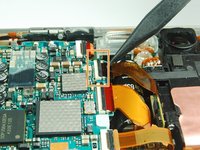
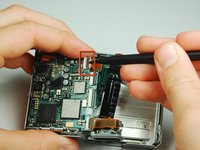
    • Use the tip of a spudger to flip up the tab on the ZIF connecter securing the motherboard ribbon cable.

    • Grasp the flash module by the bottom and remove it.

결론

To reassemble your device, follow these instructions in reverse order.

작성자

13다른 기여자 명과 함께

iDeleted

회원 가입일: 07/07/10

2,101 평판

안내서 39개를 작성함

0가이드 댓글

댓글 쓰기

조회 통계:

지난 24시간: 0

지난 7일: 1

지난 30일: 7

전체 시간: 2,492