주요 콘텐츠로 건너뛰기

Sony DualSense Controller Light Guide Replacement

필요한 것

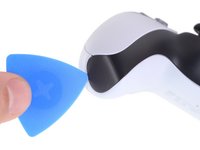
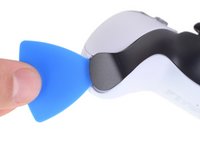
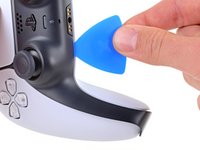
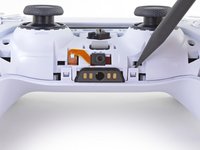
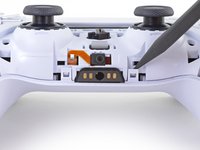
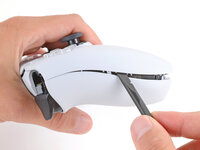
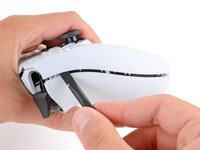
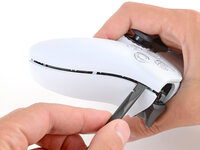
  1. Sony DualSense Controller Light Guide Replacement, Unclip the right end of the middle trim: 1 단계, 이미지 2개 중 1개 Sony DualSense Controller Light Guide Replacement, Unclip the right end of the middle trim: 1 단계, 이미지 2개 중 2개
    • Disconnect and power down your controller before you begin.

    • Insert an opening pick underneath the middle trim at the bottom-right corner of the controller to release the clips securing it to the case.

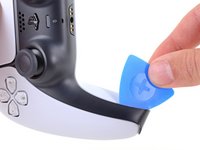
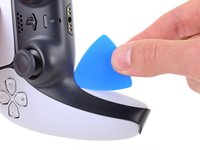
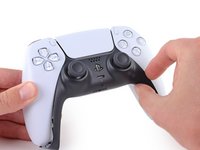
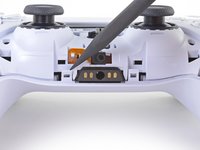
  2. Sony DualSense Controller Light Guide Replacement, Unclip the lower-right edge of the middle trim: 2 단계, 이미지 3개 중 1개 Sony DualSense Controller Light Guide Replacement, Unclip the lower-right edge of the middle trim: 2 단계, 이미지 3개 중 2개 Sony DualSense Controller Light Guide Replacement, Unclip the lower-right edge of the middle trim: 2 단계, 이미지 3개 중 3개
    • Slide the opening pick along the lower-right edge of the middle trim to release the clips securing it to the case.

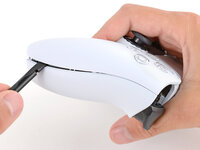
  3. Sony DualSense Controller Light Guide Replacement, Unclip the left end of the middle trim: 3 단계, 이미지 2개 중 1개 Sony DualSense Controller Light Guide Replacement, Unclip the left end of the middle trim: 3 단계, 이미지 2개 중 2개
    • Insert an opening pick underneath the middle trim at the bottom-left corner of the controller to release the clips securing it to the case.

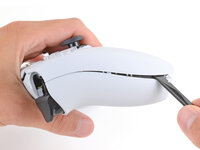
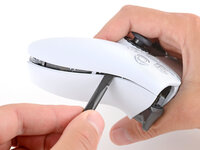
  4. Sony DualSense Controller Light Guide Replacement, Unclip the lower-left edge of the middle trim: 4 단계, 이미지 3개 중 1개 Sony DualSense Controller Light Guide Replacement, Unclip the lower-left edge of the middle trim: 4 단계, 이미지 3개 중 2개 Sony DualSense Controller Light Guide Replacement, Unclip the lower-left edge of the middle trim: 4 단계, 이미지 3개 중 3개
    • Slide the opening pick along the lower-left edge of the middle trim to release the clips securing it to the case.

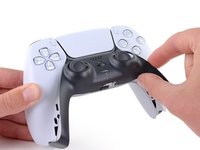
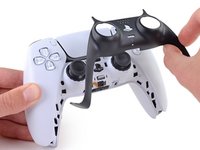
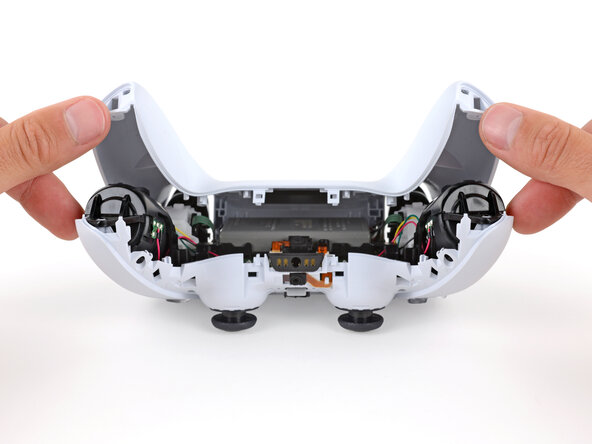
  5. Sony DualSense Controller Light Guide Replacement, Remove the middle trim: 5 단계, 이미지 3개 중 1개 Sony DualSense Controller Light Guide Replacement, Remove the middle trim: 5 단계, 이미지 3개 중 2개 Sony DualSense Controller Light Guide Replacement, Remove the middle trim: 5 단계, 이미지 3개 중 3개
    • Use your fingers to lift up the bottom edge of the middle trim to release the remaining clips.

    • Lift the middle trim over the joysticks to remove it.

  6. Sony DualSense Controller Light Guide Replacement, Remove the L1 button: 6 단계, 이미지 3개 중 1개 Sony DualSense Controller Light Guide Replacement, Remove the L1 button: 6 단계, 이미지 3개 중 2개 Sony DualSense Controller Light Guide Replacement, Remove the L1 button: 6 단계, 이미지 3개 중 3개
    • With one hand, grip the controller and use your thumb to hold down the left trigger.

    • With your free hand, insert the flat end of a spudger between the L1 and L2 buttons.

    • Use the spudger to gently pry the L1 button away from the controller and remove it, holding your finger over the button so it doesn't eject.

  7. Sony DualSense Controller Light Guide Replacement, Remove the R1 button: 7 단계, 이미지 3개 중 1개 Sony DualSense Controller Light Guide Replacement, Remove the R1 button: 7 단계, 이미지 3개 중 2개 Sony DualSense Controller Light Guide Replacement, Remove the R1 button: 7 단계, 이미지 3개 중 3개
    • Repeat the previous step to remove the R1 button.

  8. Sony DualSense Controller Light Guide Replacement, Remove the rear case screws: 8 단계, 이미지 2개 중 1개 Sony DualSense Controller Light Guide Replacement, Remove the rear case screws: 8 단계, 이미지 2개 중 2개
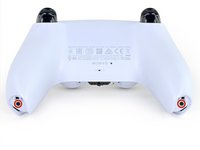
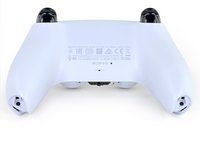
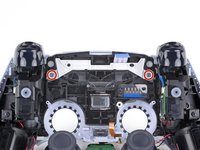
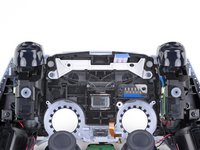
    • Use a Phillips screwdriver to remove the two 6.4 mm screws securing the bottom corners of the lower case.

  9. Sony DualSense Controller Light Guide Replacement: 9 단계, 이미지 2개 중 1개 Sony DualSense Controller Light Guide Replacement: 9 단계, 이미지 2개 중 2개
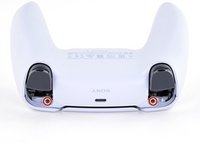
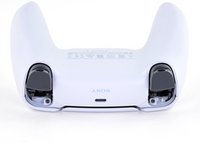
    • Use a Phillips screwdriver to remove the two 6.4 mm screws behind the L1 and R1 buttons.

  10. Sony DualSense Controller Light Guide Replacement, Separate the rear case: 10 단계, 이미지 3개 중 1개 Sony DualSense Controller Light Guide Replacement, Separate the rear case: 10 단계, 이미지 3개 중 2개 Sony DualSense Controller Light Guide Replacement, Separate the rear case: 10 단계, 이미지 3개 중 3개
    • Be gentle when releasing the rear cover clips—they're delicate and can easily break.

    • Use the point of a spudger to release the two clips on either side of the headset jack.

  11. Sony DualSense Controller Light Guide Replacement: 11 단계, 이미지 3개 중 1개 Sony DualSense Controller Light Guide Replacement: 11 단계, 이미지 3개 중 2개 Sony DualSense Controller Light Guide Replacement: 11 단계, 이미지 3개 중 3개
    • Tight plastic clips secure the left and right edges of the rear case.

    • Insert the flat end of a spudger between the front and rear shells near the bottom of the left edge.

    • Slide the spudger along the left edge and gently pry the shells apart to release the clips.

  12. Sony DualSense Controller Light Guide Replacement: 12 단계, 이미지 3개 중 1개 Sony DualSense Controller Light Guide Replacement: 12 단계, 이미지 3개 중 2개 Sony DualSense Controller Light Guide Replacement: 12 단계, 이미지 3개 중 3개
    • Repeat the previous step on the right edge to release its clips.

  13. Sony DualSense Controller Light Guide Replacement: 13 단계, 이미지 2개 중 1개 Sony DualSense Controller Light Guide Replacement: 13 단계, 이미지 2개 중 2개
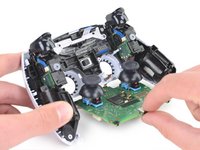
    • Lay your controller upside down so the joysticks are on your work surface.

    • Hold the controller down with your fingers and use your thumbs to lift the rear case away from the controller to fully separate it.

  14. Sony DualSense Controller Light Guide Replacement, Remove the rear case: 14 단계, 이미지 1개 중 1개
    • Remove the rear case.

  15. Sony DualSense Controller Light Guide Replacement, Disconnect the battery: 15 단계, 이미지 2개 중 1개 Sony DualSense Controller Light Guide Replacement, Disconnect the battery: 15 단계, 이미지 2개 중 2개
    이 단계에 사용된 도구:
    Tweezers
    $4.99
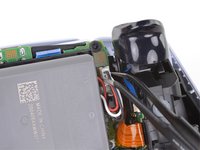
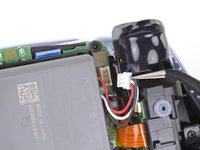
    • Use a pair of tweezers or your fingers to disconnect the battery from the motherboard.

    • Grip the connector, not the wires, when disconnecting.

  16. Sony DualSense Controller Light Guide Replacement, Remove the battery: 16 단계, 이미지 2개 중 1개 Sony DualSense Controller Light Guide Replacement, Remove the battery: 16 단계, 이미지 2개 중 2개
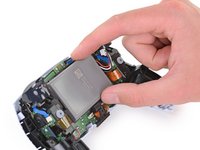
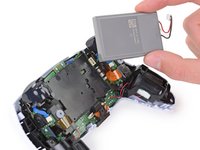
    • Lift the battery straight out of the battery bracket.

  17. Sony DualSense Controller Light Guide Replacement, Remove the lower microphone: 17 단계, 이미지 2개 중 1개 Sony DualSense Controller Light Guide Replacement, Remove the lower microphone: 17 단계, 이미지 2개 중 2개
    이 단계에 사용된 도구:
    Tweezers
    $4.99
    • Grab the lower microphone ribbon cable pull tab with your fingers or a pair of tweezers and disconnect it from the motherboard.

  18. Sony DualSense Controller Light Guide Replacement, Remove the battery bracket: 18 단계, 이미지 2개 중 1개 Sony DualSense Controller Light Guide Replacement, Remove the battery bracket: 18 단계, 이미지 2개 중 2개
    • Use a Phillips screwdriver to remove the 6.4 mm screw securing the battery bracket.

  19. Sony DualSense Controller Light Guide Replacement: 19 단계, 이미지 2개 중 1개 Sony DualSense Controller Light Guide Replacement: 19 단계, 이미지 2개 중 2개
    • Lift the battery bracket out of the motherboard.

  20. Sony DualSense Controller Light Guide Replacement, Disconnect the right trigger assembly: 20 단계, 이미지 2개 중 1개 Sony DualSense Controller Light Guide Replacement, Disconnect the right trigger assembly: 20 단계, 이미지 2개 중 2개
    • Grip the right trigger assembly ribbon cable pull tab with a pair of tweezers or your fingers and pull up to disconnect it from the motherboard.

    • Do not completely remove the ribbon cable yet.

  21. Sony DualSense Controller Light Guide Replacement: 21 단계, 이미지 2개 중 1개 Sony DualSense Controller Light Guide Replacement: 21 단계, 이미지 2개 중 2개
    • Grip the right trigger assembly ribbon cable pull tab with a pair of tweezers or your fingers, and pull up to disconnect it from the trigger assembly.

    • Remove the ribbon cable.

  22. Sony DualSense Controller Light Guide Replacement, Disconnect the left trigger assembly: 22 단계, 이미지 2개 중 1개 Sony DualSense Controller Light Guide Replacement, Disconnect the left trigger assembly: 22 단계, 이미지 2개 중 2개
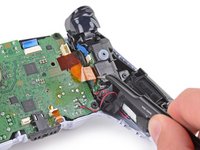
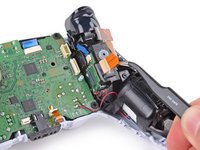
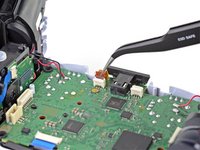
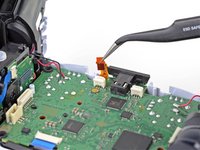
    • Grip the left trigger assembly ribbon cable pull tab with a pair of tweezers or your fingers and pull up to disconnect it from the motherboard.

    • Do not completely remove the ribbon cable yet.

  23. Sony DualSense Controller Light Guide Replacement: 23 단계, 이미지 2개 중 1개 Sony DualSense Controller Light Guide Replacement: 23 단계, 이미지 2개 중 2개
    • Grip the left trigger assembly ribbon cable pull tab with a pair of tweezers or your fingers, and pull up to disconnect it from the trigger assembly.

    • Remove the ribbon cable.

  24. Sony DualSense Controller Light Guide Replacement, Disconnect the upper microphone: 24 단계, 이미지 2개 중 1개 Sony DualSense Controller Light Guide Replacement, Disconnect the upper microphone: 24 단계, 이미지 2개 중 2개
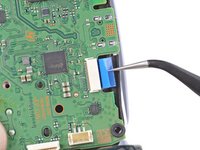
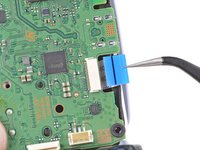
    • Use a pair of tweezers or your fingers to grip the upper microphone ribbon cable pull tab, and pull up to disconnect it from the motherboard.

  25. Sony DualSense Controller Light Guide Replacement, Disconnect the touchpad: 25 단계, 이미지 2개 중 1개 Sony DualSense Controller Light Guide Replacement, Disconnect the touchpad: 25 단계, 이미지 2개 중 2개
    • Use a pair of tweezers or your fingers to grip the touchpad ribbon cable pull tab, and pull it straight out of the motherboard connector.

  26. Sony DualSense Controller Light Guide Replacement, Lift out the motherboard: 26 단계, 이미지 3개 중 1개 Sony DualSense Controller Light Guide Replacement, Lift out the motherboard: 26 단계, 이미지 3개 중 2개 Sony DualSense Controller Light Guide Replacement, Lift out the motherboard: 26 단계, 이미지 3개 중 3개
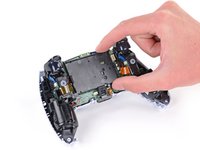
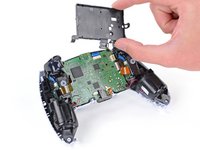
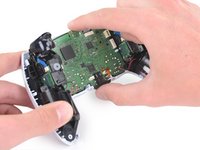
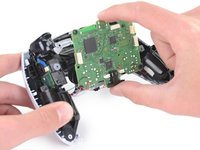
    • Carefully guide the joysticks through the front case and lift the motherboard out.

    • The motherboard is held down by two clips. One between the motherboard itself and the right trigger assembly, and one between the motherboard itself and the left trigger assembly. Gently push on either clip to release the motherboard from its restraints.

    • Do not completely remove the motherboard. There are four soldered wires tethering the motherboard to the vibrator motors.

  27. Sony DualSense Controller Light Guide Replacement, Remove the light guide: 27 단계, 이미지 2개 중 1개 Sony DualSense Controller Light Guide Replacement, Remove the light guide: 27 단계, 이미지 2개 중 2개
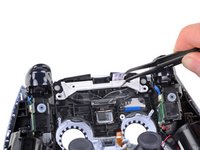
    • Use a Phillips screwdriver to remove the two 8.5 mm screws securing the light guide.

  28. Sony DualSense Controller Light Guide Replacement: 28 단계, 이미지 2개 중 1개 Sony DualSense Controller Light Guide Replacement: 28 단계, 이미지 2개 중 2개
    이 단계에 사용된 도구:
    Tweezers
    $4.99
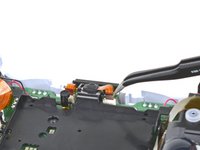
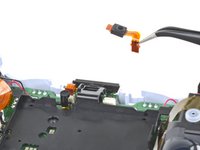
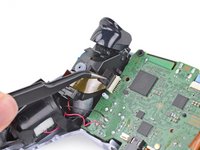
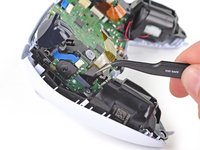
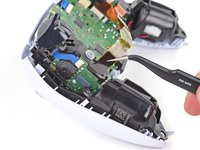
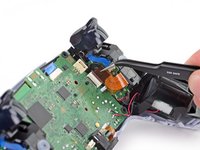
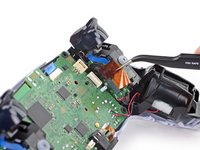
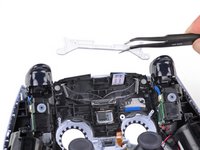
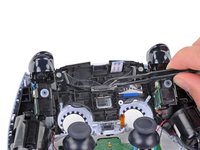
    • Use a pair of tweezers or your fingers to remove the light guide bracket.

  29. Sony DualSense Controller Light Guide Replacement: 29 단계, 이미지 2개 중 1개 Sony DualSense Controller Light Guide Replacement: 29 단계, 이미지 2개 중 2개
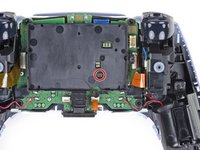
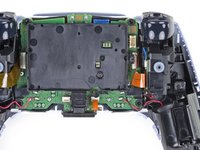
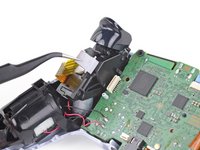
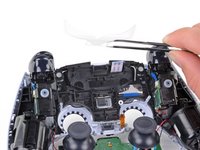
    • Use a pair of tweezers or your fingers to remove the light guide.

결론

To reassemble your device, follow the above steps in reverse order.

Take your e-waste to an R2 or e-Stewards certified recycler.

Repair didn’t go as planned? Try some basic troubleshooting, or ask our Answers community for help.

다른 한 분이 해당 안내서를 완성하였습니다.

작성자

2다른 기여자 명과 함께

Sam Omiotek

회원 가입일: 02/25/19

92,441 평판

안내서 290개를 작성함

2가이드 댓글

what do i need to do if player indicator white light doesn't work? please help i can't find any guide on the internet

Avt - 답글

I have the same problem. Did you find a fix?

Clayerhd -

댓글 쓰기

조회 통계:

지난 24시간: 12

지난 7일: 63

지난 30일: 335

전체 시간: 7,840