주요 콘텐츠로 건너뛰기
수리 커뮤니티 가입 - 계정 만들기

Sony VAIO VPCEE26FX Optical Drive Replacement

필요한 것

  1. Sony VAIO VPCEE26FX Optical Drive Replacement, Battery: 1 단계, 이미지 2개 중 1개 Sony VAIO VPCEE26FX Optical Drive Replacement, Battery: 1 단계, 이미지 2개 중 2개
    • Ensure that the laptop is powered off before disconnecting the battery.

    • Flip the laptop over so the underside of the laptop is facing up.

  2. Sony VAIO VPCEE26FX Optical Drive Replacement: 2 단계, 이미지 2개 중 1개 Sony VAIO VPCEE26FX Optical Drive Replacement: 2 단계, 이미지 2개 중 2개
    • Slide the two tabs towards each other until the battery disconnects slightly from its position.

    • Carefully lift the battery out of its position away from the laptop.

    • The battery is not pictured here, since it is missing from this particular device.

  3. Sony VAIO VPCEE26FX Optical Drive Replacement, Optical Drive: 3 단계, 이미지 1개 중 1개
    • Use a JIS #0 screwdriver to remove the 4mm screw from its place.

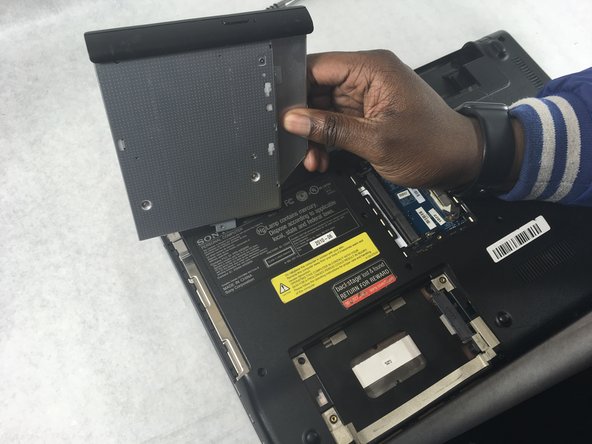
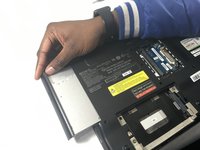
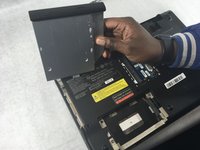
  4. Sony VAIO VPCEE26FX Optical Drive Replacement: 4 단계, 이미지 2개 중 1개 Sony VAIO VPCEE26FX Optical Drive Replacement: 4 단계, 이미지 2개 중 2개
    • Remove the optical drive gently away from its holder on the laptop.

결론

To reassemble your device, follow these instructions in reverse order.

작성자

2다른 기여자 명과 함께

Christopher Hover

회원 가입일: 03/21/19

679 평판

안내서 5개를 작성함

UMass Dartmouth, Team S2-G3, Bailey Spring 2019 UMass Dartmouth, Team S2-G3, Bailey Spring 2019 회원

UMASSD-BAILEY-S19S2G3

3 회원들

안내서 10개를 작성함

0가이드 댓글

댓글 쓰기

조회 통계:

지난 24시간: 2

지난 7일: 11

지난 30일: 66

전체 시간: 765