소개
This guide shows you how to remove the Sony Vaio VGN-FS640 battery in order to replace it.
-
-
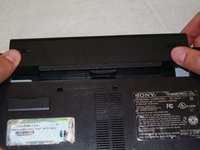
Lay the closed laptop on its screen so the bottom is facing towards you.
 FixBot에 문의하기
-
-
-
-
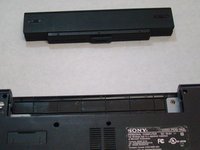
Revome the battery by pushing it away from the laptop.
-
Set the battery away from the laptop.
-


결론
To reassemble your device, follow these instructions in reverse order.
다른 한 분이 해당 안내서를 완성하였습니다.

팀

Cal Poly, Team 24-32, Regan Spring 2010 Cal Poly, Team 24-32, Regan Spring 2010 회원
CPSU-REGAN-S10S24G32
4 회원들
안내서 16개를 작성함
