주요 콘텐츠로 건너뛰기

필요한 것

해당 분해도는 수리 안내서가 아닙니다. Nintendo Handheld Console 수리는 자사의 서비스 설명서를 사용하세요.

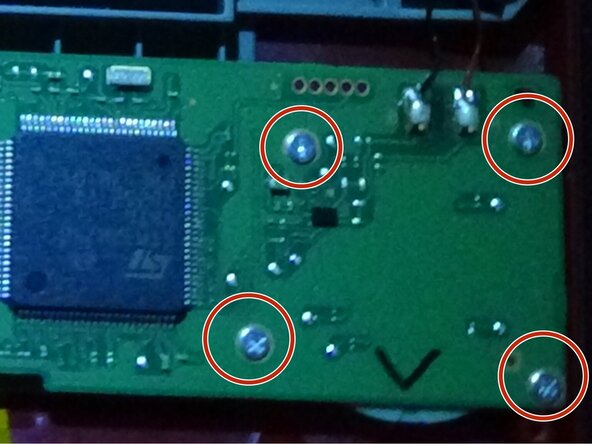
  1. Super Mario Bros. 35th anniversary Game and Watch teardown, Removing the screws: 1 단계, 이미지 1개 중 1개
    • Remove the 4 Y00 screws on the back.

    • Don't worry! These screws are all the same size.

  2. Super Mario Bros. 35th anniversary Game and Watch teardown, Removing the back case: 2 단계, 이미지 2개 중 1개 Super Mario Bros. 35th anniversary Game and Watch teardown, Removing the back case: 2 단계, 이미지 2개 중 2개
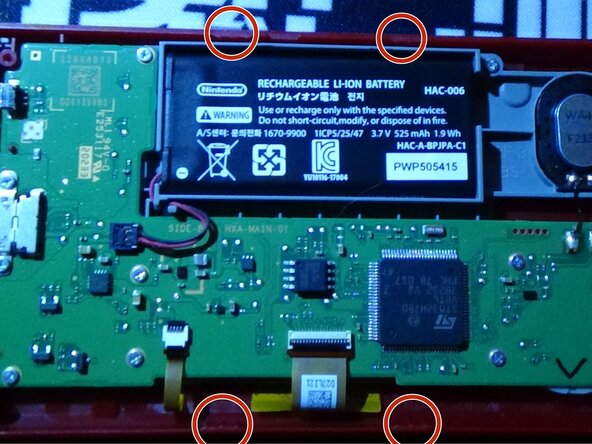
    • Carefully pry off the back case from the main unit

    • Be careful to not snap the 4 clips on the top and bottom!

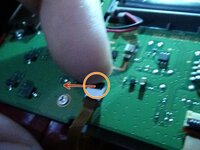
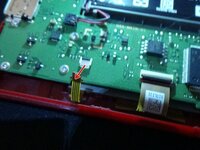
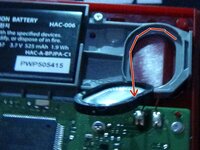
  3. Super Mario Bros. 35th anniversary Game and Watch teardown, Disconnecting the battery: 3 단계, 이미지 2개 중 1개 Super Mario Bros. 35th anniversary Game and Watch teardown, Disconnecting the battery: 3 단계, 이미지 2개 중 2개
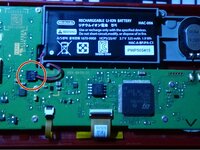
    • Carefully disconnect the battery connector.

    • You will have to set the time again after reassembly.

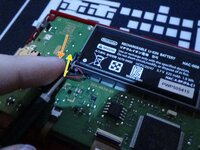
    • You can use a spudger or the Y00 bit. If you use the bit, press down on the connector while pulling the bit upwards underneath the cables.

    • If it hasn't been removed before, it may be hard to disconnect. Be extremely careful to not short anything out if you use the bit method.

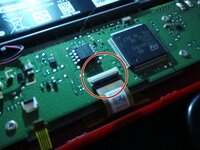
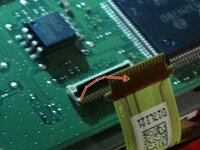
  4. Super Mario Bros. 35th anniversary Game and Watch teardown, Disconnecting the backlight cable: 4 단계, 이미지 3개 중 1개 Super Mario Bros. 35th anniversary Game and Watch teardown, Disconnecting the backlight cable: 4 단계, 이미지 3개 중 2개 Super Mario Bros. 35th anniversary Game and Watch teardown, Disconnecting the backlight cable: 4 단계, 이미지 3개 중 3개
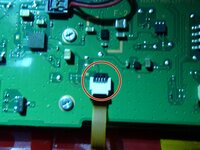
    • For the smaller ribbon cable (Backlight ribbon), Lift the small black bar upwards lightly with your nail or a small flathead bit.

    • The ribbon should be able to be pulled out after.

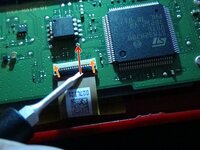
  5. Super Mario Bros. 35th anniversary Game and Watch teardown, Disconnecting the LCD cable: 5 단계, 이미지 3개 중 1개 Super Mario Bros. 35th anniversary Game and Watch teardown, Disconnecting the LCD cable: 5 단계, 이미지 3개 중 2개 Super Mario Bros. 35th anniversary Game and Watch teardown, Disconnecting the LCD cable: 5 단계, 이미지 3개 중 3개
    • With either a small flathead or spudger, pry up the black bar on the wide ribbon cable.

    • Be very careful to not damage the cable. Especially when using a small flathead.

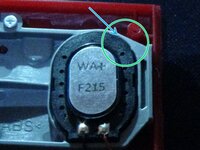
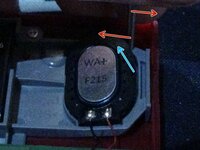
  6. Super Mario Bros. 35th anniversary Game and Watch teardown, Prying up the speaker: 6 단계, 이미지 3개 중 1개 Super Mario Bros. 35th anniversary Game and Watch teardown, Prying up the speaker: 6 단계, 이미지 3개 중 2개 Super Mario Bros. 35th anniversary Game and Watch teardown, Prying up the speaker: 6 단계, 이미지 3개 중 3개
    • Using a small flathead, Pry upwards from the top right of the speaker.

    • You may hear a small pop. This is just the speaker adhesive peeling off the plastic.

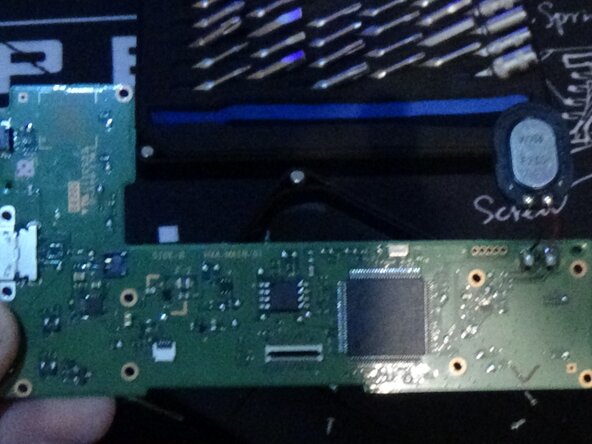
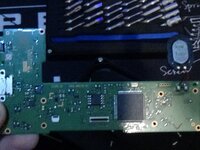
  7. Super Mario Bros. 35th anniversary Game and Watch teardown, Removing the motherboard: 7 단계, 이미지 3개 중 1개 Super Mario Bros. 35th anniversary Game and Watch teardown, Removing the motherboard: 7 단계, 이미지 3개 중 2개 Super Mario Bros. 35th anniversary Game and Watch teardown, Removing the motherboard: 7 단계, 이미지 3개 중 3개
    • Remove the 10 screws on the motherboard.

    • Keep these screws separate and organised.

    • Carefully remove the motherboard. The speaker is soldiered onto the motherboard.

  8. Super Mario Bros. 35th anniversary Game and Watch teardown, Removing the battery/speaker housing: 8 단계, 이미지 1개 중 1개
    • Remove the 1 screw in the top right (this is the last screw on the system) and lift up the housing.

    • There is only 1 more step after this!

  9. Super Mario Bros. 35th anniversary Game and Watch teardown, Removing the buttons: 9 단계, 이미지 1개 중 1개
    • You should be able to lift out the buttons.

    • Congrats! You made it to the end! Just follow the steps in reverse to rebuild the unit.

작성자

1다른 기여자 명과 함께

Vincegamer

회원 가입일: 02/27/25

182 평판

안내서 1개를 작성함

0가이드 댓글

댓글 쓰기

조회 통계:

지난 24시간: 2

지난 7일: 22

지난 30일: 87

전체 시간: 953