주요 콘텐츠로 건너뛰기

Teddy Ruxpin Arm Button Replacement

필요한 것

  1. Teddy Ruxpin Arm Button Replacement, Battery: 1 단계, 이미지 2개 중 1개 Teddy Ruxpin Arm Button Replacement, Battery: 1 단계, 이미지 2개 중 2개
    • Remove the vest covering the back of the bear.

    • Orient the bear with his back facing upwards and unscrew the single Phillips #2 screw.

    • Captured screws will stay in place, no need to worry about losing this one!

  2. Teddy Ruxpin Arm Button Replacement: 2 단계, 이미지 1개 중 1개
    • Pull the tab outward to remove the protective plate for the batteries.

  3. Teddy Ruxpin Arm Button Replacement: 3 단계, 이미지 1개 중 1개
    • Remove all four AA batteries by pushing the positive end down and pulling the battery out toward yourself.

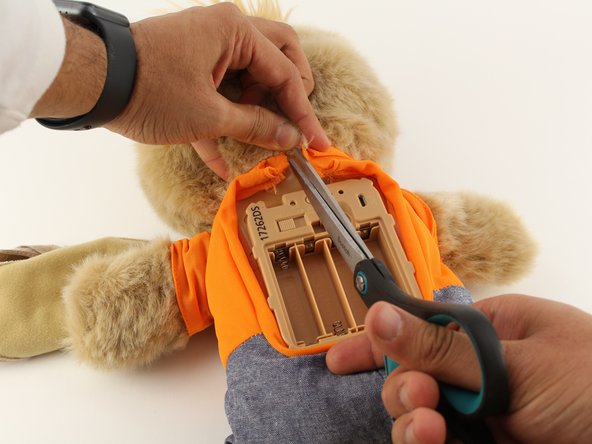
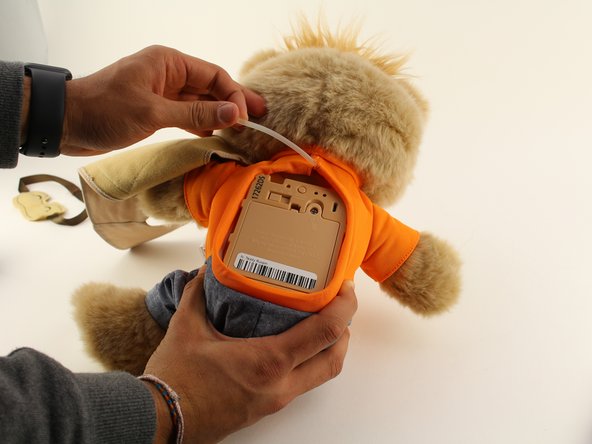
  4. Teddy Ruxpin Arm Button Replacement, Arms: 4 단계, 이미지 3개 중 1개 Teddy Ruxpin Arm Button Replacement, Arms: 4 단계, 이미지 3개 중 2개 Teddy Ruxpin Arm Button Replacement, Arms: 4 단계, 이미지 3개 중 3개
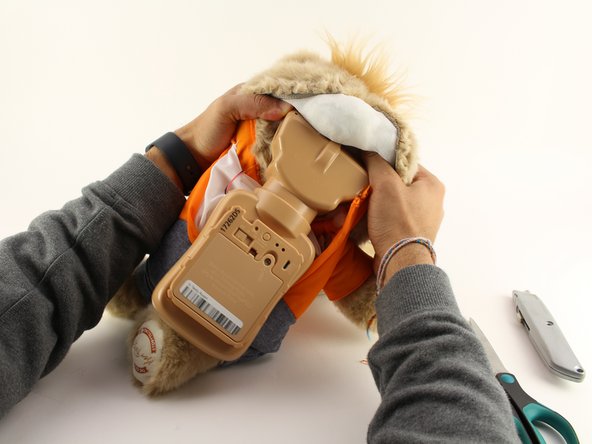
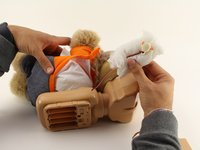
    • Cut the orange shirt and zip tie.

    • Remove the zip tie.

  5. Teddy Ruxpin Arm Button Replacement: 5 단계, 이미지 1개 중 1개
    • Cut across the back seam of the head of the bear along the arrow.

    • This damages the bear's exterior and will require resewing.

  6. Teddy Ruxpin Arm Button Replacement: 6 단계, 이미지 3개 중 1개 Teddy Ruxpin Arm Button Replacement: 6 단계, 이미지 3개 중 2개 Teddy Ruxpin Arm Button Replacement: 6 단계, 이미지 3개 중 3개
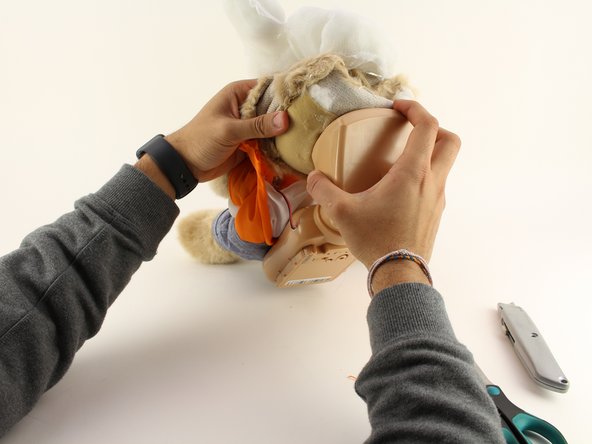
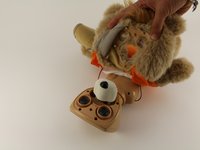
    • Remove the interior of the doll.

    • Peel the outer layer around the head of the bear and forcefully pry off the face of the bear from the outside layer of the bear.

    • This will be difficult and require significant force, but do not fear about breaking the doll at this stage.

  7. Teddy Ruxpin Arm Button Replacement: 7 단계, 이미지 2개 중 1개 Teddy Ruxpin Arm Button Replacement: 7 단계, 이미지 2개 중 2개
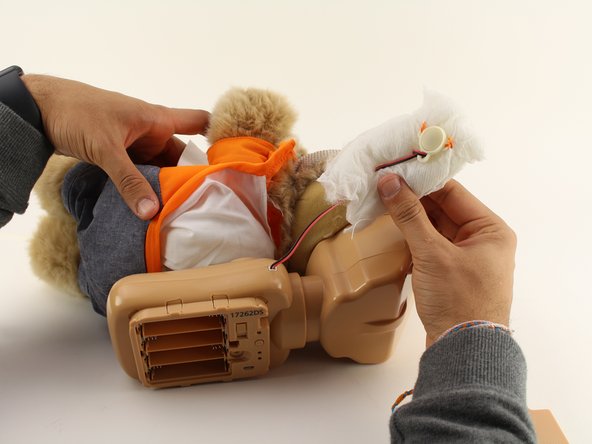
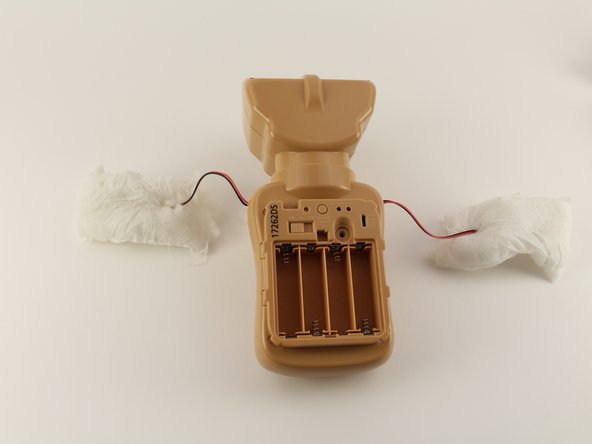
    • Extract each arm button.

    • Pull on the stuffing of the bear and not the wire to remove the arm button.

  8. Teddy Ruxpin Arm Button Replacement: 8 단계, 이미지 2개 중 1개 Teddy Ruxpin Arm Button Replacement: 8 단계, 이미지 2개 중 2개
    • Pull off the rest of the outside layer of the bear.

  9. Teddy Ruxpin Arm Button Replacement: 9 단계, 이미지 1개 중 1개
    • Unplug the arms from the main body.

결론

To reassemble your device, follow these instructions in reverse order.

다른 4명이 해당 안내서를 완성하였습니다.

작성자

3다른 기여자 명과 함께

Lauren

회원 가입일: 01/23/20

226 평판

안내서 2개를 작성함

Cal Poly, Team S18-G5, White Winter 2020 Cal Poly, Team S18-G5, White Winter 2020 회원

CPSU-WHITE-W20S18G5

4 회원들

안내서 8개를 작성함

4가이드 댓글

All you need are screwdrivers? The most important part is left out! New buttons? Where, how?

embalmerjules - 답글

And how do you replace it?! This just says how to take out old buttons!

Summer-Lynn Morente - 답글

So has anyone figured out how to replace the button?

knrobinson83 - 답글

The plastic part of the button is what broke in my daughter's Teddy Ruxpin. She had a similar toy with a button in its hand that she no longer played with, so I took the plastic button part out of the old toy and fit it onto Teddy Ruxpin. I used the same wires and threaded them through the plastic button, then resoldered the wires to the small board in the button. Works perfectly now.

Eliza Zollicoffer - 답글

댓글 쓰기

조회 통계:

지난 24시간: 1

지난 7일: 4

지난 30일: 37

전체 시간: 1,245