주요 콘텐츠로 건너뛰기

Tengda S5 Plus Speakers Replacement

필요한 것

  1. Tengda S5 Plus Speakers Replacement, Back Panel: 1 단계, 이미지 1개 중 1개
    • Place the phone screen-side down.

  2. Tengda S5 Plus Speakers Replacement: 2 단계, 이미지 2개 중 1개 Tengda S5 Plus Speakers Replacement: 2 단계, 이미지 2개 중 2개
    • Using your fingernail or any prying tool (we used the Metal Spudger), begin to pry away the back panel starting at the bottom of the phone.

    • Continue to work your way around the phone counterclockwise until you can pull the back cover off.

  3. Tengda S5 Plus Speakers Replacement, Speakers: 3 단계, 이미지 1개 중 1개
    • Using either your thumb or an iFixit opening tool, remove the battery and set it aside.

  4. Tengda S5 Plus Speakers Replacement: 4 단계, 이미지 1개 중 1개
    • Unscrew the twelve 3 mm screws from the back panel using a Phillips #00 screwdriver.

  5. Tengda S5 Plus Speakers Replacement: 5 단계, 이미지 2개 중 1개 Tengda S5 Plus Speakers Replacement: 5 단계, 이미지 2개 중 2개
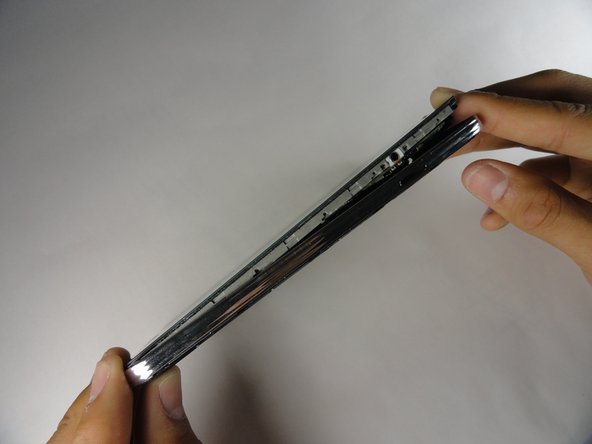
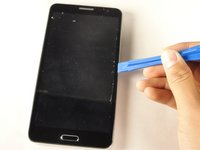
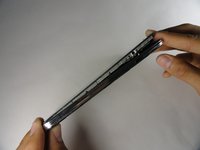
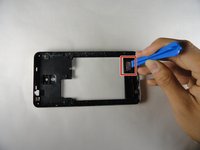
    • Using the plastic opening tool, create space between the front screen and the metal casing.

    • Once the screen is separated from the back panel, pull the two pieces apart.

  6. Tengda S5 Plus Speakers Replacement: 6 단계, 이미지 2개 중 1개 Tengda S5 Plus Speakers Replacement: 6 단계, 이미지 2개 중 2개
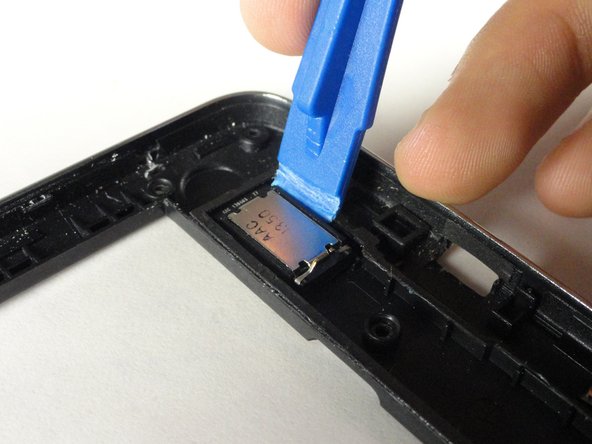
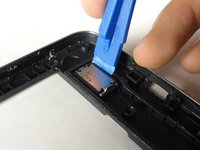
    • Using an iFixit opening tool, remove the speakers.

    • Do not be afraid to use a little force. The speakers are glued onto the phone, not wired.

결론

To reassemble your device, follow these instructions in reverse order.

작성자

3다른 기여자 명과 함께

Andrew Lam

회원 가입일: 04/23/15

101 평판

안내서 1개를 작성함

Cal Poly, Team 14-9, Amido Spring 2015 Cal Poly, Team 14-9, Amido Spring 2015 회원

CPSU-AMIDO-S15S14G9

4 회원들

안내서 10개를 작성함

0가이드 댓글

댓글 쓰기

조회 통계:

지난 24시간: 1

지난 7일: 1

지난 30일: 7

전체 시간: 459