주요 콘텐츠로 건너뛰기

Toshiba Satellite A65-S126 Speaker Replacement

필요한 것

  1. Toshiba Satellite A65-S126 Speaker Replacement, Battery: 1 단계, 이미지 1개 중 1개
    • Flip the laptop over so the bottom is facing up.

    • Slide each of the three tabs on the bottom half of the assembly into the unlocked position.

  2. Toshiba Satellite A65-S126 Speaker Replacement: 2 단계, 이미지 1개 중 1개
    • Gently lift the battery out of the computer.

  3. Toshiba Satellite A65-S126 Speaker Replacement, Upper Assembly: 3 단계, 이미지 1개 중 1개
    • Remove the single 3mm Phillips #00 screw that secures the wireless card cover.

  4. Toshiba Satellite A65-S126 Speaker Replacement: 4 단계, 이미지 1개 중 1개
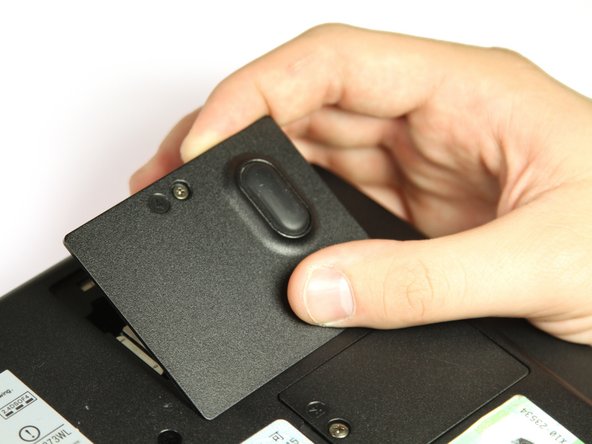
    • Remove the WIFI module cover. It will pull right off.

  5. Toshiba Satellite A65-S126 Speaker Replacement: 5 단계, 이미지 2개 중 1개 Toshiba Satellite A65-S126 Speaker Replacement: 5 단계, 이미지 2개 중 2개
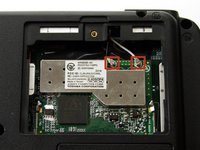
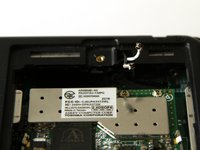
    • Unplug the white and black wires from the WiFi module.

  6. Toshiba Satellite A65-S126 Speaker Replacement: 6 단계, 이미지 1개 중 1개
    • Remove the twelve 8mm button head Phillips #00 B8 screws.

    • Remove the two 14 mm button head Phillips #00 B14 screws.

    • Remove the two 10 mm Phillips #00 battery compartment screws.

    • Remove the two 8 mm Phillips #00 screws.

  7. Toshiba Satellite A65-S126 Speaker Replacement: 7 단계, 이미지 1개 중 1개
    • Remove the seven 4mm flat Phillips #00 screws.

    • Remove the seven 20mm button head Phillips #00 screws.

  8. Toshiba Satellite A65-S126 Speaker Replacement: 8 단계, 이미지 1개 중 1개
    • Use the plastic opening tool to pry the two halves apart.

  9. Toshiba Satellite A65-S126 Speaker Replacement, Speaker: 9 단계, 이미지 2개 중 1개 Toshiba Satellite A65-S126 Speaker Replacement, Speaker: 9 단계, 이미지 2개 중 2개
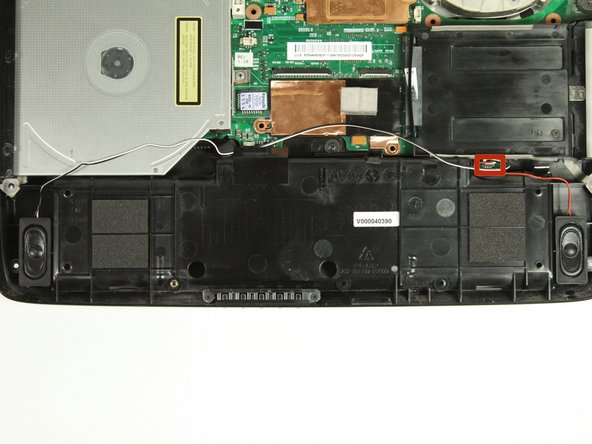
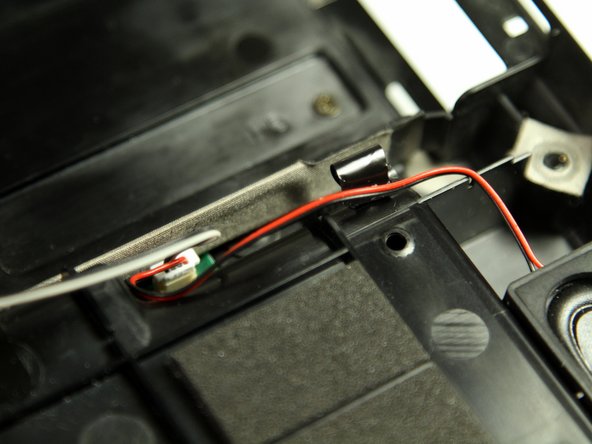
    • Locate the plug for the speaker wires on the bottom of the laptop.

  10. Toshiba Satellite A65-S126 Speaker Replacement: 10 단계, 이미지 1개 중 1개
    • Unplug the speaker wire connector.

  11. Toshiba Satellite A65-S126 Speaker Replacement: 11 단계, 이미지 1개 중 1개
    • Remove the speakers by sliding them straight up. They should slide out with ease.

결론

To reassemble your device, follow these instructions in reverse order.

작성자

7다른 기여자 명과 함께

Cole Uhland

회원 가입일: 09/30/13

216 평판

안내서 2개를 작성함

Cal Poly, Team 14-8, Forte Fall 2013 Cal Poly, Team 14-8, Forte Fall 2013 회원

CPSU-FORTE-F13S14G8

4 회원들

안내서 8개를 작성함

0가이드 댓글

댓글 쓰기

조회 통계:

지난 24시간: 0

지난 7일: 1

지난 30일: 9

전체 시간: 682