주요 콘텐츠로 건너뛰기

Toshiba Satellite C850 HDD, RAM memory upgrade

필요한 것

동영상 개요

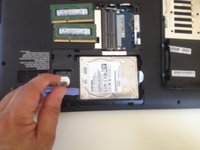
  1. Toshiba Satellite C850  HDD, RAM memory upgrade, HDD, RAM memory: 1 단계, 이미지 3개 중 1개 Toshiba Satellite C850  HDD, RAM memory upgrade, HDD, RAM memory: 1 단계, 이미지 3개 중 2개 Toshiba Satellite C850  HDD, RAM memory upgrade, HDD, RAM memory: 1 단계, 이미지 3개 중 3개
    • Switch off the laptop and remove the battery

    • Remove the HDD / Memory cover, secured by one Phillips screw.

  2. Toshiba Satellite C850  HDD, RAM memory upgrade: 2 단계, 이미지 2개 중 1개 Toshiba Satellite C850  HDD, RAM memory upgrade: 2 단계, 이미지 2개 중 2개
    • There are two slots for memory modules.

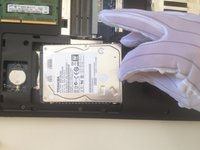
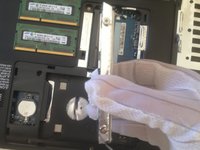
  3. Toshiba Satellite C850  HDD, RAM memory upgrade: 3 단계, 이미지 3개 중 1개 Toshiba Satellite C850  HDD, RAM memory upgrade: 3 단계, 이미지 3개 중 2개 Toshiba Satellite C850  HDD, RAM memory upgrade: 3 단계, 이미지 3개 중 3개
    • Slide the HDD to disconnect it from the SATA connector and remove it.

  4. Toshiba Satellite C850  HDD, RAM memory upgrade: 4 단계, 이미지 1개 중 1개
결론

To reassemble your device, follow these instructions in reverse order.

다른 4명이 해당 안내서를 완성하였습니다.

작성자

1다른 기여자 명과 함께

ZFix

회원 가입일: 12/09/13

195,943 평판

안내서 330개를 작성함

Master Techs Master Techs 회원

Community

329 회원들

안내서 1,452개를 작성함

5가이드 댓글

hi what is the maximum amount of memory this laptop will take

stephen mell - 답글

16 GB but some older version of this model(C850) takes up only up to 8 GB max

theflashsalesmobile -

댓글 쓰기

조회 통계:

지난 24시간: 0

지난 7일: 11

지난 30일: 50

전체 시간: 8,396