주요 콘텐츠로 건너뛰기

Toshiba Satellite P75-A7100 Display Screen Replacement

필요한 것

  1. Toshiba Satellite P75-A7100 Display Screen Replacement, Display Screen: 1 단계, 이미지 2개 중 1개 Toshiba Satellite P75-A7100 Display Screen Replacement, Display Screen: 1 단계, 이미지 2개 중 2개
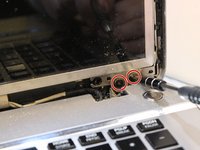
    • Open the laptop and unscrew each of the screws that are in the corners of the screen using a Phillips #1 screwdriver.

  2. Toshiba Satellite P75-A7100 Display Screen Replacement: 2 단계, 이미지 3개 중 1개 Toshiba Satellite P75-A7100 Display Screen Replacement: 2 단계, 이미지 3개 중 2개 Toshiba Satellite P75-A7100 Display Screen Replacement: 2 단계, 이미지 3개 중 3개
    • Using a metal spudger, insert the spudger around the edges and the bottom to detach the frame from the screen.

  3. Toshiba Satellite P75-A7100 Display Screen Replacement: 3 단계, 이미지 1개 중 1개
    • Remove the frame from the device.

  4. Toshiba Satellite P75-A7100 Display Screen Replacement: 4 단계, 이미지 3개 중 1개 Toshiba Satellite P75-A7100 Display Screen Replacement: 4 단계, 이미지 3개 중 2개 Toshiba Satellite P75-A7100 Display Screen Replacement: 4 단계, 이미지 3개 중 3개
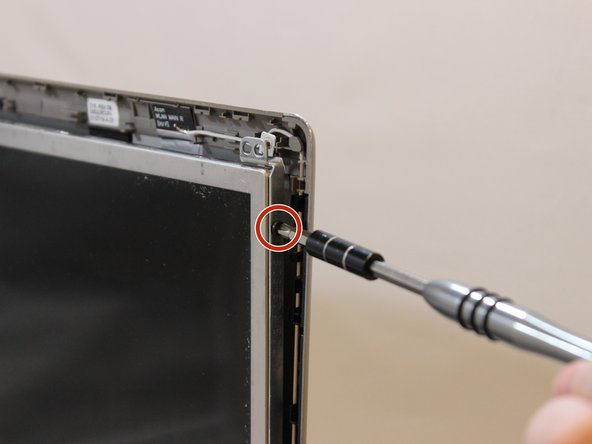
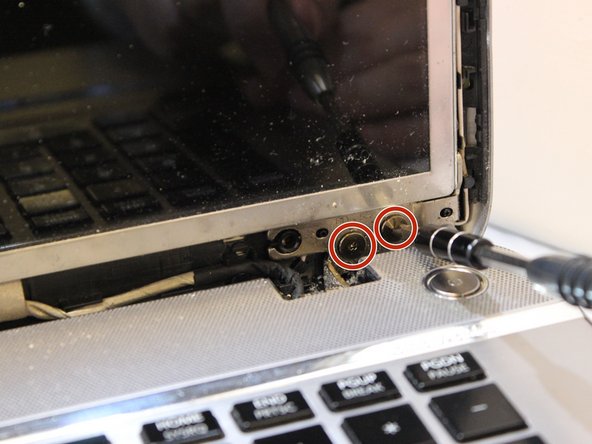
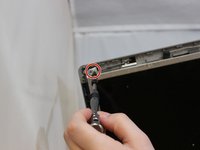
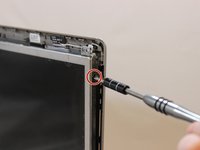
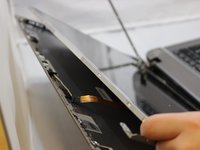
    • Using a Phillips #1 screwdriver, unscrew all of the screws on the sides of the screen.

  5. Toshiba Satellite P75-A7100 Display Screen Replacement: 5 단계, 이미지 2개 중 1개 Toshiba Satellite P75-A7100 Display Screen Replacement: 5 단계, 이미지 2개 중 2개
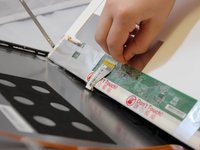
    • Disconnect the webcam from the screen and unhook any tape.

  6. Toshiba Satellite P75-A7100 Display Screen Replacement: 6 단계, 이미지 1개 중 1개
    • Remove the display from the device and add the new one.

결론

To reassemble your device, follow these instructions in reverse order.

작성자

2다른 기여자 명과 함께

Mayra Zuniga

회원 가입일: 01/17/18

300 평판

안내서 2개를 작성함

0가이드 댓글

댓글 쓰기

조회 통계:

지난 24시간: 0

지난 7일: 0

지난 30일: 7

전체 시간: 847