주요 콘텐츠로 건너뛰기

Toshiba Satellite P855-S5102 Hard Drive Replacement

필요한 것

  1. Toshiba Satellite P855-S5102 Hard Drive Replacement, Battery: 1 단계, 이미지 2개 중 1개 Toshiba Satellite P855-S5102 Hard Drive Replacement, Battery: 1 단계, 이미지 2개 중 2개
    • Push the locking tabs away from each other.

  2. Toshiba Satellite P855-S5102 Hard Drive Replacement: 2 단계, 이미지 2개 중 1개 Toshiba Satellite P855-S5102 Hard Drive Replacement: 2 단계, 이미지 2개 중 2개
    • Pull up on the battery to remove.

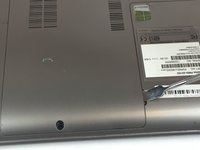
  3. Toshiba Satellite P855-S5102 Hard Drive Replacement, RAM: 3 단계, 이미지 2개 중 1개 Toshiba Satellite P855-S5102 Hard Drive Replacement, RAM: 3 단계, 이미지 2개 중 2개
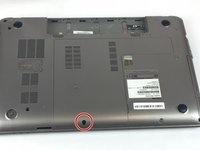
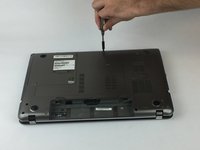
    • Remove the 3mm Phillips #0 screw from the cover.

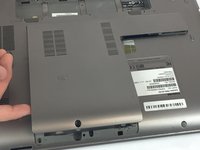
  4. Toshiba Satellite P855-S5102 Hard Drive Replacement: 4 단계, 이미지 3개 중 1개 Toshiba Satellite P855-S5102 Hard Drive Replacement: 4 단계, 이미지 3개 중 2개 Toshiba Satellite P855-S5102 Hard Drive Replacement: 4 단계, 이미지 3개 중 3개
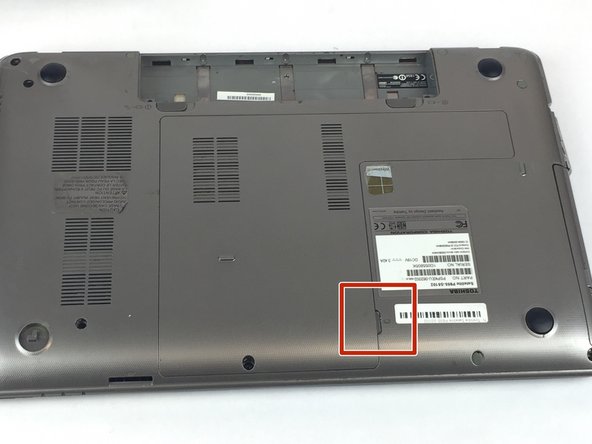
    • Use a plastic opening tool to lift up the cover and remove by hand.

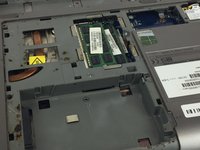
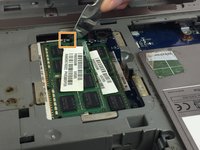
  5. Toshiba Satellite P855-S5102 Hard Drive Replacement: 5 단계, 이미지 3개 중 1개 Toshiba Satellite P855-S5102 Hard Drive Replacement: 5 단계, 이미지 3개 중 2개 Toshiba Satellite P855-S5102 Hard Drive Replacement: 5 단계, 이미지 3개 중 3개
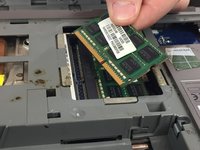
    • Two clips secure the RAM module in place, one on each side. Using your fingers, spread the clips away from the RAM module.


    • When released, the RAM module will pop up at a slight angle.

    • 
Lift the RAM module to an angle of about 30 degrees and slide it out.

  6. Toshiba Satellite P855-S5102 Hard Drive Replacement, Hard Drive: 6 단계, 이미지 1개 중 1개
    • Remove the three 3mm Phillips #0 screws from the hard drive.

    • Remove the hard drive.

결론

To reassemble your device, follow these instructions in reverse order.

작성자

1다른 기여자 명과 함께

Benson Smith

회원 가입일: 01/25/18

351 평판

안내서 3개를 작성함

USF Tampa, Team S20-G3, Passmore Spring 2018 USF Tampa, Team S20-G3, Passmore Spring 2018 회원

USFT-PASSMORE-S18S20G3

4 회원들

안내서 7개를 작성함

0가이드 댓글

댓글 쓰기

조회 통계:

지난 24시간: 0

지난 7일: 5

지난 30일: 8

전체 시간: 873